SuperMarket.io
SuperMarket.io

SuperMarket.io

Casual

| Kooapps Games | Fun Arcade and Casual Action Games

Play on PC with BlueStacks or from our cloud

  • Overview
  • Game Features
  • How to Play

Page Modified On: August 15, 2026

Play SuperMarket.io on PC or Mac

Step into the World of SuperMarket.io, a thrilling Casual game from the house of Kooapps Games | Fun Arcade and Casual Action Games. Play this Android game on BlueStacks App Player and experience immersive gaming on PC or Mac.

About the Game

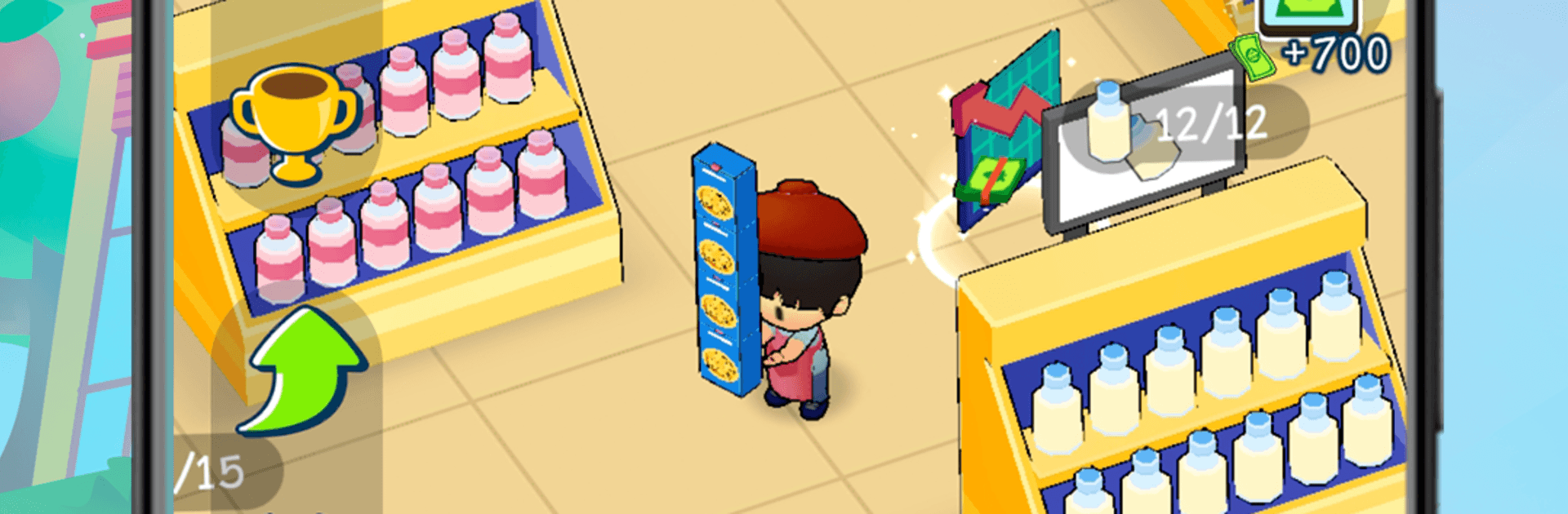
SuperMarket.io is a breezy Casual management game where you turn a tiny neighborhood shop into a buzzing retail hotspot. You’re the boss, the manager, and the farmer—planting crops, raising animals, and keeping shelves packed while shoppers zip through the aisles. It’s relaxed, pick-up-and-play fun that still scratches the strategy itch once you start optimizing every corner.

Game Features

  • Run the Whole Store: Build new aisles, set up checkout lanes, and keep things flowing as customers browse, buy, and line up at the registers.
  • Farm, Raise, Harvest: Grow lettuce and other crops, care for cows, and bring in fresh milk and produce straight from your own plots.
  • Process and Upgrade: Turn raw ingredients into fan favorites—churn butter, craft pasta—and upgrade machines to speed up production.
  • Stock Fast, Sell Faster: Keep shelves full, track what’s flying off the racks, and watch profits climb as carts fill up.
  • Hire Helpful Hands: Recruit workers to collect goods, restock displays, and serve customers so lines move fast.
  • Orders That Pay: Complete special requests to keep regulars happy and earn extra cash for your next big improvement.
  • Expand Your Floorplan: Unlock new sections, add storage, and open more checkouts to handle bigger crowds without breaking a sweat.
  • Make It Yours: Dress your character with outfits and hats, then bring along a cute pet to keep you company on the sales floor.
  • Idle-Friendly Play: Perfect for quick sessions—progress keeps rolling even when you take a breather.
  • Smooth Controls, Great Anywhere: Simple controls feel natural right away; prefer a bigger screen and keyboard? SuperMarket.io runs nicely on BlueStacks.

Get ready for a buttery smooth, high-performance gaming action only on BlueStacks.

Game Features

Enhancements

  • Macros
  • Multi Instance
  • Script
  • Repeated Tap
  • Enhancements
Macros

Macros

Automate the predictable in SuperMarket.io and transform your gameplay with Macros. Get access to inventive Macros in the BlueStacks Macro Community
Multi Instance

Multi Instance

Play SuperMarket.io on one window. And chat with your friend on the other. Press CTRL + Shift + 8 to open the Multi-Instance Manager. And start creating fresh instances or clone an existing one.
Script

Script

Script your way to gaming glory in SuperMarket.io with BlueStacks Script. Write and run a set of commands to automate repeated tasks. Trigger the command by assigning it to any key.
Repeated Tap

Repeated Tap

BlueStacks lets you master SuperMarket.io with useful features like the Repeated Tap. Now you do not have to press the same key repeatedly to initiate an action. Just assign it to one key and you are good to go.
Read More

How to Download and Play SuperMarket.io on PC or Mac

  • Download and install BlueStacks on your PC or Mac

  • Complete Google sign-in to access the Play Store, or do it later

  • Look for SuperMarket.io in the search bar at the top right corner

  • Click to install SuperMarket.io from the search results

  • Complete Google sign-in (if you skipped step 2) to install SuperMarket.io

  • Click the SuperMarket.io icon on the home screen to start playing

video
Watch Video

Minimum System Requirements

With BlueStacks 5, you can get started on a PC that fulfills the following requirements.

  • Operating System

    Microsoft Windows 7 or above, macOS 11 (Big Sur) or above

  • Processor

    Intel, AMD or Apple Silicon Processor

  • RAM

    at least 4GB

  • HDD

    10GB Free Disk Space

Note:

* You must be an Administrator on your PC. Up to date graphics drivers from Microsoft or the chipset vendor.

SuperMarket.io - FAQs

  • How to play SuperMarket.io on Windows PC & Mac?

    Play SuperMarket.io on your PC or Mac by following these simple steps.

    • Click on 'Play SuperMarket.io on PC’ to download BlueStacks
    • Install it and log-in to Google Play Store
    • Launch and play the game.
  • Why is BlueStacks the fastest and safest platform to play games on PC?

    BlueStacks respects your privacy and is always safe and secure to use. It does not carry any malware, spyware, or any sort of additional software that could harm your PC.

    It is engineered to optimize speed and performance for a seamless gaming experience.

  • What are SuperMarket.io PC requirements?

    Minimum requirement to run SuperMarket.io on your PC

    • OS: Microsoft Windows 7 or above MacOS 11 (Big Sur) or above
    • Processor: Intel, AMD or Apple Silicon Processor
    • RAM: Your PC must have at least 4GB of RAM. (Note that having 4GB or more disk space is not a substitute for RAM)
    • HDD: 10GB Free Disk Space.
    • You must be an Administrator on your PC.