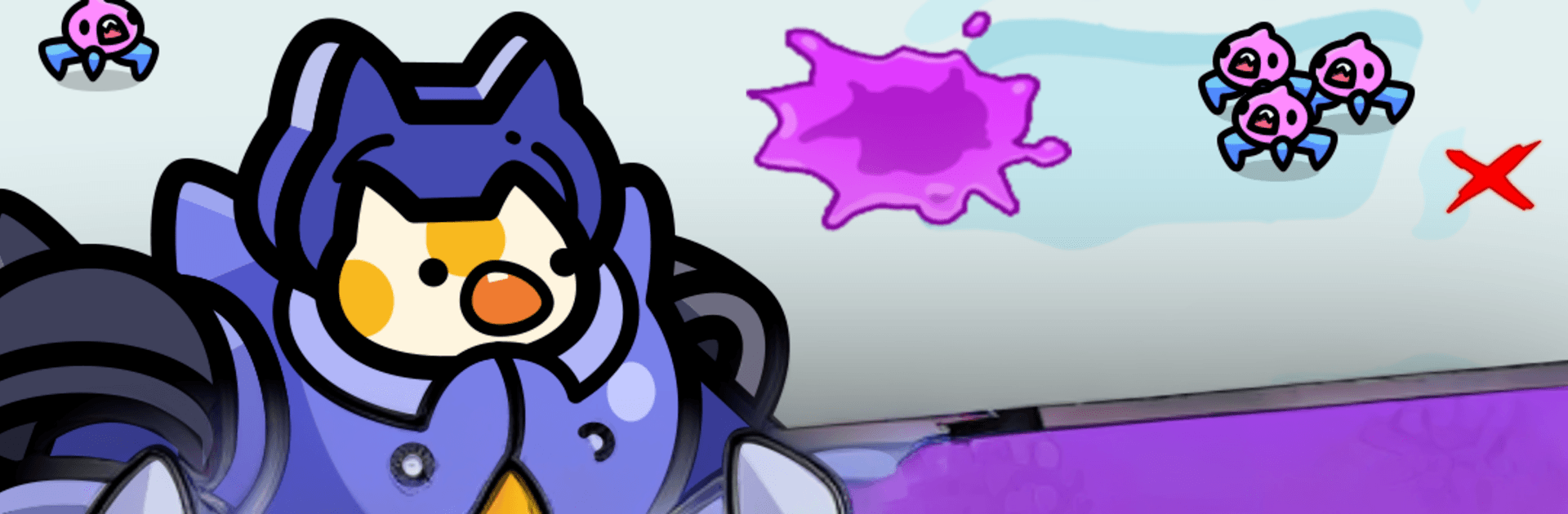
Tiny Cat Assemble: Survivors

Tiny Cat Assemble: Survivors

Casual

| Super Rabbit Games Corp.

Play on PC with BlueStacks or from our cloud

  • Overview
  • Game Features
  • How to Play

Page Modified On: July 20, 2026

Play Tiny Cat Assemble: Survivors on PC or Mac

Explore a whole new adventure with Tiny Cat Assemble: Survivors, a Casual game created by Super Rabbit Games Corp.. Experience great gameplay with BlueStacks, the most popular gaming platform to play Android games on your PC or Mac.

About the Game

Tiny Cat Assemble: Survivors turns a delivery job gone horribly wrong into a dark, goofy space comedy. You’ll crack open mystery crates to field an army of weaponized cats and try to keep a greedy megacorp’s raiders from grabbing the goods. It’s a snappy Casual blend of merge tactics, roguelike decisions, and frantic defense action—and it feels great on mobile or on a bigger screen with BlueStacks.

Game Features

  • Hold the Line Against Raiders: Waves of alien pirates rush your position, and the clock never stops. Slice through swarms, kite threats, and clear the screen before the next rush hits.
  • Merge for Bigger Claws: Pop open crates, see which cat pops out, then fuse matching units to morph them into stronger, flashier fighters. A few taps can transform a scrappy furball into a battlefield bully.
  • Build Wild Skill Combos: After each wave, pick from randomized buffs and abilities that reshape your run. Chain slows, blasts, and utility perks to create your own flavor of chaos.
  • A Cast of Feline Oddballs: Assemble everything from sleek mech-suit kitties to mysterious, artifact-wielding legends. Each has quirks and stats that change how your squad behaves.
  • Bosses With Nasty Tricks: Giant foes arrive with patterns to learn and gimmicks to outsmart. Reading tells and evolving the right units mid-fight makes all the difference.
  • Fast Runs, Big Payoff: Short stages ramp hard, delivering that survivor-style “one more try” loop where smarter merges and picks push your best clears further.
  • Space Comedy With Teeth: A missing snack triggers a galaxy-wide meltdown, and your unlucky bot is stuck in the middle. Cat drama, corporate greed, and the occasional planetary oops keep the story delightfully unhinged.

Get ready for a buttery smooth, high-performance gaming action only on BlueStacks.

Game Features

Enhancements

  • Macros
  • Multi Instance
  • Script
  • Repeated Tap
  • Enhancements
Macros

Macros

Automate the predictable in Tiny Cat Assemble: Survivors and transform your gameplay with Macros. Get access to inventive Macros in the BlueStacks Macro Community
Multi Instance

Multi Instance

Play Tiny Cat Assemble: Survivors on one window. And chat with your friend on the other. Press CTRL + Shift + 8 to open the Multi-Instance Manager. And start creating fresh instances or clone an existing one.
Script

Script

Script your way to gaming glory in Tiny Cat Assemble: Survivors with BlueStacks Script. Write and run a set of commands to automate repeated tasks. Trigger the command by assigning it to any key.
Repeated Tap

Repeated Tap

BlueStacks lets you master Tiny Cat Assemble: Survivors with useful features like the Repeated Tap. Now you do not have to press the same key repeatedly to initiate an action. Just assign it to one key and you are good to go.
Read More

How to Download and Play Tiny Cat Assemble: Survivors on PC or Mac

  • Download and install BlueStacks on your PC or Mac

  • Complete Google sign-in to access the Play Store, or do it later

  • Look for Tiny Cat Assemble: Survivors in the search bar at the top right corner

  • Click to install Tiny Cat Assemble: Survivors from the search results

  • Complete Google sign-in (if you skipped step 2) to install Tiny Cat Assemble: Survivors

  • Click the Tiny Cat Assemble: Survivors icon on the home screen to start playing

video
Watch Video

Minimum System Requirements

With BlueStacks 5, you can get started on a PC that fulfills the following requirements.

  • Operating System

    Microsoft Windows 7 or above, macOS 11 (Big Sur) or above

  • Processor

    Intel, AMD or Apple Silicon Processor

  • RAM

    at least 4GB

  • HDD

    10GB Free Disk Space

Note:

* You must be an Administrator on your PC. Up to date graphics drivers from Microsoft or the chipset vendor.

Tiny Cat Assemble: Survivors - FAQs

  • How to play Tiny Cat Assemble: Survivors on Windows PC & Mac?

    Play Tiny Cat Assemble: Survivors on your PC or Mac by following these simple steps.

    • Click on 'Play Tiny Cat Assemble: Survivors on PC’ to download BlueStacks
    • Install it and log-in to Google Play Store
    • Launch and play the game.
  • Why is BlueStacks the fastest and safest platform to play games on PC?

    BlueStacks respects your privacy and is always safe and secure to use. It does not carry any malware, spyware, or any sort of additional software that could harm your PC.

    It is engineered to optimize speed and performance for a seamless gaming experience.

  • What are Tiny Cat Assemble: Survivors PC requirements?

    Minimum requirement to run Tiny Cat Assemble: Survivors on your PC

    • OS: Microsoft Windows 7 or above MacOS 11 (Big Sur) or above
    • Processor: Intel, AMD or Apple Silicon Processor
    • RAM: Your PC must have at least 4GB of RAM. (Note that having 4GB or more disk space is not a substitute for RAM)
    • HDD: 10GB Free Disk Space.
    • You must be an Administrator on your PC.