Toddler Paint and Draw

Toddler Paint and Draw

Casual

| ToddlerTap

Play on PC with BlueStacks or from our cloud

  • Overview
  • Game Features
  • How to Play

Page Modified On: September 11, 2026

Play Toddler Paint and Draw on PC or Mac

Toddler Paint and Draw by ToddlerTap has plenty to keep you busy. BlueStacks lets you play it on PC or Mac with more screen space, better control, and fewer mobile limits.

About the Game

Toddler Paint and Draw is a Casual creative playground where little artists can swipe, scribble, and color to their hearts’ content. It’s built for ages 2–6 with super simple controls, tons of variety, and a calm space to experiment without pressure. Want a bigger canvas at home? It also feels great on BlueStacks with easy mouse strokes.

Game Features

  • Made for little hands: Big, friendly buttons and a clean layout make it easy for toddlers to explore on their own—or with a nearby grown-up.
  • 60 playful brushes: From rainbows and clouds to cookie crumbs and rope-like lines, the brush set keeps every doodle fresh and surprising.
  • 40 ready-made backgrounds: Mix it up with 20 scenic backdrops to decorate and 20 coloring pages for those who like staying inside the lines.
  • Multitouch magic: Draw with several fingers at once, so kids can try new motions or team up and create together on bigger screens.
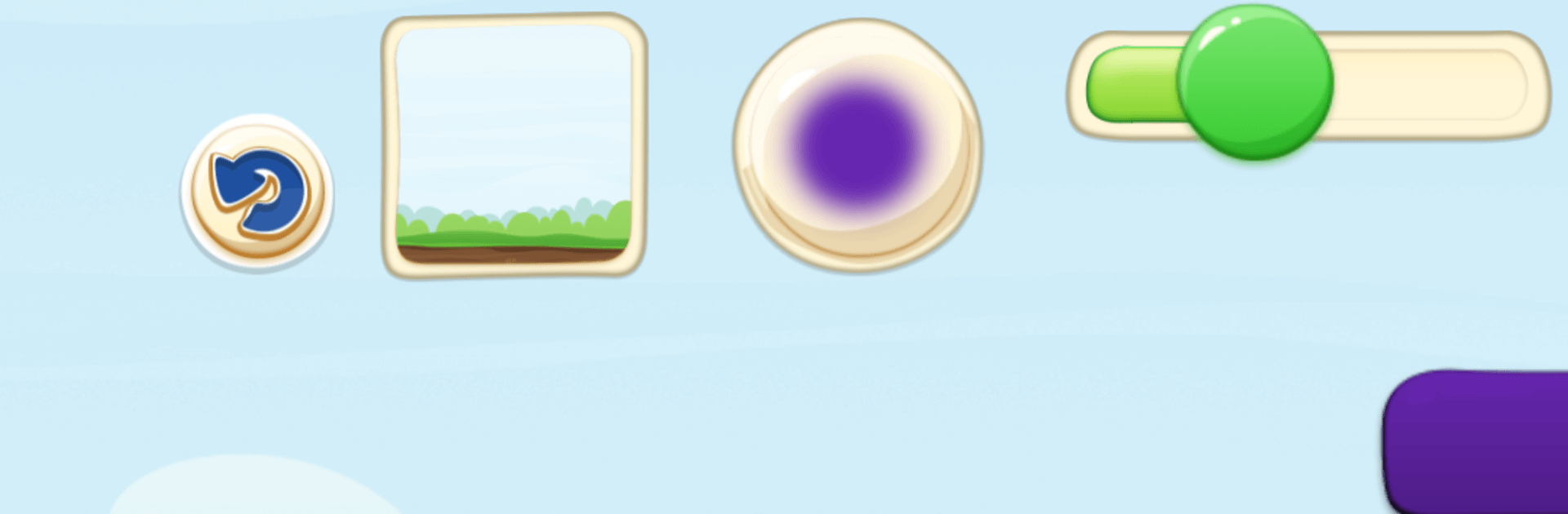
  • Tap-and-slide controls: Tap the circle to swap brushes, the square to change backgrounds, and use the slider to adjust brush size on the fly.
  • Auto-save safety net: Every masterpiece is saved automatically and loads right back up next time, so nothing gets lost.
  • Parent-friendly options: A simple Parents menu lets you enable exporting finished art to the photo library and manage handy settings.

BlueStacks gives you more room to focus on the game and less time adjusting around mobile limitations.


Game Features

Enhancements

  • Macros
  • Multi Instance
  • Script
  • Repeated Tap
  • Enhancements
Macros

Macros

Automate the predictable in Toddler Paint and Draw and transform your gameplay with Macros. Get access to inventive Macros in the BlueStacks Macro Community
Multi Instance

Multi Instance

Play Toddler Paint and Draw on one window. And chat with your friend on the other. Press CTRL + Shift + 8 to open the Multi-Instance Manager. And start creating fresh instances or clone an existing one.
Script

Script

Script your way to gaming glory in Toddler Paint and Draw with BlueStacks Script. Write and run a set of commands to automate repeated tasks. Trigger the command by assigning it to any key.
Repeated Tap

Repeated Tap

BlueStacks lets you master Toddler Paint and Draw with useful features like the Repeated Tap. Now you do not have to press the same key repeatedly to initiate an action. Just assign it to one key and you are good to go.
Read More

How to Download and Play Toddler Paint and Draw on PC or Mac

  • Download and install BlueStacks on your PC or Mac

  • Complete Google sign-in to access the Play Store, or do it later

  • Look for Toddler Paint and Draw in the search bar at the top right corner

  • Click to install Toddler Paint and Draw from the search results

  • Complete Google sign-in (if you skipped step 2) to install Toddler Paint and Draw

  • Click the Toddler Paint and Draw icon on the home screen to start playing

video
Watch Video

Minimum System Requirements

With BlueStacks 5, you can get started on a PC that fulfills the following requirements.

  • Operating System

    Microsoft Windows 7 or above, macOS 11 (Big Sur) or above

  • Processor

    Intel, AMD or Apple Silicon Processor

  • RAM

    at least 4GB

  • HDD

    10GB Free Disk Space

Note:

* You must be an Administrator on your PC. Up to date graphics drivers from Microsoft or the chipset vendor.

Toddler Paint and Draw - FAQs

  • How to play Toddler Paint and Draw on Windows PC & Mac?

    Play Toddler Paint and Draw on your PC or Mac by following these simple steps.

    • Click on 'Play Toddler Paint and Draw on PC’ to download BlueStacks
    • Install it and log-in to Google Play Store
    • Launch and play the game.
  • Why is BlueStacks the fastest and safest platform to play games on PC?

    BlueStacks respects your privacy and is always safe and secure to use. It does not carry any malware, spyware, or any sort of additional software that could harm your PC.

    It is engineered to optimize speed and performance for a seamless gaming experience.

  • What are Toddler Paint and Draw PC requirements?

    Minimum requirement to run Toddler Paint and Draw on your PC

    • OS: Microsoft Windows 7 or above MacOS 11 (Big Sur) or above
    • Processor: Intel, AMD or Apple Silicon Processor
    • RAM: Your PC must have at least 4GB of RAM. (Note that having 4GB or more disk space is not a substitute for RAM)
    • HDD: 10GB Free Disk Space.
    • You must be an Administrator on your PC.