Township – Thị trấn vui vẻ

Township – Thị trấn vui vẻ

Casual

| VTC GAme

Play on PC with BlueStacks or from our cloud

  • Overview
  • Game Features
  • How to Play

Page Modified On: June 02, 2026

Play Township – Thị trấn vui vẻ on PC or Mac

Explore a whole new adventure with Township – Thị trấn vui vẻ, a Casual game created by VTC GAme. Experience great gameplay with BlueStacks, the most popular gaming platform to play Android games on your PC or Mac.

About the Game

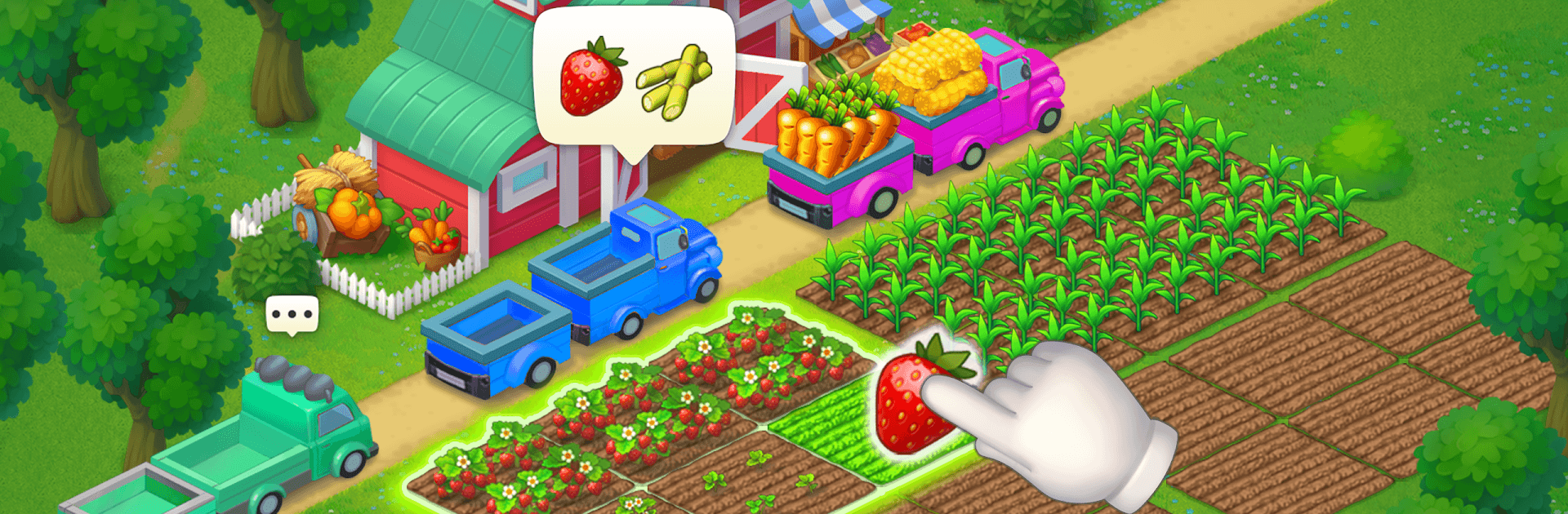
Township – Thị trấn vui vẻ is a cozy Casual builder where you’re the mayor, the planner, and the friendly neighbor all at once. Grow fields, run factories, and shape a bustling town that actually feels alive. When you want a break from managing shipments and upgrades, hop into quick match-3 levels to snag useful boosts and keep the momentum rolling—most of it works great offline, too.

Game Features

  • Your town, your style: Lay out neighborhoods, parks, and landmarks, then decorate every corner to match your vibe.
  • From seed to store shelf: Plant crops, harvest them, and turn produce into goods at factories to power your town’s economy.
  • Chill match-3 breaks: Tackle bite-sized puzzle stages to earn handy resources and push projects forward without the grind.
  • Competitions that matter: Join regular challenges—including speedy boat races—and test your planning skills against other players.
  • Collections to complete: Hunt down artifacts, antiques, and colorful avatars to show off what you’ve accomplished.
  • Play offline, no stress: Build, farm, and manage your town even without an internet connection; go online for contests and social perks.
  • Meet the locals: Chatty characters bring personality to your streets with light stories and tasks that guide your progress.
  • Trade and help out: Visit friends’ towns, share supplies, and team up to finish bigger orders faster.
  • Smooth and vibrant: Bright visuals and lively animations keep everything cheerful; it also runs nicely on BlueStacks if you like playing on a PC.

Start playing Township – Thị trấn vui vẻ on BlueStacks and get a smoother, more comfortable PC or Mac setup.


Game Features

Enhancements

  • Macros
  • Multi Instance
  • Script
  • Repeated Tap
  • Enhancements
Macros

Macros

Automate the predictable in Township – Thị trấn vui vẻ and transform your gameplay with Macros. Get access to inventive Macros in the BlueStacks Macro Community
Multi Instance

Multi Instance

Play Township – Thị trấn vui vẻ on one window. And chat with your friend on the other. Press CTRL + Shift + 8 to open the Multi-Instance Manager. And start creating fresh instances or clone an existing one.
Script

Script

Script your way to gaming glory in Township – Thị trấn vui vẻ with BlueStacks Script. Write and run a set of commands to automate repeated tasks. Trigger the command by assigning it to any key.
Repeated Tap

Repeated Tap

BlueStacks lets you master Township – Thị trấn vui vẻ with useful features like the Repeated Tap. Now you do not have to press the same key repeatedly to initiate an action. Just assign it to one key and you are good to go.
Read More

How to Download and Play Township – Thị trấn vui vẻ on PC or Mac

  • Download and install BlueStacks on your PC or Mac

  • Complete Google sign-in to access the Play Store, or do it later

  • Look for Township – Thị trấn vui vẻ in the search bar at the top right corner

  • Click to install Township – Thị trấn vui vẻ from the search results

  • Complete Google sign-in (if you skipped step 2) to install Township – Thị trấn vui vẻ

  • Click the Township – Thị trấn vui vẻ icon on the home screen to start playing

video
Watch Video

Minimum System Requirements

With BlueStacks 5, you can get started on a PC that fulfills the following requirements.

  • Operating System

    Microsoft Windows 7 or above, macOS 11 (Big Sur) or above

  • Processor

    Intel, AMD or Apple Silicon Processor

  • RAM

    at least 4GB

  • HDD

    10GB Free Disk Space

Note:

* You must be an Administrator on your PC. Up to date graphics drivers from Microsoft or the chipset vendor.

Township – Thị trấn vui vẻ - FAQs

  • How to play Township – Thị trấn vui vẻ on Windows PC & Mac?

    Play Township – Thị trấn vui vẻ on your PC or Mac by following these simple steps.

    • Click on 'Play Township – Thị trấn vui vẻ on PC’ to download BlueStacks
    • Install it and log-in to Google Play Store
    • Launch and play the game.
  • Why is BlueStacks the fastest and safest platform to play games on PC?

    BlueStacks respects your privacy and is always safe and secure to use. It does not carry any malware, spyware, or any sort of additional software that could harm your PC.

    It is engineered to optimize speed and performance for a seamless gaming experience.

  • What are Township – Thị trấn vui vẻ PC requirements?

    Minimum requirement to run Township – Thị trấn vui vẻ on your PC

    • OS: Microsoft Windows 7 or above MacOS 11 (Big Sur) or above
    • Processor: Intel, AMD or Apple Silicon Processor
    • RAM: Your PC must have at least 4GB of RAM. (Note that having 4GB or more disk space is not a substitute for RAM)
    • HDD: 10GB Free Disk Space.
    • You must be an Administrator on your PC.