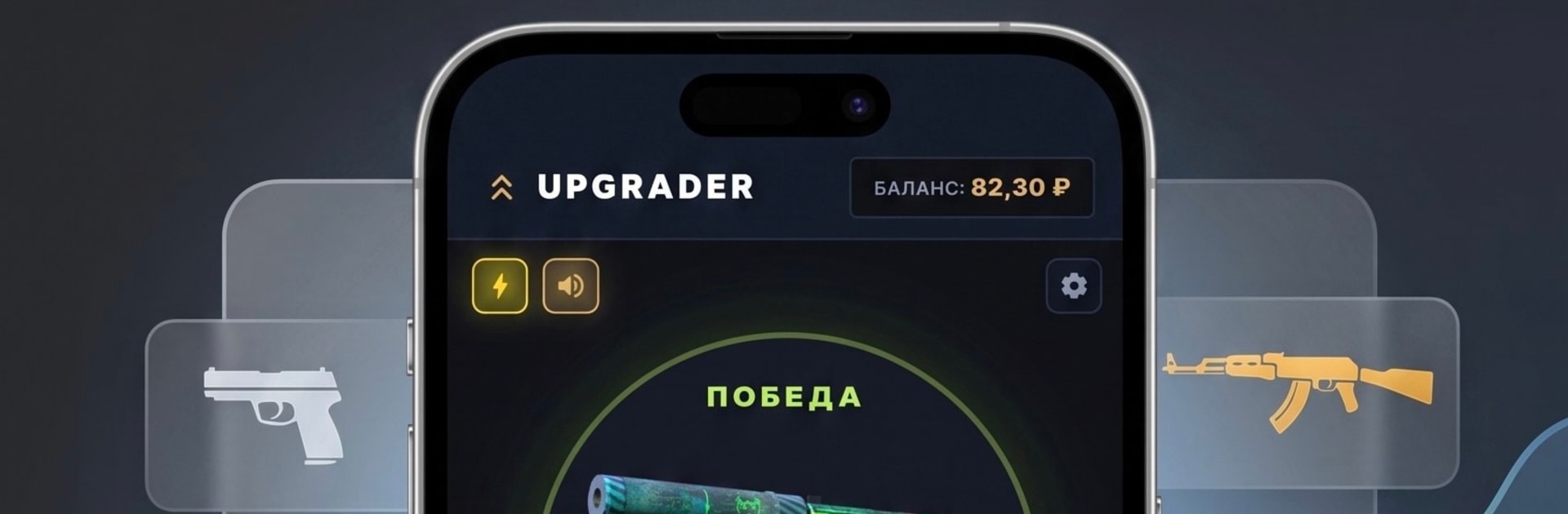
Upgrader апгрейдер скины кс

Upgrader апгрейдер скины кс

Casual

| Narodniy

Play on PC with BlueStacks or from our cloud

  • Overview
  • Game Features
  • How to Play

Page Modified On: September 11, 2026

Play Upgrader апгрейдер скины кс on PC or Mac

Play Upgrader апгрейдер скины кс by Narodniy on PC or Mac with BlueStacks. Use a bigger screen, mouse and keyboard controls, and smoother performance while you play.

About the Game

Upgrader апгрейдер скины кс is all about the thrill of risk without the real-world stakes. This Casual simulator lets you try your luck on virtual skin upgrades, choosing how bold (or safe) you want to be with every spin. Pick a target, weigh the odds, and see if your hunch pays off—no real money involved. Prefer a bigger screen? It runs smoothly on BlueStacks, too.

Everything you earn and spend here is fictional, so you can experiment freely and chase those shiny pulls just for fun.

Game Features

  • Transparent odds on every spin: Set your target and see the exact probability before you commit, so every risk feels informed, not mysterious.
  • Massive catalog of items: Browse over 1,900 skins with reference pricing to help you gauge value at a glance.
  • Stack your stakes: Combine multiple items into one attempt—their values add up for a shot at something bigger.
  • Adjustable chances: Use your in-game balance to bump up your success rate, capped at 75% for a safer swing.
  • Consolation prizes: A failed upgrade doesn’t always sting—sometimes you’ll still walk away with something.
  • Smart inventory tools: Filters, search, a built-in shop, and quick selling make organizing your stash painless.
  • Full stats and history: Track wins, losses, and every upgrade path so you can refine your strategy over time.
  • Cloud saves: Keep your progress synced and hop between devices without missing a beat.
  • Speed-friendly mode: Turn on fast scrolling when you don’t feel like waiting for the wheel.
  • Offline support: Play and manage your collection even when you’re not connected.

BlueStacks gives you more room to focus on the game and less time adjusting around mobile limitations.


Game Features

Enhancements

  • Macros
  • Multi Instance
  • Script
  • Repeated Tap
  • Enhancements
Macros

Macros

Automate the predictable in Upgrader апгрейдер скины кс and transform your gameplay with Macros. Get access to inventive Macros in the BlueStacks Macro Community
Multi Instance

Multi Instance

Play Upgrader апгрейдер скины кс on one window. And chat with your friend on the other. Press CTRL + Shift + 8 to open the Multi-Instance Manager. And start creating fresh instances or clone an existing one.
Script

Script

Script your way to gaming glory in Upgrader апгрейдер скины кс with BlueStacks Script. Write and run a set of commands to automate repeated tasks. Trigger the command by assigning it to any key.
Repeated Tap

Repeated Tap

BlueStacks lets you master Upgrader апгрейдер скины кс with useful features like the Repeated Tap. Now you do not have to press the same key repeatedly to initiate an action. Just assign it to one key and you are good to go.
Read More

How to Download and Play Upgrader апгрейдер скины кс on PC or Mac

  • Download and install BlueStacks on your PC or Mac

  • Complete Google sign-in to access the Play Store, or do it later

  • Look for Upgrader апгрейдер скины кс in the search bar at the top right corner

  • Click to install Upgrader апгрейдер скины кс from the search results

  • Complete Google sign-in (if you skipped step 2) to install Upgrader апгрейдер скины кс

  • Click the Upgrader апгрейдер скины кс icon on the home screen to start playing

video
Watch Video

Minimum System Requirements

With BlueStacks 5, you can get started on a PC that fulfills the following requirements.

  • Operating System

    Microsoft Windows 7 or above, macOS 11 (Big Sur) or above

  • Processor

    Intel, AMD or Apple Silicon Processor

  • RAM

    at least 4GB

  • HDD

    10GB Free Disk Space

Note:

* You must be an Administrator on your PC. Up to date graphics drivers from Microsoft or the chipset vendor.

Upgrader апгрейдер скины кс - FAQs

  • How to play Upgrader апгрейдер скины кс on Windows PC & Mac?

    Play Upgrader апгрейдер скины кс on your PC or Mac by following these simple steps.

    • Click on 'Play Upgrader апгрейдер скины кс on PC’ to download BlueStacks
    • Install it and log-in to Google Play Store
    • Launch and play the game.
  • Why is BlueStacks the fastest and safest platform to play games on PC?

    BlueStacks respects your privacy and is always safe and secure to use. It does not carry any malware, spyware, or any sort of additional software that could harm your PC.

    It is engineered to optimize speed and performance for a seamless gaming experience.

  • What are Upgrader апгрейдер скины кс PC requirements?

    Minimum requirement to run Upgrader апгрейдер скины кс on your PC

    • OS: Microsoft Windows 7 or above MacOS 11 (Big Sur) or above
    • Processor: Intel, AMD or Apple Silicon Processor
    • RAM: Your PC must have at least 4GB of RAM. (Note that having 4GB or more disk space is not a substitute for RAM)
    • HDD: 10GB Free Disk Space.
    • You must be an Administrator on your PC.