Vacation Summer Dress Up

Vacation Summer Dress Up

Casual

| Makeover & Dress Up Fashion Games

Play on PC with BlueStacks or from our cloud

  • Overview
  • Game Features
  • How to Play

Page Modified On: October 24, 2025

Play Vacation Summer Dress Up on PC or Mac

From the innovators and creators at Makeover & Dress Up Fashion Games, Vacation Summer Dress Up is another fun addition to the World of Casual games. Go beyond your mobile screen and play it bigger and better on your PC or Mac. An immersive experience awaits you.

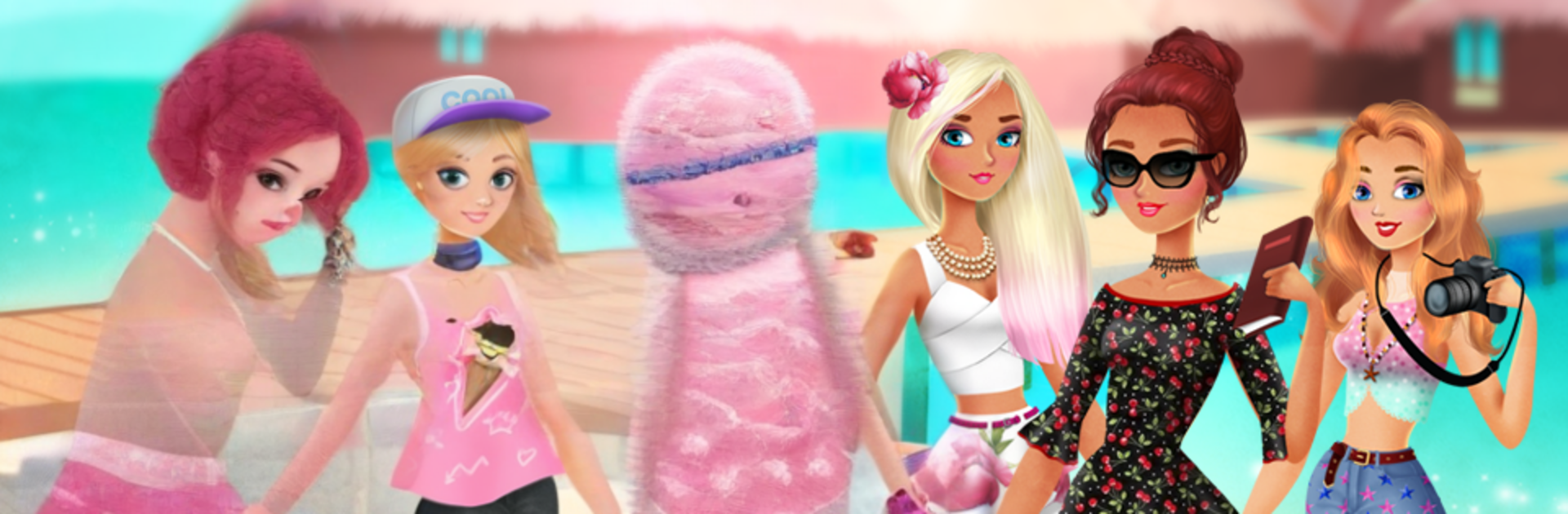
Vacation Summer Dress Up is basically a chill styling sandbox about six friends on a sunny trip. The whole loop is simple and relaxing. Pick a girl, choose a scene like a morning coffee stop, the beach, or a stroll through old streets, then build an outfit that fits the moment. Dresses and skirts for the cafe, swimsuits with a pareo for swimming, a fresh hairstyle after the water messes it up, then something cute for window shopping. It feels more like curating a holiday lookbook than chasing scores. No timers, no stress, just try stuff, swap it out, try again. The backdrops sell the mood, with warm beaches and cozy town corners that make the outfits pop.

There is a big closet to dig through. Lots of dresses, hats, handbags, shoes, swimsuits, cover ups, jewelry, haircuts, all mixed across a couple hundred items and many categories, so different styles actually come together without getting boring. There is even a tan slider, so skin tone can go from fresh shade to sun soaked, which makes swim looks look different in a nice way. Everything is available from the start and there are no purchases getting in the way, so it turns into pure playtime fast. On PC with BlueStacks, clicking pieces on a bigger screen makes outfit building quick and tidy, and it is easy to compare colors or save screenshots. It is very much dress up first, no story or goals, so the fun is in styling combos and making the group look like a summer postcard.

Start your journey now. Download the game on BlueStacks, invite your friends, and march on a new adventure.


Game Features

Enhancements

  • Macros
  • Multi Instance
  • Script
  • Repeated Tap
  • Enhancements
Macros

Macros

Automate the predictable in Vacation Summer Dress Up and transform your gameplay with Macros. Get access to inventive Macros in the BlueStacks Macro Community
Multi Instance

Multi Instance

Play Vacation Summer Dress Up on one window. And chat with your friend on the other. Press CTRL + Shift + 8 to open the Multi-Instance Manager. And start creating fresh instances or clone an existing one.
Script

Script

Script your way to gaming glory in Vacation Summer Dress Up with BlueStacks Script. Write and run a set of commands to automate repeated tasks. Trigger the command by assigning it to any key.
Repeated Tap

Repeated Tap

BlueStacks lets you master Vacation Summer Dress Up with useful features like the Repeated Tap. Now you do not have to press the same key repeatedly to initiate an action. Just assign it to one key and you are good to go.
Read More

How to Download and Play Vacation Summer Dress Up on PC or Mac

  • Download and install BlueStacks on your PC or Mac

  • Complete Google sign-in to access the Play Store, or do it later

  • Look for Vacation Summer Dress Up in the search bar at the top right corner

  • Click to install Vacation Summer Dress Up from the search results

  • Complete Google sign-in (if you skipped step 2) to install Vacation Summer Dress Up

  • Click the Vacation Summer Dress Up icon on the home screen to start playing

video
Watch Video

Minimum System Requirements

With BlueStacks 5, you can get started on a PC that fulfills the following requirements.

  • Operating System

    Microsoft Windows 7 or above, macOS 11 (Big Sur) or above

  • Processor

    Intel, AMD or Apple Silicon Processor

  • RAM

    at least 4GB

  • HDD

    10GB Free Disk Space

Note:

* You must be an Administrator on your PC. Up to date graphics drivers from Microsoft or the chipset vendor.

Vacation Summer Dress Up - FAQs

  • How to play Vacation Summer Dress Up on Windows PC & Mac?

    Play Vacation Summer Dress Up on your PC or Mac by following these simple steps.

    • Click on 'Play Vacation Summer Dress Up on PC’ to download BlueStacks
    • Install it and log-in to Google Play Store
    • Launch and play the game.
  • Why is BlueStacks the fastest and safest platform to play games on PC?

    BlueStacks respects your privacy and is always safe and secure to use. It does not carry any malware, spyware, or any sort of additional software that could harm your PC.

    It is engineered to optimize speed and performance for a seamless gaming experience.

  • What are Vacation Summer Dress Up PC requirements?

    Minimum requirement to run Vacation Summer Dress Up on your PC

    • OS: Microsoft Windows 7 or above MacOS 11 (Big Sur) or above
    • Processor: Intel, AMD or Apple Silicon Processor
    • RAM: Your PC must have at least 4GB of RAM. (Note that having 4GB or more disk space is not a substitute for RAM)
    • HDD: 10GB Free Disk Space.
    • You must be an Administrator on your PC.