Wacky Warper: Silly Honkai

Wacky Warper: Silly Honkai

Casual

| Hippo Penny

Play on PC with BlueStacks or from our cloud

  • Overview
  • Game Features
  • How to Play

Page Modified On: September 19, 2025

Play Wacky Warper: Silly Honkai on PC or Mac

From the innovators and creators at Hippo Penny, Wacky Warper: Silly Honkai is another fun addition to the World of Casual games. Go beyond your mobile screen and play it bigger and better on your PC or Mac. An immersive experience awaits you.

About the Game

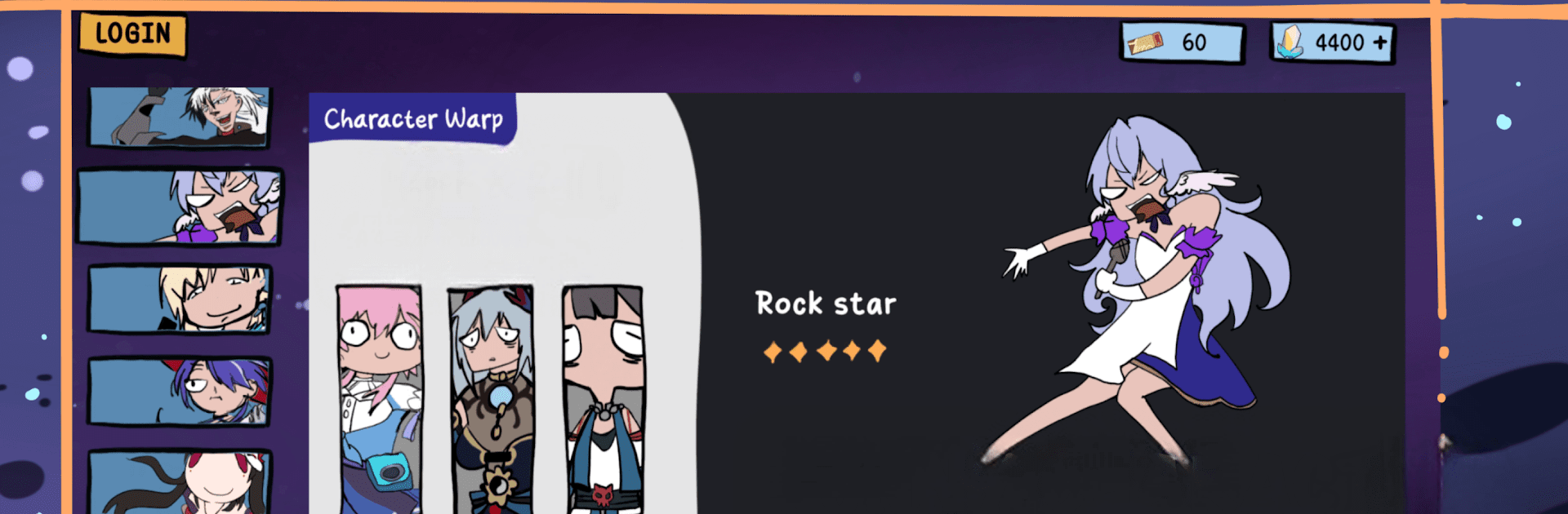
Wacky Warper: Silly Honkai is a cheeky Casual gacha playground from Hippo Penny where you can pull to your heart’s content, dress up your faves, and giggle at their reactions. It leans hard into goofy charm—think quirky art, playful animations, and a bunch of side distractions when you’re not warping. Want to chill, collect, and mess around with outfits without the pressure? That’s the vibe.

Game Features

  • Up-to-date banners: Spin through current banners and experiment with pulls as much as you like—perfect for testing wish luck without the real-life stakes.
  • Big roster and wardrobe: Collect a wide range of characters and load them up with outfits that swing from adorable to delightfully weird.
  • Dress-up studio: Mix and match costumes, try bold looks, and screenshot those fits you swear shouldn’t work (but somehow do).
  • Gifting reactions: Hand over gifts and see how each character responds—some are sweet, some are pricelessly dramatic.
  • Collection panel: Track every character, item, and costume you’ve snagged in a clean, sortable gallery.
  • Character Card Maker: Build a neat showcase using public data so your proudest pulls and best looks are front and center.
  • Mini-game corner: Take breaks with bite-sized games—wacky suika-style stacking, chill origami birds, and a Pac-Man-inspired trash eater—new ones pop in frequently and they’re free.
  • Silly art and humor: The whole thing is intentionally goofy, with expressive faces and punchy reactions that keep the mood light.
  • BlueStacks friendly: Prefer playing on PC with roomy controls and a big screen? It runs smoothly on BlueStacks without extra fuss.
  • For fun only: Not affiliated with Honkai: Star Rail; this is a parody-style experience made purely for entertainment.

Slay your opponents with your epic moves. Play it your way on BlueStacks and dominate the battlefield.


Game Features

Enhancements

  • Macros
  • Multi Instance
  • Script
  • Repeated Tap
  • Enhancements
Macros

Macros

Automate the predictable in Wacky Warper: Silly Honkai and transform your gameplay with Macros. Get access to inventive Macros in the BlueStacks Macro Community
Multi Instance

Multi Instance

Play Wacky Warper: Silly Honkai on one window. And chat with your friend on the other. Press CTRL + Shift + 8 to open the Multi-Instance Manager. And start creating fresh instances or clone an existing one.
Script

Script

Script your way to gaming glory in Wacky Warper: Silly Honkai with BlueStacks Script. Write and run a set of commands to automate repeated tasks. Trigger the command by assigning it to any key.
Repeated Tap

Repeated Tap

BlueStacks lets you master Wacky Warper: Silly Honkai with useful features like the Repeated Tap. Now you do not have to press the same key repeatedly to initiate an action. Just assign it to one key and you are good to go.
Read More

How to Download and Play Wacky Warper: Silly Honkai on PC or Mac

  • Download and install BlueStacks on your PC or Mac

  • Complete Google sign-in to access the Play Store, or do it later

  • Look for Wacky Warper: Silly Honkai in the search bar at the top right corner

  • Click to install Wacky Warper: Silly Honkai from the search results

  • Complete Google sign-in (if you skipped step 2) to install Wacky Warper: Silly Honkai

  • Click the Wacky Warper: Silly Honkai icon on the home screen to start playing

video
Watch Video

Minimum System Requirements

With BlueStacks 5, you can get started on a PC that fulfills the following requirements.

  • Operating System

    Microsoft Windows 7 or above, macOS 11 (Big Sur) or above

  • Processor

    Intel, AMD or Apple Silicon Processor

  • RAM

    at least 4GB

  • HDD

    10GB Free Disk Space

Note:

* You must be an Administrator on your PC. Up to date graphics drivers from Microsoft or the chipset vendor.

Wacky Warper: Silly Honkai - FAQs

  • How to play Wacky Warper: Silly Honkai on Windows PC & Mac?

    Play Wacky Warper: Silly Honkai on your PC or Mac by following these simple steps.

    • Click on 'Play Wacky Warper: Silly Honkai on PC’ to download BlueStacks
    • Install it and log-in to Google Play Store
    • Launch and play the game.
  • Why is BlueStacks the fastest and safest platform to play games on PC?

    BlueStacks respects your privacy and is always safe and secure to use. It does not carry any malware, spyware, or any sort of additional software that could harm your PC.

    It is engineered to optimize speed and performance for a seamless gaming experience.

  • What are Wacky Warper: Silly Honkai PC requirements?

    Minimum requirement to run Wacky Warper: Silly Honkai on your PC

    • OS: Microsoft Windows 7 or above MacOS 11 (Big Sur) or above
    • Processor: Intel, AMD or Apple Silicon Processor
    • RAM: Your PC must have at least 4GB of RAM. (Note that having 4GB or more disk space is not a substitute for RAM)
    • HDD: 10GB Free Disk Space.
    • You must be an Administrator on your PC.