Valkyrie Heart
Valkyrie Heart

Valkyrie Heart

Role Playing

| Mega Games Co., Ltd.

Play on PC with BlueStacks or from our cloud

  • Overview
  • Game Features
  • How to Play

Page Modified On: January 06, 2026

Play Valkyrie Heart on PC or Mac

Step into the World of Valkyrie Heart, a thrilling Role Playing game from the house of Mega Games Co., Ltd.. Play this Android game on BlueStacks App Player and experience immersive gaming on PC or Mac.

About the Game

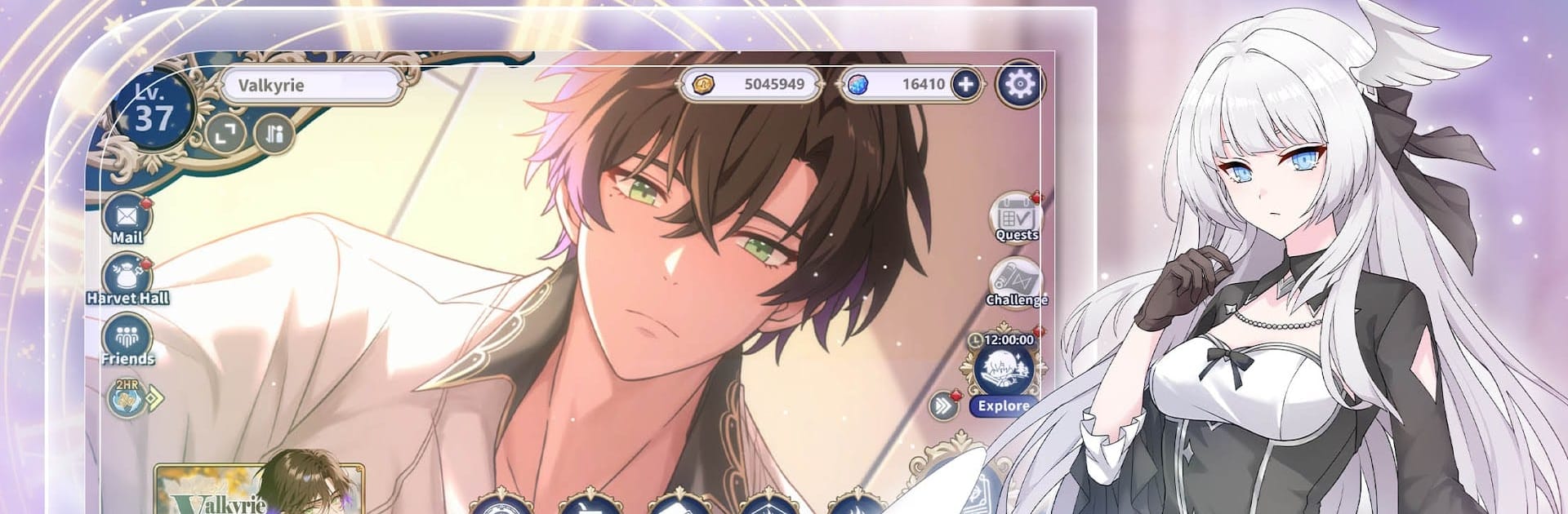
Valkyrie Heart is a Role Playing adventure from Mega Games Co., Ltd. that blends heartfelt romance with stress-free team battles. You step in as a Valkyrie carrying the weight of the Nine Realms, slipping through time rifts and standing beside warriors who’d gladly put everything on the line for you. It’s intimate, dramatic, and wonderfully character-driven—great on mobile and also comfy to play on BlueStacks if you prefer a bigger screen.

Game Features

  • Choose your vow – Meet seven distinct Einheriar and form a contract with the ones who win your trust. Spend time together, build Affection, and decide who stays closest to your side as Ragnarök draws near.
  • Moments that stick with you – Hit certain Affection milestones to unlock exclusive scenes. Expect lively, animated interactions and tender, sometimes teasing exchanges that reveal new sides of each warrior.
  • Voices that melt your guard – A premium Japanese voice cast brings every whisper, promise, and battle cry to life. The delivery feels personal, like they’re right there with you.
  • Tap-and-battle ease – Command a squad of four Einheriar and let auto-combat carry the grunt work. Match Type advantages, slot in Runes of Luun, and watch clean, satisfying attacks land without the grind.
  • Rifts, realms, and fate – Travel through time rifts, awaken hidden Heartale memories, and shape Asgard’s future under Freyja’s watch. The story threads tie romance to destiny in a way that feels both epic and intimate.

Start your journey now. Download the game on BlueStacks, invite your friends, and march on a new adventure.


Game Features

Enhancements

  • Macros
  • Rerolling
  • Eco Mode
  • Multi Instance Sync
  • Enhancements
Macros

Macros

Focus more on the fun part of the game, skip the tedious aspects. Master Valkyrie Heart with Macros. Record yourself completing the monotonous tasks you wish to automate and replay them later with just one keypress.
Rerolling

Rerolling

Speed up the rerolling process in Valkyrie Heart. Perform multiple summons and keep looking for the best Heroes. Use Multi-Instance sync to replicate the rerolling mechanism in all instances.
Eco Mode

Eco Mode

Farm in-game resources with ease in Valkyrie Heart. Enable the Eco Mode when running the game in multiple instances. And lower your PC's resource consumption.
Multi Instance Sync

Multi Instance Sync

With the Multi-instance Sync, you can do even more in Valkyrie Heart. Sync the action of the main instance and repeat them in real time for all other instances. Sync and sit back, let the game progress unfold.
Read More

How to Download and Play Valkyrie Heart on PC or Mac

  • Download and install BlueStacks on your PC or Mac

  • Complete Google sign-in to access the Play Store, or do it later

  • Look for Valkyrie Heart in the search bar at the top right corner

  • Click to install Valkyrie Heart from the search results

  • Complete Google sign-in (if you skipped step 2) to install Valkyrie Heart

  • Click the Valkyrie Heart icon on the home screen to start playing

video
Watch Video

Minimum System Requirements

With BlueStacks 5, you can get started on a PC that fulfills the following requirements.

  • Operating System

    Microsoft Windows 7 or above, macOS 11 (Big Sur) or above

  • Processor

    Intel, AMD or Apple Silicon Processor

  • RAM

    at least 4GB

  • HDD

    10GB Free Disk Space

Note:

* You must be an Administrator on your PC. Up to date graphics drivers from Microsoft or the chipset vendor.

Valkyrie Heart - FAQs

  • How to play Valkyrie Heart on Windows PC & Mac?

    Play Valkyrie Heart on your PC or Mac by following these simple steps.

    • Click on 'Play Valkyrie Heart on PC’ to download BlueStacks
    • Install it and log-in to Google Play Store
    • Launch and play the game.
  • Why is BlueStacks the fastest and safest platform to play games on PC?

    BlueStacks respects your privacy and is always safe and secure to use. It does not carry any malware, spyware, or any sort of additional software that could harm your PC.

    It is engineered to optimize speed and performance for a seamless gaming experience.

  • What are Valkyrie Heart PC requirements?

    Minimum requirement to run Valkyrie Heart on your PC

    • OS: Microsoft Windows 7 or above MacOS 11 (Big Sur) or above
    • Processor: Intel, AMD or Apple Silicon Processor
    • RAM: Your PC must have at least 4GB of RAM. (Note that having 4GB or more disk space is not a substitute for RAM)
    • HDD: 10GB Free Disk Space.
    • You must be an Administrator on your PC.