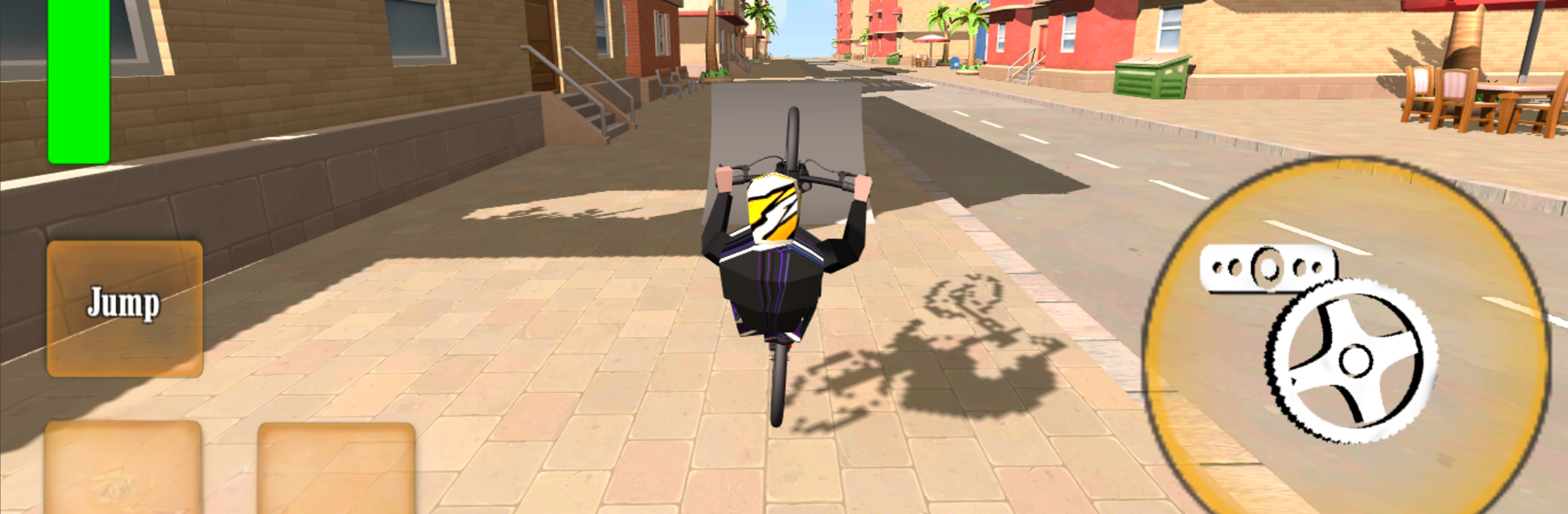
Wheelie Bike 3D - BMX stunts wheelie bike riding

Wheelie Bike 3D - BMX stunts wheelie bike riding

Casual

| Kimble Games

Play on PC with BlueStacks or from our cloud

  • Overview
  • Game Features
  • How to Play

Page Modified On: October 03, 2025

Play Wheelie Bike 3D - BMX stunts wheelie bike riding on PC or Mac

Step into the World of Wheelie Bike 3D – BMX stunts wheelie bike riding, a thrilling Casual game from the house of Kimble Games. Play this Android game on BlueStacks App Player and experience immersive gaming on PC or Mac.

About the Game

Wheelie Bike 3D – BMX stunts wheelie bike riding from Kimble Games is a fast, skill-based Casual ride where keeping your front wheel in the air is the whole point—and the whole challenge. It’s you, your balance, and a steady throttle as you thread through tricky sections and chase longer distances. Easy to pick up for a quick attempt, yet it’ll keep you coming back to beat your best run.

Game Features

  • Wheelie-Centric Gameplay: Hold a clean wheelie for as long as you can, manage your balance, and try not to drop the front wheel when the road gets rough.
  • Tilt + Tap Controls: Tilt your phone to steer left or right, use the wheelie buttons to lift and hold, and roll the pedal to build speed—simple moves that demand precision.
  • Playful, Responsive Physics: Every nudge affects your balance. Throttle a little too hard or tilt late, and you’ll feel it immediately.
  • Varied Tracks and Roads: Ride through a mix of layouts with straightaways, curves, and tricky sections that test timing and control.
  • Bikes to Unlock: Earn coins as you play and open up new rides, each ready to show off your style.
  • Customization Options: Tweak your bikes to make them feel more “you,” from look to setup.
  • Online Leaderboards: Post your best distances and compare with other riders, then jump back in to push your record.
  • Adjustable Graphics: Choose Low or High based on your device for smooth performance.
  • Smooth on BlueStacks: Prefer a bigger screen and steady controls? You can play it on PC with BlueStacks too.

Ready to top the leaderboard? We bet you do. Let precise controls and sharp visuals optimized on BlueStacks lead you to victory.


Game Features

Enhancements

  • Macros
  • Multi Instance
  • Script
  • Repeated Tap
  • Enhancements
Macros

Macros

Automate the predictable in Wheelie Bike 3D - BMX stunts wheelie bike riding and transform your gameplay with Macros. Get access to inventive Macros in the BlueStacks Macro Community
Multi Instance

Multi Instance

Play Wheelie Bike 3D - BMX stunts wheelie bike riding on one window. And chat with your friend on the other. Press CTRL + Shift + 8 to open the Multi-Instance Manager. And start creating fresh instances or clone an existing one.
Script

Script

Script your way to gaming glory in Wheelie Bike 3D - BMX stunts wheelie bike riding with BlueStacks Script. Write and run a set of commands to automate repeated tasks. Trigger the command by assigning it to any key.
Repeated Tap

Repeated Tap

BlueStacks lets you master Wheelie Bike 3D - BMX stunts wheelie bike riding with useful features like the Repeated Tap. Now you do not have to press the same key repeatedly to initiate an action. Just assign it to one key and you are good to go.
Read More

How to Download and Play Wheelie Bike 3D - BMX stunts wheelie bike riding on PC or Mac

  • Download and install BlueStacks on your PC or Mac

  • Complete Google sign-in to access the Play Store, or do it later

  • Look for Wheelie Bike 3D - BMX stunts wheelie bike riding in the search bar at the top right corner

  • Click to install Wheelie Bike 3D - BMX stunts wheelie bike riding from the search results

  • Complete Google sign-in (if you skipped step 2) to install Wheelie Bike 3D - BMX stunts wheelie bike riding

  • Click the Wheelie Bike 3D - BMX stunts wheelie bike riding icon on the home screen to start playing

video
Watch Video

Minimum System Requirements

With BlueStacks 5, you can get started on a PC that fulfills the following requirements.

  • Operating System

    Microsoft Windows 7 or above, macOS 11 (Big Sur) or above

  • Processor

    Intel, AMD or Apple Silicon Processor

  • RAM

    at least 4GB

  • HDD

    10GB Free Disk Space

Note:

* You must be an Administrator on your PC. Up to date graphics drivers from Microsoft or the chipset vendor.

Wheelie Bike 3D - BMX stunts wheelie bike riding - FAQs

  • How to play Wheelie Bike 3D - BMX stunts wheelie bike riding on Windows PC & Mac?

    Play Wheelie Bike 3D - BMX stunts wheelie bike riding on your PC or Mac by following these simple steps.

    • Click on 'Play Wheelie Bike 3D - BMX stunts wheelie bike riding on PC’ to download BlueStacks
    • Install it and log-in to Google Play Store
    • Launch and play the game.
  • Why is BlueStacks the fastest and safest platform to play games on PC?

    BlueStacks respects your privacy and is always safe and secure to use. It does not carry any malware, spyware, or any sort of additional software that could harm your PC.

    It is engineered to optimize speed and performance for a seamless gaming experience.

  • What are Wheelie Bike 3D - BMX stunts wheelie bike riding PC requirements?

    Minimum requirement to run Wheelie Bike 3D - BMX stunts wheelie bike riding on your PC

    • OS: Microsoft Windows 7 or above MacOS 11 (Big Sur) or above
    • Processor: Intel, AMD or Apple Silicon Processor
    • RAM: Your PC must have at least 4GB of RAM. (Note that having 4GB or more disk space is not a substitute for RAM)
    • HDD: 10GB Free Disk Space.
    • You must be an Administrator on your PC.