
Abby Monkey Basic Skills Presc

Abby Monkey Basic Skills Presc

Education

| 22LEARN Toddler and Baby Learning Games, LLC

Play on PC with BlueStacks or from our cloud

  • Overview
  • How to Download

Page Modified On: November 28, 2025

Run Abby Monkey Basic Skills Presc on PC or Mac

What’s better than using Abby Monkey Basic Skills Presc by 22LEARN Toddler and Baby Learning Games, LLC? Well, try it on a big screen, on your PC or Mac, with BlueStacks to see the difference.

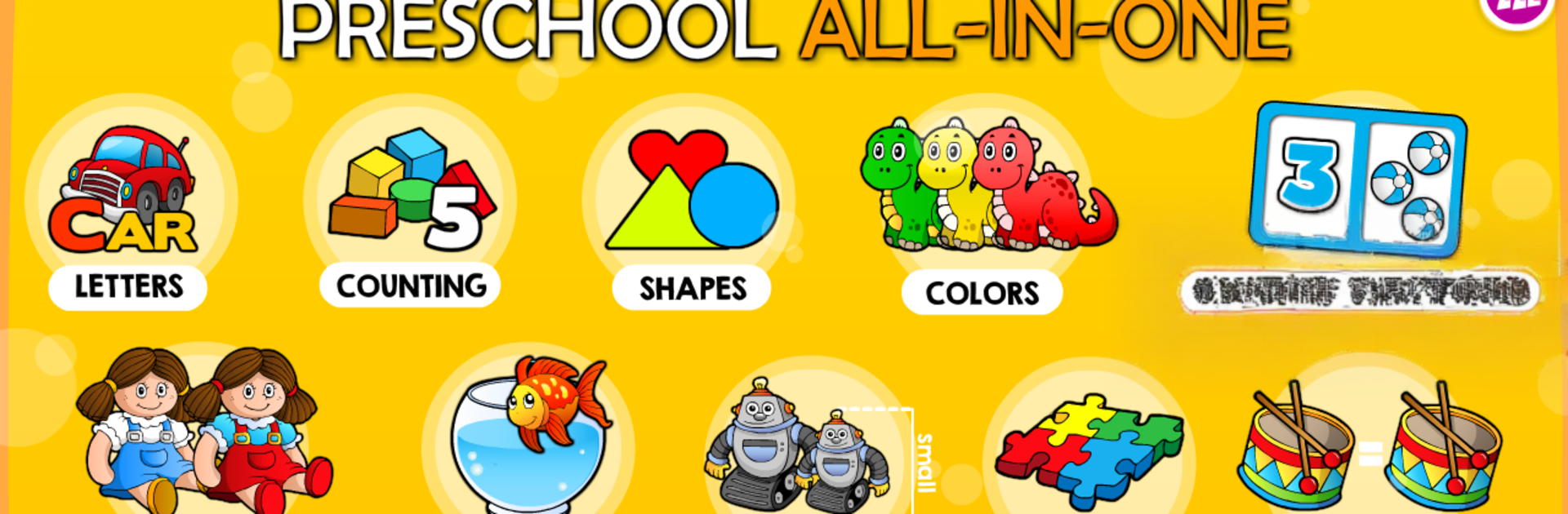
Abby Monkey Basic Skills Presc feels like a bright little preschool classroom squeezed into a game. A cheerful monkey talks kids through quick activities, so there is no tricky menu maze or long setup. It cycles through early skills that matter for kindergarten readiness, like picking the word that starts with a spoken letter, counting toys out loud, sorting by size, dragging shapes to their shadows, simple puzzles to fix a broken toy, matching pairs, spotting colors and basic shapes, finding patterns, and choosing what is the same or different. The rounds are short and very visual, which keeps small attention spans from drifting. After each set, there is a reward moment where kids decorate a train or place stickers on a board, so there is a nice loop of play, learn, tiny treat.

The whole thing is friendly and straightforward, with big buttons, clear voice prompts, and happy sounds that do not get harsh. On a PC with BlueStacks, the larger screen and mouse clicks make the dragging and matching super clear, helpful for tiny hands that get frustrated on small phones. It is definitely aimed at preschoolers, the content is simple on purpose, and it repeats enough to practice without feeling stuffy. What stands out is how consistent it is, the monkey keeps the pace, and those little creative breaks with the train and stickers give kids something to look forward to between the learning bits.

Eager to take your app experience to the next level? Start right away by downloading BlueStacks on your PC or Mac.


How to Download and Run Abby Monkey Basic Skills Presc on PC or Mac

  • Download and install BlueStacks on your PC or Mac

  • Complete Google sign-in to access the Play Store, or do it later

  • Look for Abby Monkey Basic Skills Presc in the search bar at the top right corner

  • Click to install Abby Monkey Basic Skills Presc from the search results

  • Complete Google sign-in (if you skipped step 2) to install Abby Monkey Basic Skills Presc

  • Click the Abby Monkey Basic Skills Presc icon on the home screen to start playing

video
Watch Video

Minimum System Requirements

With BlueStacks 5, you can get started on a PC that fulfills the following requirements.

  • Operating System

    Microsoft Windows 7 or above, macOS 11 (Big Sur) or above

  • Processor

    Intel, AMD or Apple Silicon Processor

  • RAM

    at least 4GB

  • HDD

    10GB Free Disk Space

Note:

* You must be an Administrator on your PC. Up to date graphics drivers from Microsoft or the chipset vendor.

Abby Monkey Basic Skills Presc - FAQs

  • How to Run Abby Monkey Basic Skills Presc on Windows PC & Mac?

    Run Abby Monkey Basic Skills Presc on your PC or Mac by following these simple steps.

    • Click on ‘Download Abby Monkey Basic Skills Presc on PC’ to download BlueStacks
    • Install it and log-in to Google Play Store
    • Launch and run the app.
  • Why is BlueStacks the fastest and safest platform to play games on PC?

    BlueStacks respects your privacy and is always safe and secure to use. It does not carry any malware, spyware, or any sort of additional software that could harm your PC.

    It is engineered to optimize speed and performance for a seamless gaming experience.

  • What are Abby Monkey Basic Skills Presc PC requirements?

    Minimum requirement to run Abby Monkey Basic Skills Presc on your PC

    • OS: Microsoft Windows 7 and above:
    • Processor: Intel or AMD Processor:
    • RAM: Your PC must have at least 2GB of RAM. (Note that having 2GB or more disk space is not a substitute for RAM):
    • HDD: 5GB Free Disk Space.
    • You must be an Administrator on your PC.



