
空中美語基礎單字 2000
空中美語基礎單字 2000

空中美語基礎單字 2000

Education

| Otek International Inc.

Play on PC with BlueStacks or from our cloud

  • Overview
  • How to Download

Page Modified On: September 19, 2025

Run 空中美語基礎單字 2000 on PC or Mac

Let BlueStacks turn your PC, Mac, or laptop into the perfect home for 空中美語基礎單字 2000, a fun Education app from Otek International Inc..

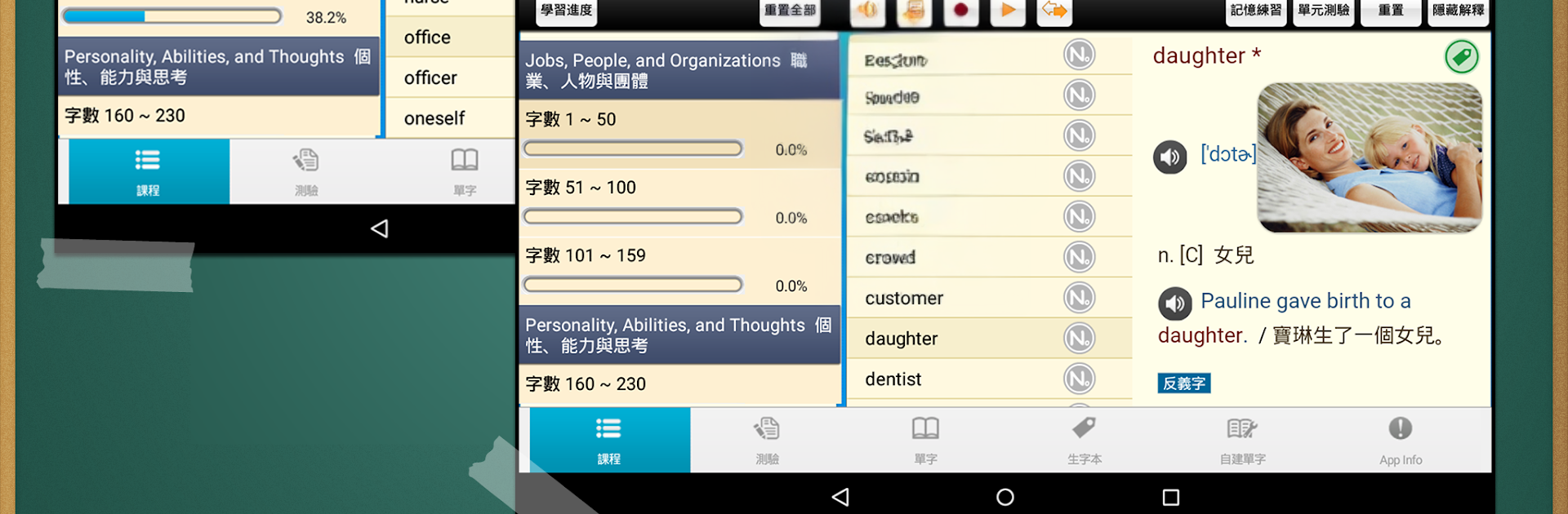
空中美語基礎單字 2000 feels like a focused vocab trainer built around the 2000 words beginners actually need. Instead of listing words in alphabetical order, it groups them by everyday themes, so a Food and Drink section drops a bunch of related words in one go and they stick better. Each entry goes beyond a definition, with common collocations, short phrases, and little notes on confusing pairs like childish and childlike. Everything has clear American voice recordings, including the example sentences, and the app lets users replay audio to practice out loud. There are a lot of pictures sprinkled through the lessons, so it does not turn into a wall of text. The study flow mixes short quizzes with review cycles that bring back words before they fade, and anything tricky can be saved to a personal wordbook. Users can even add their own words and test those too.

On PC with BlueStacks it works nicely as a sit-down study tool. The bigger screen makes the images and sentence explanations easier to read, and typing quiz answers with a keyboard is quicker than tapping. The whole thing is simple, structured, and calm. No flashy gimmicks, just steady practice that keeps building. If someone wants solid basics with real pronunciation and lots of usage notes, this gets the job done without fuss.

Switch to BlueStacks and make the most of your apps on your PC or Mac.

How to Download and Run 空中美語基礎單字 2000 on PC or Mac

  • Download and install BlueStacks on your PC or Mac

  • Complete Google sign-in to access the Play Store, or do it later

  • Look for 空中美語基礎單字 2000 in the search bar at the top right corner

  • Click to install 空中美語基礎單字 2000 from the search results

  • Complete Google sign-in (if you skipped step 2) to install 空中美語基礎單字 2000

  • Click the 空中美語基礎單字 2000 icon on the home screen to start playing

video
Watch Video

Minimum System Requirements

With BlueStacks 5, you can get started on a PC that fulfills the following requirements.

  • Operating System

    Microsoft Windows 7 or above, macOS 11 (Big Sur) or above

  • Processor

    Intel, AMD or Apple Silicon Processor

  • RAM

    at least 4GB

  • HDD

    10GB Free Disk Space

Note:

* You must be an Administrator on your PC. Up to date graphics drivers from Microsoft or the chipset vendor.

空中美語基礎單字 2000 - FAQs

  • How to Run 空中美語基礎單字 2000 on Windows PC & Mac?

    Run 空中美語基礎單字 2000 on your PC or Mac by following these simple steps.

    • Click on ‘Download 空中美語基礎單字 2000 on PC’ to download BlueStacks
    • Install it and log-in to Google Play Store
    • Launch and run the app.
  • Why is BlueStacks the fastest and safest platform to play games on PC?

    BlueStacks respects your privacy and is always safe and secure to use. It does not carry any malware, spyware, or any sort of additional software that could harm your PC.

    It is engineered to optimize speed and performance for a seamless gaming experience.

  • What are 空中美語基礎單字 2000 PC requirements?

    Minimum requirement to run 空中美語基礎單字 2000 on your PC

    • OS: Microsoft Windows 7 and above:
    • Processor: Intel or AMD Processor:
    • RAM: Your PC must have at least 2GB of RAM. (Note that having 2GB or more disk space is not a substitute for RAM):
    • HDD: 5GB Free Disk Space.
    • You must be an Administrator on your PC.




