
JAMB 2022 CBT Practice

JAMB 2022 CBT Practice

Education

| FlashLearners

Play on PC with BlueStacks or from our cloud

  • Overview
  • How to Download

Page Modified On: November 28, 2025

Run JAMB 2022 CBT Practice on PC or Mac

Get freedom from your phone’s obvious limitations. Use JAMB 2022 CBT Practice, made by FlashLearners, a Education app on your PC or Mac with BlueStacks, and level up your experience.

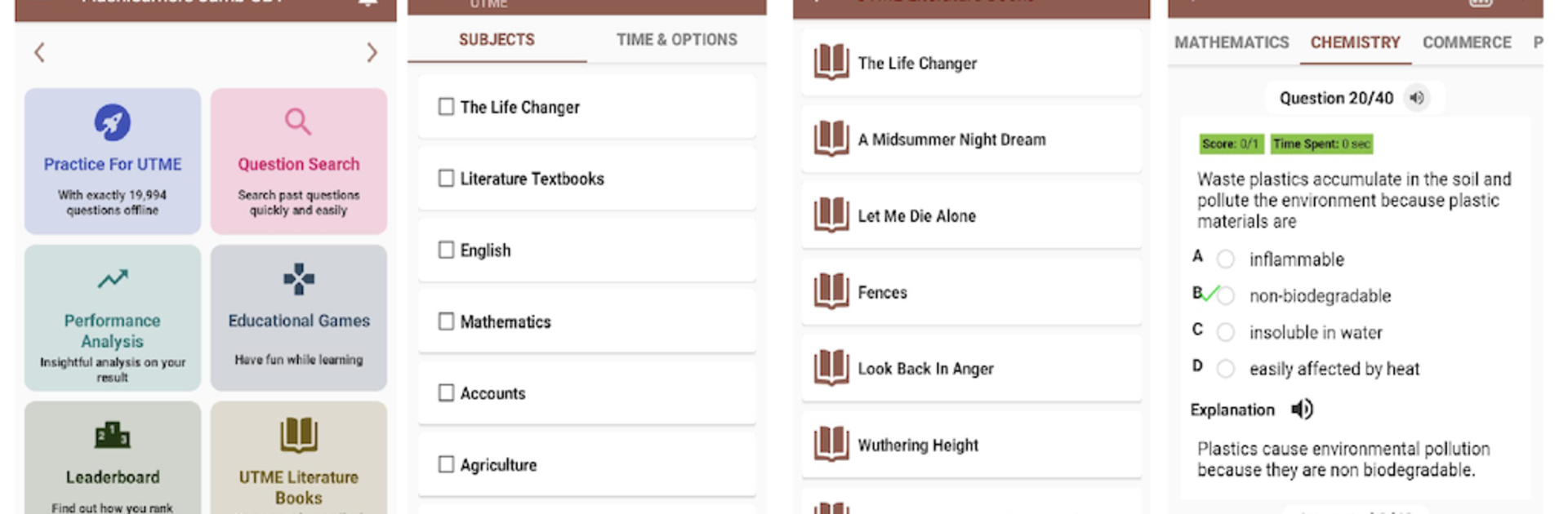
JAMB 2022 CBT Practice feels like a full prep desk squeezed into one app. It packs a huge bank of past and likely UTME questions, with clear explanations so the answer does not feel like a mystery. There is a chatbot tutor called Clara that can walk through math steps and toss quick quizzes when someone needs a nudge. The Life Changer by Khadija Abubakar Jalli is built in too, with likely questions tied to the novel, so English prep does not feel scattered. Practice can be by topic or across multiple subjects in one go, which is great when someone wants to simulate a real session instead of drilling just one thing. Video lessons are there for most topics, and the app pings when new ones drop. There are a few light educational games for breaks that still count as study.

On PC with BlueStacks, the layout breathes better. Passages are easier to read, graphs are clearer, and the built-in calculator sits right in the exam screen so no window juggling. The text to speech reads questions and explanations out loud, and basic voice controls can nudge next, previous, or submit without touching the mouse, which helps when timing matters. Results come with detailed breakdowns, bookmarks make tricky items easy to revisit, and there is a School Finder to check course requirements in Nigeria without digging through sites. An offline dictionary with a lot of subject terms is there when definitions blank out mid practice. Nearly everything is tweakable, from exam year to time limit and number of questions, and once it is unlocked there is no monthly fee. The questions are from previous years, and the app is not tied to JAMB, which keeps expectations clear.

BlueStacks gives you the much-needed freedom to experience your favorite apps on a bigger screen. Get it now.


How to Download and Run JAMB 2022 CBT Practice on PC or Mac

  • Download and install BlueStacks on your PC or Mac

  • Complete Google sign-in to access the Play Store, or do it later

  • Look for JAMB 2022 CBT Practice in the search bar at the top right corner

  • Click to install JAMB 2022 CBT Practice from the search results

  • Complete Google sign-in (if you skipped step 2) to install JAMB 2022 CBT Practice

  • Click the JAMB 2022 CBT Practice icon on the home screen to start playing

video
Watch Video

Minimum System Requirements

With BlueStacks 5, you can get started on a PC that fulfills the following requirements.

  • Operating System

    Microsoft Windows 7 or above, macOS 11 (Big Sur) or above

  • Processor

    Intel, AMD or Apple Silicon Processor

  • RAM

    at least 4GB

  • HDD

    10GB Free Disk Space

Note:

* You must be an Administrator on your PC. Up to date graphics drivers from Microsoft or the chipset vendor.

JAMB 2022 CBT Practice - FAQs

  • How to Run JAMB 2022 CBT Practice on Windows PC & Mac?

    Run JAMB 2022 CBT Practice on your PC or Mac by following these simple steps.

    • Click on ‘Download JAMB 2022 CBT Practice on PC’ to download BlueStacks
    • Install it and log-in to Google Play Store
    • Launch and run the app.
  • Why is BlueStacks the fastest and safest platform to play games on PC?

    BlueStacks respects your privacy and is always safe and secure to use. It does not carry any malware, spyware, or any sort of additional software that could harm your PC.

    It is engineered to optimize speed and performance for a seamless gaming experience.

  • What are JAMB 2022 CBT Practice PC requirements?

    Minimum requirement to run JAMB 2022 CBT Practice on your PC

    • OS: Microsoft Windows 7 and above:
    • Processor: Intel or AMD Processor:
    • RAM: Your PC must have at least 2GB of RAM. (Note that having 2GB or more disk space is not a substitute for RAM):
    • HDD: 5GB Free Disk Space.
    • You must be an Administrator on your PC.



