
RF Calculator
RF Calculator

RF Calculator

Education

| AppDevGenie

Play on PC with BlueStacks or from our cloud

  • Overview
  • How to Download

Page Modified On: October 04, 2025

Run RF Calculator on PC or Mac

Get freedom from your phone’s obvious limitations. Use RF Calculator, made by AppDevGenie, a Education app on your PC or Mac with BlueStacks, and level up your experience.

About the App

RF Calculator by AppDevGenie is a compact toolkit for anyone who works with radio frequency concepts—students, hobbyists, or pros. It puts the math, conversions, and quick reference tables you need in one clean place, so you can check a value or verify a design without digging through notes. It’s listed under the Genre: Education, and yes, it also feels right at home on a bigger screen with BlueStacks if you want extra room to work.

App Features

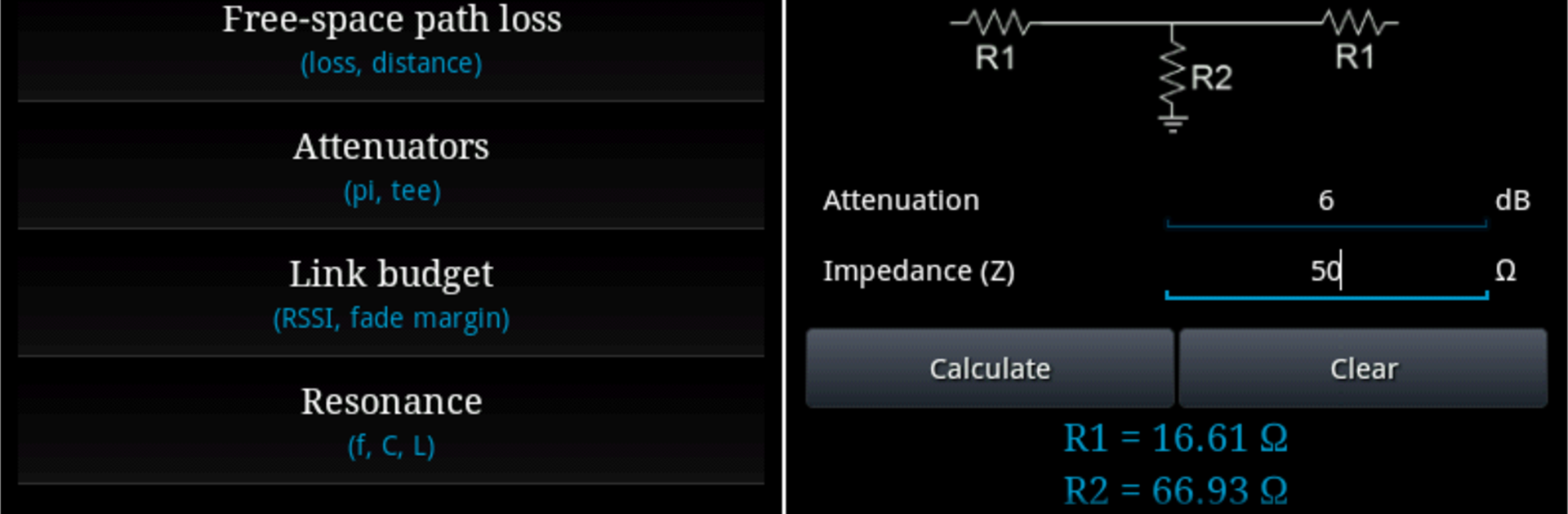
  • RF Math Calculators: Run the numbers for wavelength, free-space path loss, link budget, resonance, VSWR, reflection coefficient, return loss, mismatch loss, percentage ERP, transmission line behavior, EIRP/ERP, and Fresnel zone—right when you need them.

  • Power & Signal Converters: Convert power units like dBm, Watt, and dBW in a snap, and handle voltage in V, dBV, dBµV, and dBu without second-guessing your math.

  • Current Made Simple: Move between dBµA, dBA, A, and µA effortlessly, so your current calculations match the rest of your design.

  • Terminated Measurements: Translate terminated signal levels between dBm, dBµV, dBµA, and volts to suit the measurement context you’re working with.

  • Field Strength & Distance: Work with field strength in dBµV/m, V/m, dBmW/m², dBµA/m, W/m², and dBpT, plus distance conversions across cm, m, inches, yards, kilometers, and miles.

  • Frequency Band References: Quickly look up ITU frequency bands and amateur bands, with an at-a-glance Amateur band plan for IARU Region 1.

  • Ham-Friendly Lookups: Keep Amateur Q codes and the NATO phonetic alphabet close by, so you don’t have to memorize everything.

  • Decibels & Prefixes: Clear reference tables for decibel suffixes and SI unit prefixes help you avoid mistakes and keep your numbers consistent.

BlueStacks gives you the much-needed freedom to experience your favorite apps on a bigger screen. Get it now.


How to Download and Run RF Calculator on PC or Mac

  • Download and install BlueStacks on your PC or Mac

  • Complete Google sign-in to access the Play Store, or do it later

  • Look for RF Calculator in the search bar at the top right corner

  • Click to install RF Calculator from the search results

  • Complete Google sign-in (if you skipped step 2) to install RF Calculator

  • Click the RF Calculator icon on the home screen to start playing

video
Watch Video

Minimum System Requirements

With BlueStacks 5, you can get started on a PC that fulfills the following requirements.

  • Operating System

    Microsoft Windows 7 or above, macOS 11 (Big Sur) or above

  • Processor

    Intel, AMD or Apple Silicon Processor

  • RAM

    at least 4GB

  • HDD

    10GB Free Disk Space

Note:

* You must be an Administrator on your PC. Up to date graphics drivers from Microsoft or the chipset vendor.

RF Calculator - FAQs

  • How to Run RF Calculator on Windows PC & Mac?

    Run RF Calculator on your PC or Mac by following these simple steps.

    • Click on ‘Download RF Calculator on PC’ to download BlueStacks
    • Install it and log-in to Google Play Store
    • Launch and run the app.
  • Why is BlueStacks the fastest and safest platform to play games on PC?

    BlueStacks respects your privacy and is always safe and secure to use. It does not carry any malware, spyware, or any sort of additional software that could harm your PC.

    It is engineered to optimize speed and performance for a seamless gaming experience.

  • What are RF Calculator PC requirements?

    Minimum requirement to run RF Calculator on your PC

    • OS: Microsoft Windows 7 and above:
    • Processor: Intel or AMD Processor:
    • RAM: Your PC must have at least 2GB of RAM. (Note that having 2GB or more disk space is not a substitute for RAM):
    • HDD: 5GB Free Disk Space.
    • You must be an Administrator on your PC.



