
WordBit الايطالية (Italian for Arabic speakers)

WordBit الايطالية (Italian for Arabic speakers)

Education

| WordBit

Play on PC with BlueStacks or from our cloud

  • Overview
  • How to Download

Page Modified On: January 13, 2026

Run WordBit الايطالية (Italian for Arabic speakers) on PC or Mac

Let BlueStacks turn your PC, Mac, or laptop into the perfect home for WordBit الايطالية (Italian for Arabic speakers), a fun Education app from WordBit.

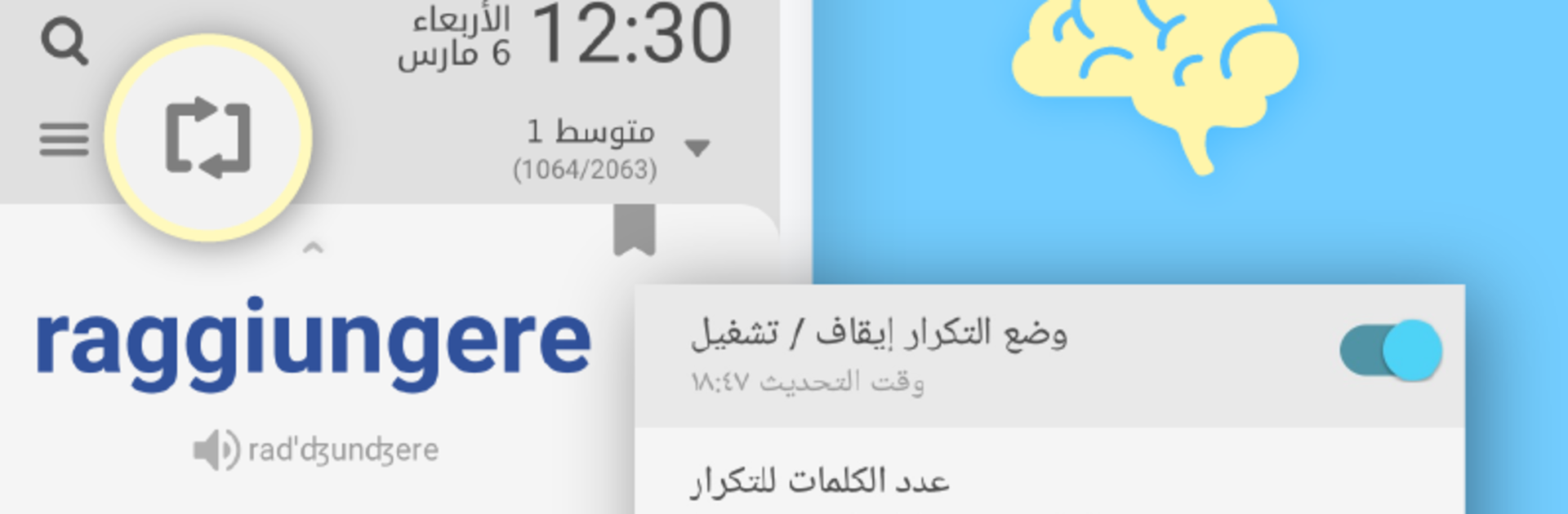
WordBit الايطالية is one of those apps that sneaks study into moments that usually get wasted. It pops Italian words and short phrases onto the lock screen in Arabic, so every time someone checks the phone, they get a tiny lesson before doing anything else. It feels quick and painless, like flashcards that appear at the right second. The examples are useful, not textbook weird, and there is audio with stress marks so pronunciation does not feel like guessing. Words are sorted by level, so a beginner can stick to basics, while anyone further along can chew through tougher stuff. Synonyms and opposites are baked in, gender and plurals are highlighted, verbs come with neat conjugation tables, and there are small grammar tips that clear up common mistakes with articles and irregulars. For total starters there are picture sets for things like numbers, food, animals, time, and simple relations, plus phrase packs for travel and health.

It is not just passive, either. There are quick quizzes, a daily repeat button that brings back what needs review, and a simple way to mark words as learned so they stop showing up. Themes include dark modes, which helps when the screen lights up at night. On PC with BlueStacks, the big screen makes the examples and verb tables easier to read, and using the keyboard to answer feels tidy. Skipping a card is fast, pausing the lock screen study is easy in settings, and the little hits of Italian add up without feeling like a chore.

Big screen. Bigger performance. Use BlueStacks on your PC or Mac to run your favorite apps.

How to Download and Run WordBit الايطالية (Italian for Arabic speakers) on PC or Mac

  • Download and install BlueStacks on your PC or Mac

  • Complete Google sign-in to access the Play Store, or do it later

  • Look for WordBit الايطالية (Italian for Arabic speakers) in the search bar at the top right corner

  • Click to install WordBit الايطالية (Italian for Arabic speakers) from the search results

  • Complete Google sign-in (if you skipped step 2) to install WordBit الايطالية (Italian for Arabic speakers)

  • Click the WordBit الايطالية (Italian for Arabic speakers) icon on the home screen to start playing

video
Watch Video

Minimum System Requirements

With BlueStacks 5, you can get started on a PC that fulfills the following requirements.

  • Operating System

    Microsoft Windows 7 or above, macOS 11 (Big Sur) or above

  • Processor

    Intel, AMD or Apple Silicon Processor

  • RAM

    at least 4GB

  • HDD

    10GB Free Disk Space

Note:

* You must be an Administrator on your PC. Up to date graphics drivers from Microsoft or the chipset vendor.

WordBit الايطالية (Italian for Arabic speakers) - FAQs

  • How to Run WordBit الايطالية (Italian for Arabic speakers) on Windows PC & Mac?

    Run WordBit الايطالية (Italian for Arabic speakers) on your PC or Mac by following these simple steps.

    • Click on ‘Download WordBit الايطالية (Italian for Arabic speakers) on PC’ to download BlueStacks
    • Install it and log-in to Google Play Store
    • Launch and run the app.
  • Why is BlueStacks the fastest and safest platform to play games on PC?

    BlueStacks respects your privacy and is always safe and secure to use. It does not carry any malware, spyware, or any sort of additional software that could harm your PC.

    It is engineered to optimize speed and performance for a seamless gaming experience.

  • What are WordBit الايطالية (Italian for Arabic speakers) PC requirements?

    Minimum requirement to run WordBit الايطالية (Italian for Arabic speakers) on your PC

    • OS: Microsoft Windows 7 and above:
    • Processor: Intel or AMD Processor:
    • RAM: Your PC must have at least 2GB of RAM. (Note that having 2GB or more disk space is not a substitute for RAM):
    • HDD: 5GB Free Disk Space.
    • You must be an Administrator on your PC.




