Beep, beep, Alfie Atkins

Beep, beep, Alfie Atkins

Educational

| Gro Play Digital

Play on PC with BlueStacks or from our cloud

  • Overview
  • Game Features
  • How to Play

Page Modified On: November 03, 2025

Play Beep, beep, Alfie Atkins on PC or Mac

Explore a whole new adventure with Beep, beep, Alfie Atkins, a Educational game created by Gro Play Digital. Experience great gameplay with BlueStacks, the most popular gaming platform to play Android games on your PC or Mac.

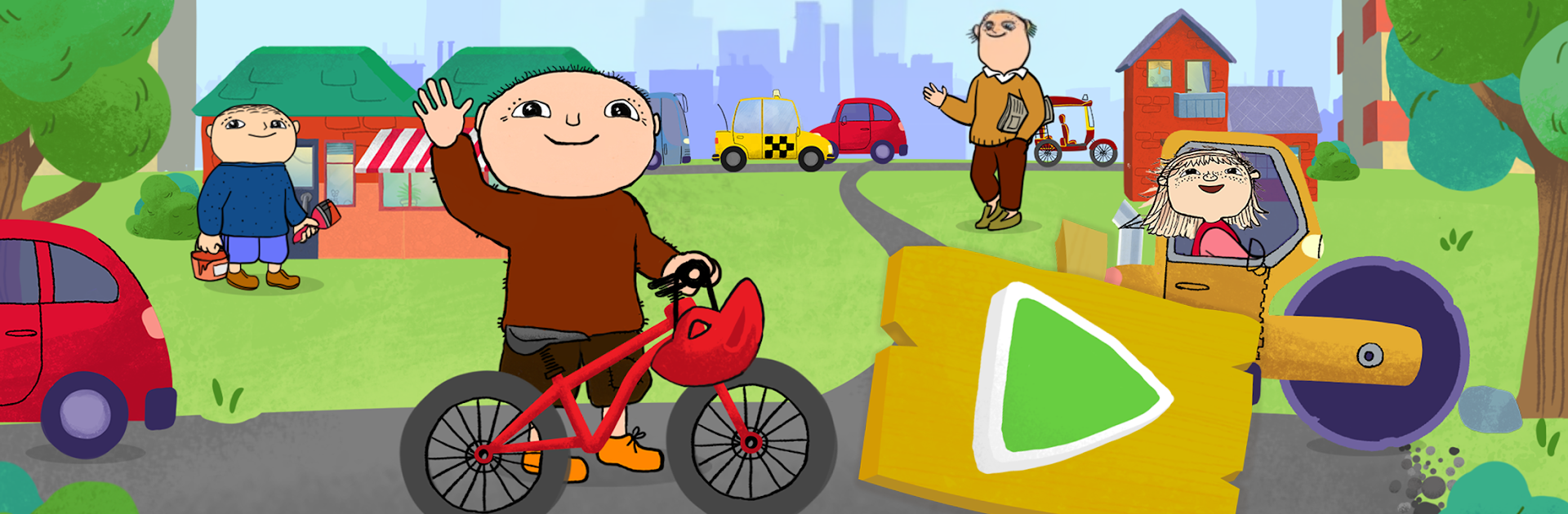
Beep, beep, Alfie Atkins feels like a gentle little city builder where everything runs on kid pace. Players recycle stuff to make roads and buildings, then help the town with everyday tasks. It is the kind of game where charging an electric car, picking fruit, raking leaves, shopping for groceries, visiting the doctor, or putting out a small fire with a hose is the whole point. No timers, no fails, just calm jobs and cute reactions from the citizens when things get done. Driving different vehicles and taking the helicopter for short hops gives it that toy box feel, and yes, there is a lot of clicking and dragging that feels satisfying. On a PC with BlueStacks, the larger screen and mouse make the mini games and little icons easier to hit, which suits younger kids well.

The free version gives a small slice of the town, a handful of mini games, and a couple vehicles, so it is easy to see what the loop is like. The full unlock adds a bigger map, many more vehicles, more helicopter pads, extra mini games, and a map feature that quietly teaches navigation and spatial sense. Progress carries over, and there are no third party ads, which is a relief. It is designed for ages 3 to 9, but older siblings can still relax with it. Think creative play, not high scores. Multi touch is supported, so on touch devices two kids can poke around together, while on PC it becomes a cozy pass the mouse game.

Slay your opponents with your epic moves. Play it your way on BlueStacks and dominate the battlefield.


Game Features

Enhancements

  • Macros
  • Multi Instance
  • Multi Instance Sync
  • Script
  • Enhancements
Macros

Macros

Automate the predictable in Beep, beep, Alfie Atkins and transform your gameplay with Macros. Get access to inventive Macros in the BlueStacks Macro Community
Multi Instance

Multi Instance

Play Beep, beep, Alfie Atkins on one window. And chat with your friend on the other. Press CTRL + Shift + 8 to open the Multi-Instance Manager. And start creating fresh instances or clone an existing one.
Multi Instance Sync

Multi Instance Sync

Play Beep, beep, Alfie Atkins with the power of Multi-Instance Sync. Replicate what you are doing on the main instance on all other instances. Level up faster, play more.
Script

Script

Script your way to gaming glory in Beep, beep, Alfie Atkins with BlueStacks Script. Write and run a set of commands to automate repeated tasks. Trigger the command by assigning it to any key.
Read More

How to Download and Play Beep, beep, Alfie Atkins on PC or Mac

  • Download and install BlueStacks on your PC or Mac

  • Complete Google sign-in to access the Play Store, or do it later

  • Look for Beep, beep, Alfie Atkins in the search bar at the top right corner

  • Click to install Beep, beep, Alfie Atkins from the search results

  • Complete Google sign-in (if you skipped step 2) to install Beep, beep, Alfie Atkins

  • Click the Beep, beep, Alfie Atkins icon on the home screen to start playing

video
Watch Video

Minimum System Requirements

With BlueStacks 5, you can get started on a PC that fulfills the following requirements.

  • Operating System

    Microsoft Windows 7 or above, macOS 11 (Big Sur) or above

  • Processor

    Intel, AMD or Apple Silicon Processor

  • RAM

    at least 4GB

  • HDD

    10GB Free Disk Space

Note:

* You must be an Administrator on your PC. Up to date graphics drivers from Microsoft or the chipset vendor.

Beep, beep, Alfie Atkins - FAQs

  • How to play Beep, beep, Alfie Atkins on Windows PC & Mac?

    Play Beep, beep, Alfie Atkins on your PC or Mac by following these simple steps.

    • Click on 'Play Beep, beep, Alfie Atkins on PC’ to download BlueStacks
    • Install it and log-in to Google Play Store
    • Launch and play the game.
  • Why is BlueStacks the fastest and safest platform to play games on PC?

    BlueStacks respects your privacy and is always safe and secure to use. It does not carry any malware, spyware, or any sort of additional software that could harm your PC.

    It is engineered to optimize speed and performance for a seamless gaming experience.

  • What are Beep, beep, Alfie Atkins PC requirements?

    Minimum requirement to run Beep, beep, Alfie Atkins on your PC

    • OS: Microsoft Windows 7 or above MacOS 11 (Big Sur) or above
    • Processor: Intel, AMD or Apple Silicon Processor
    • RAM: Your PC must have at least 4GB of RAM. (Note that having 4GB or more disk space is not a substitute for RAM)
    • HDD: 10GB Free Disk Space.
    • You must be an Administrator on your PC.