Dr. Panda Trucks
Dr. Panda Trucks

Dr. Panda Trucks

Educational

| Dr. Panda

Play on PC with BlueStacks or from our cloud

  • Overview
  • Game Features
  • How to Play

Page Modified On: October 08, 2026

Play Dr. Panda Trucks on PC or Mac

Dr. Panda Trucks by Dr. Panda has plenty to keep you busy. BlueStacks lets you play it on PC or Mac with more screen space, better control, and fewer mobile limits.

About the Game

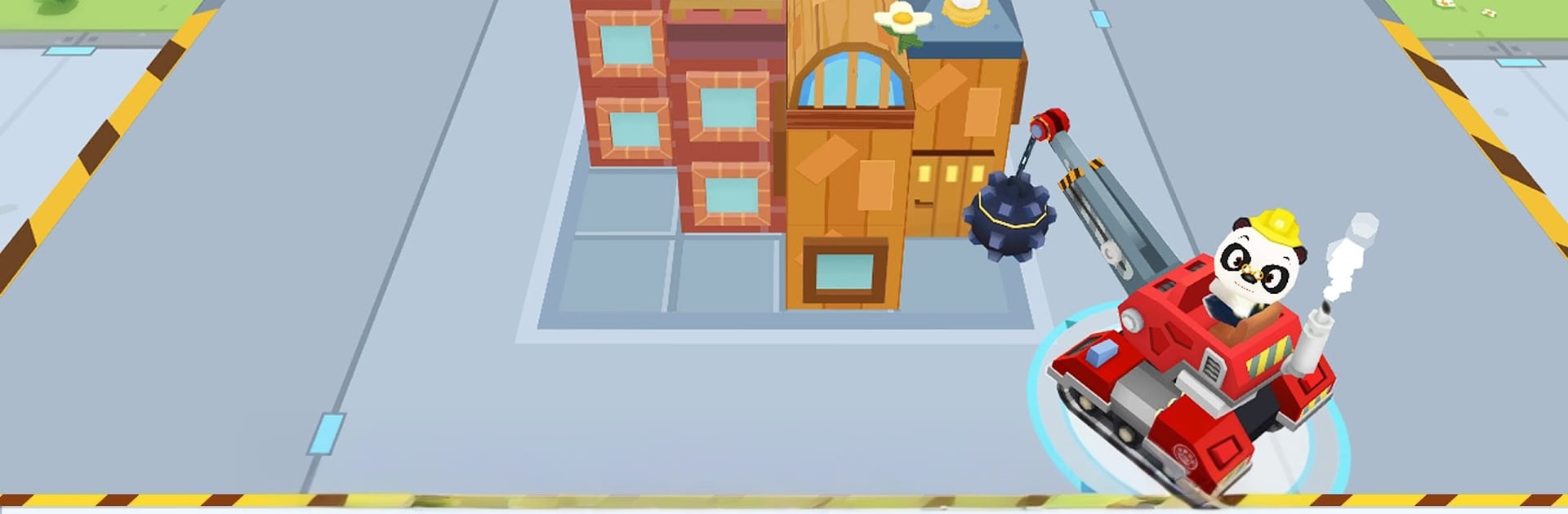
Dr. Panda Trucks hands you the keys to a bustling construction yard where big machines, bold ideas, and a little chaos all come together. It’s an Educational sandbox that invites kids to experiment—drive massive vehicles, stack up wild builds, then knock everything down and try something new. Prefer playing on a bigger screen? You can also enjoy it on PC with BlueStacks.

Game Features

  • Big machines to command: Jump into seven different vehicles and learn what each one does—haul with a dump truck, lift with a crane, bulldoze the mess, fire up a power cleaner, and more.
  • Build it your way: Collect bricks, wood, and roof pieces, then mix styles at the roof factory to craft cozy houses or stretch for a towering skyscraper.
  • Smashable fun: Finished your masterpiece? Wreck it with a swinging ball or roll in with a tank and start fresh when you’re ready.
  • A busy site to explore: Cruise through a large construction yard filled with interactive spots, cute animations, and little surprises tucked around the corners.
  • Learn by doing: Lift, shovel, pour, and paint—each truck has a clear job, so kids naturally pick up how construction works while they play.
  • Clean up and reset: Tidy the site with the bulldozer or power cleaner, then lay out new plans without any fuss.
  • Make it yours: Roll through the carwash, visit the paint factory, and customize vehicles and builds with colors that pop.
  • Open-ended playtime: Tell your own stories and roleplay without strict goals or timers—just creative tinkering and no third-party ads.
  • Optional extras: In-app purchases are available to unlock more content once, giving families the choice to expand the sandbox.

Start your journey now. Download the game on BlueStacks, invite your friends, and march on a new adventure.


Game Features

Enhancements

  • Macros
  • Multi Instance
  • Multi Instance Sync
  • Script
  • Enhancements
Macros

Macros

Automate the predictable in Dr. Panda Trucks and transform your gameplay with Macros. Get access to inventive Macros in the BlueStacks Macro Community
Multi Instance

Multi Instance

Play Dr. Panda Trucks on one window. And chat with your friend on the other. Press CTRL + Shift + 8 to open the Multi-Instance Manager. And start creating fresh instances or clone an existing one.
Multi Instance Sync

Multi Instance Sync

Play Dr. Panda Trucks with the power of Multi-Instance Sync. Replicate what you are doing on the main instance on all other instances. Level up faster, play more.
Script

Script

Script your way to gaming glory in Dr. Panda Trucks with BlueStacks Script. Write and run a set of commands to automate repeated tasks. Trigger the command by assigning it to any key.
Read More

How to Download and Play Dr. Panda Trucks on PC or Mac

  • Download and install BlueStacks on your PC or Mac

  • Complete Google sign-in to access the Play Store, or do it later

  • Look for Dr. Panda Trucks in the search bar at the top right corner

  • Click to install Dr. Panda Trucks from the search results

  • Complete Google sign-in (if you skipped step 2) to install Dr. Panda Trucks

  • Click the Dr. Panda Trucks icon on the home screen to start playing

video
Watch Video

Minimum System Requirements

With BlueStacks 5, you can get started on a PC that fulfills the following requirements.

  • Operating System

    Microsoft Windows 7 or above, macOS 11 (Big Sur) or above

  • Processor

    Intel, AMD or Apple Silicon Processor

  • RAM

    at least 4GB

  • HDD

    10GB Free Disk Space

Note:

* You must be an Administrator on your PC. Up to date graphics drivers from Microsoft or the chipset vendor.

Dr. Panda Trucks - FAQs

  • How to play Dr. Panda Trucks on Windows PC & Mac?

    Play Dr. Panda Trucks on your PC or Mac by following these simple steps.

    • Click on 'Play Dr. Panda Trucks on PC’ to download BlueStacks
    • Install it and log-in to Google Play Store
    • Launch and play the game.
  • Why is BlueStacks the fastest and safest platform to play games on PC?

    BlueStacks respects your privacy and is always safe and secure to use. It does not carry any malware, spyware, or any sort of additional software that could harm your PC.

    It is engineered to optimize speed and performance for a seamless gaming experience.

  • What are Dr. Panda Trucks PC requirements?

    Minimum requirement to run Dr. Panda Trucks on your PC

    • OS: Microsoft Windows 7 or above MacOS 11 (Big Sur) or above
    • Processor: Intel, AMD or Apple Silicon Processor
    • RAM: Your PC must have at least 4GB of RAM. (Note that having 4GB or more disk space is not a substitute for RAM)
    • HDD: 10GB Free Disk Space.
    • You must be an Administrator on your PC.