Kids Theater: Cars Show

Kids Theater: Cars Show

Educational

| RetroStyle Games UA

Play on PC with BlueStacks or from our cloud

  • Overview
  • Game Features
  • How to Play

Page Modified On: December 26, 2025

Play Kids Theater: Cars Show on PC or Mac

Bring your A-game to Kids Theater: Cars Show, the Educational game sensation from RetroStyle Games UA. Give your gameplay the much-needed boost with precise game controls, high FPS graphics, and top-tier features on your PC or Mac with BlueStacks.

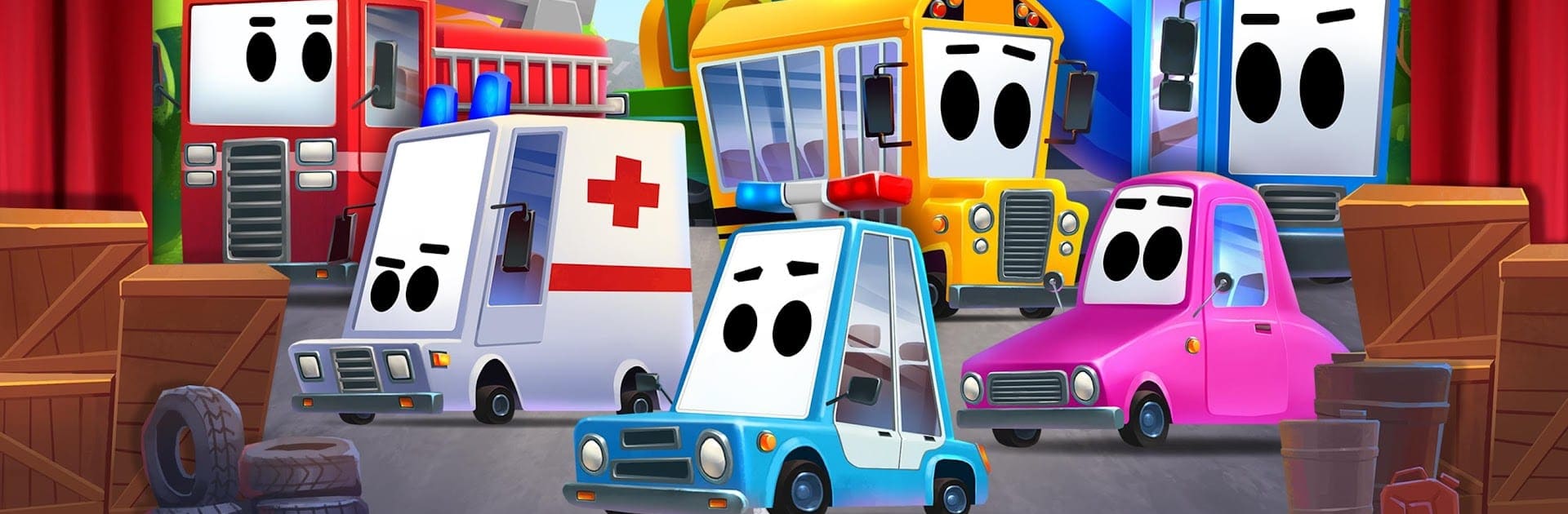
Kids Theater: Cars Show feels like a playful peekaboo stage show built for toddlers who love anything with wheels. The screen is set up like a tiny theater, and cars hide behind curtains and props. Tap a backdrop and it flips open with a quick animation, then a Taxi, Fire Truck, or maybe a Monster Truck pops out and makes its sound. Sirens, beeps, growly engines, even a helicopter hop. It is simple, bright, and the surprises land well because the player never fully knows which vehicle is behind each piece of scenery. There is a lot to poke at too, like inflating bubbles with the Motorcycle or warming up a Plane. Everything is chunky and easy to hit.

There are over a dozen animated vehicles, and each one has a distinct sound that is clear and not harsh. It also has two small side modes for toddlers, a memory cards game and a basic puzzle, and there is an autoplay option that starts if the game sits for a few seconds. Names of the vehicles can switch between eight languages for kids picking up words. On PC with BlueStacks, the big screen and clean clicks make it easier for small hands to spot things, and the sound comes through nicely for the horn and siren moments. It suits quick play during the day or a quiet wind down before bed, and it is clearly made for preschool age.

Get ready for a buttery smooth, high-performance gaming action only on BlueStacks.

Game Features

Enhancements

  • Macros
  • Multi Instance
  • Multi Instance Sync
  • Script
  • Enhancements
Macros

Macros

Automate the predictable in Kids Theater: Cars Show and transform your gameplay with Macros. Get access to inventive Macros in the BlueStacks Macro Community
Multi Instance

Multi Instance

Play Kids Theater: Cars Show on one window. And chat with your friend on the other. Press CTRL + Shift + 8 to open the Multi-Instance Manager. And start creating fresh instances or clone an existing one.
Multi Instance Sync

Multi Instance Sync

Play Kids Theater: Cars Show with the power of Multi-Instance Sync. Replicate what you are doing on the main instance on all other instances. Level up faster, play more.
Script

Script

Script your way to gaming glory in Kids Theater: Cars Show with BlueStacks Script. Write and run a set of commands to automate repeated tasks. Trigger the command by assigning it to any key.
Read More

How to Download and Play Kids Theater: Cars Show on PC or Mac

  • Download and install BlueStacks on your PC or Mac

  • Complete Google sign-in to access the Play Store, or do it later

  • Look for Kids Theater: Cars Show in the search bar at the top right corner

  • Click to install Kids Theater: Cars Show from the search results

  • Complete Google sign-in (if you skipped step 2) to install Kids Theater: Cars Show

  • Click the Kids Theater: Cars Show icon on the home screen to start playing

video
Watch Video

Minimum System Requirements

With BlueStacks 5, you can get started on a PC that fulfills the following requirements.

  • Operating System

    Microsoft Windows 7 or above, macOS 11 (Big Sur) or above

  • Processor

    Intel, AMD or Apple Silicon Processor

  • RAM

    at least 4GB

  • HDD

    10GB Free Disk Space

Note:

* You must be an Administrator on your PC. Up to date graphics drivers from Microsoft or the chipset vendor.

Kids Theater: Cars Show - FAQs

  • How to play Kids Theater: Cars Show on Windows PC & Mac?

    Play Kids Theater: Cars Show on your PC or Mac by following these simple steps.

    • Click on 'Play Kids Theater: Cars Show on PC’ to download BlueStacks
    • Install it and log-in to Google Play Store
    • Launch and play the game.
  • Why is BlueStacks the fastest and safest platform to play games on PC?

    BlueStacks respects your privacy and is always safe and secure to use. It does not carry any malware, spyware, or any sort of additional software that could harm your PC.

    It is engineered to optimize speed and performance for a seamless gaming experience.

  • What are Kids Theater: Cars Show PC requirements?

    Minimum requirement to run Kids Theater: Cars Show on your PC

    • OS: Microsoft Windows 7 or above MacOS 11 (Big Sur) or above
    • Processor: Intel, AMD or Apple Silicon Processor
    • RAM: Your PC must have at least 4GB of RAM. (Note that having 4GB or more disk space is not a substitute for RAM)
    • HDD: 10GB Free Disk Space.
    • You must be an Administrator on your PC.