Matemáticas con Grin II 678

Matemáticas con Grin II 678

Educational

| Educaplanet S.L.

Play on PC with BlueStacks or from our cloud

  • Overview
  • Game Features
  • How to Play

Page Modified On: September 19, 2025

Play Matemáticas con Grin II 678 on PC or Mac

From the innovators and creators at Educaplanet S.L., Matemáticas con Grin II 678 is another fun addition to the World of Educational games. Go beyond your mobile screen and play it bigger and better on your PC or Mac. An immersive experience awaits you.

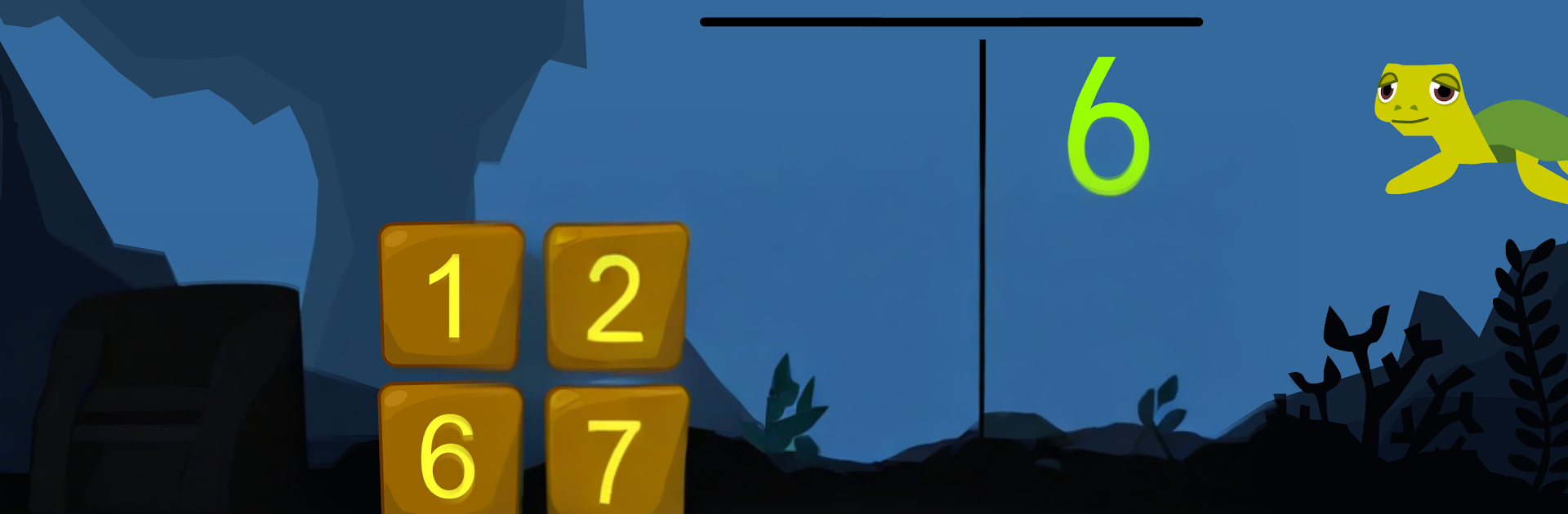
Matemáticas con Grin II 678 is a chill underwater math adventure for kids around 6 to 8, with a simple goal that actually works well: answer quick exercises, collect fruit, and feed a couple of goofy little aliens. Everything happens over sunken-ruins backdrops, so it feels playful instead of like a worksheet. The game hits a lot of ground without getting too heavy. Number sense up to hundreds and thousands, ordering and comparing numbers, spelling out big numbers, then into addition and subtraction with carrying and mental math. Multiplication tables and basic division are here too, with both vertical operations and short word problems so it is not just tapping answers.

It throws in geometry with 2D shapes and 3D solids, calling out faces, edges, and verticies. There are practical bits as well, like measuring with a ruler, reading a thermometer, weighing items on a balance, counting euros with coins and bills, making change, and telling time to the hour, half, quarter past, and quarter to. The calender part covers days and months in a very straightforward way. Navigation is flexible, either pick a topic and go through levels in rising difficulty, or choose an age to get a mixed set that fits. A quick parent report shows what was played, hits and mistakes, no fuss. On PC with BlueStacks the bigger screen and mouse clicks make the long operations and tiny buttons much easier to handle, and the rewards loop of feeding aliens which is oddly motivating keeps kids moving without nagging.

Make your gaming sessions memorable with precise controls that give you an edge in close combats and visuals that pop up, bringing every character to life.


Game Features

Enhancements

  • Macros
  • Multi Instance
  • Multi Instance Sync
  • Script
  • Enhancements
Macros

Macros

Automate the predictable in Matemáticas con Grin II 678 and transform your gameplay with Macros. Get access to inventive Macros in the BlueStacks Macro Community
Multi Instance

Multi Instance

Play Matemáticas con Grin II 678 on one window. And chat with your friend on the other. Press CTRL + Shift + 8 to open the Multi-Instance Manager. And start creating fresh instances or clone an existing one.
Multi Instance Sync

Multi Instance Sync

Play Matemáticas con Grin II 678 with the power of Multi-Instance Sync. Replicate what you are doing on the main instance on all other instances. Level up faster, play more.
Script

Script

Script your way to gaming glory in Matemáticas con Grin II 678 with BlueStacks Script. Write and run a set of commands to automate repeated tasks. Trigger the command by assigning it to any key.
Read More

How to Download and Play Matemáticas con Grin II 678 on PC or Mac

  • Download and install BlueStacks on your PC or Mac

  • Complete Google sign-in to access the Play Store, or do it later

  • Look for Matemáticas con Grin II 678 in the search bar at the top right corner

  • Click to install Matemáticas con Grin II 678 from the search results

  • Complete Google sign-in (if you skipped step 2) to install Matemáticas con Grin II 678

  • Click the Matemáticas con Grin II 678 icon on the home screen to start playing

video
Watch Video

Minimum System Requirements

With BlueStacks 5, you can get started on a PC that fulfills the following requirements.

  • Operating System

    Microsoft Windows 7 or above, macOS 11 (Big Sur) or above

  • Processor

    Intel, AMD or Apple Silicon Processor

  • RAM

    at least 4GB

  • HDD

    10GB Free Disk Space

Note:

* You must be an Administrator on your PC. Up to date graphics drivers from Microsoft or the chipset vendor.

Matemáticas con Grin II 678 - FAQs

  • How to play Matemáticas con Grin II 678 on Windows PC & Mac?

    Play Matemáticas con Grin II 678 on your PC or Mac by following these simple steps.

    • Click on 'Play Matemáticas con Grin II 678 on PC’ to download BlueStacks
    • Install it and log-in to Google Play Store
    • Launch and play the game.
  • Why is BlueStacks the fastest and safest platform to play games on PC?

    BlueStacks respects your privacy and is always safe and secure to use. It does not carry any malware, spyware, or any sort of additional software that could harm your PC.

    It is engineered to optimize speed and performance for a seamless gaming experience.

  • What are Matemáticas con Grin II 678 PC requirements?

    Minimum requirement to run Matemáticas con Grin II 678 on your PC

    • OS: Microsoft Windows 7 or above MacOS 11 (Big Sur) or above
    • Processor: Intel, AMD or Apple Silicon Processor
    • RAM: Your PC must have at least 4GB of RAM. (Note that having 4GB or more disk space is not a substitute for RAM)
    • HDD: 10GB Free Disk Space.
    • You must be an Administrator on your PC.