Phonics Hero: Games Kids Love!

Phonics Hero: Games Kids Love!

Educational

| Phonics Hero Limited

Play on PC with BlueStacks or from our cloud

  • Overview
  • Game Features
  • How to Play

Page Modified On: October 23, 2025

Play Phonics Hero: Games Kids Love! on PC or Mac

Phonics Hero: Games Kids Love! brings the Educational genre to life, and throws up exciting challenges for gamers. Developed by Phonics Hero Limited, this Android game is best experienced on BlueStacks, the World’s #1 app player for PC and Mac users.

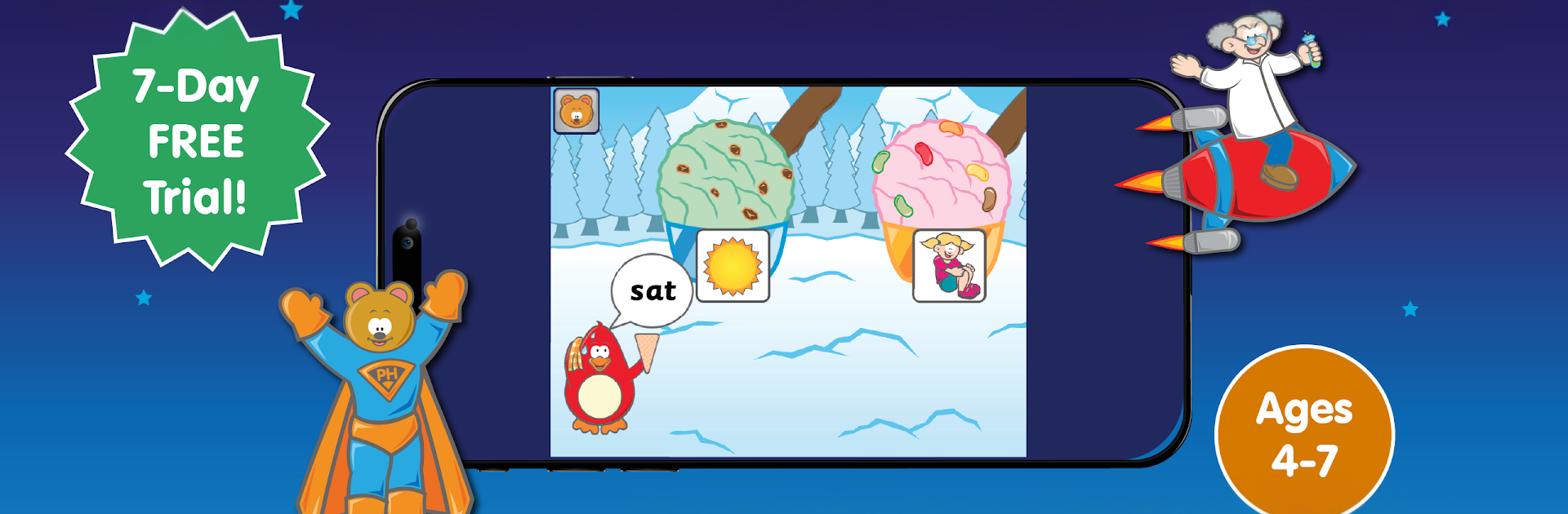
Phonics Hero is basically a bunch of quick, colorful mini games wrapped in a little superhero story. Kids team up with a hero named Zak to rescue his friends from a villain with a silly name, and each mission is a reading or spelling task dressed up as something fun. One moment they are feeding a tiger the right sound, next they are catching a cheeky monster by blending letters, then they are making a mud pie by segmenting words. Rounds are short, animations are lively, and the feedback is immediate so it keeps momentum. On PC with BlueStacks it is very clicky and smooth, big screen helps little eyes, and the mouse makes the tap targets easy to hit.

The learning side is pretty structured without feeling stiff. It starts with letter sounds, then moves into blending for reading, segmenting for spelling, and those awkward sight words that never sound like they should. It nudges along step by step, unlocking new sounds only when the earlier ones stick. There is a quick placement test so the game does not dump kids at square one if they already know some basics. There are hundreds of bite size activities that stretch over a long path, so it feels like there is always another small goal to chase. You can pick the accent, which is actually helpful for pronunciation quirks, and there are simple progress reports so adults can see what clicked and what still needs work. It is aimed at ages 4 to 7, though older kids who need a refresher will not feel talked down to. There is a 7 day free trial and then it rolls into a subscription unless you cancel, so worth keeping an eye on that. The overall vibe is friendly and a little goofy, in a good way, and it keeps the focus on phonics without turning it into a slog.

Ready to top the leaderboard? We bet you do. Let precise controls and sharp visuals optimized on BlueStacks lead you to victory.


Game Features

Enhancements

  • Macros
  • Multi Instance
  • Multi Instance Sync
  • Script
  • Enhancements
Macros

Macros

Automate the predictable in Phonics Hero: Games Kids Love! and transform your gameplay with Macros. Get access to inventive Macros in the BlueStacks Macro Community
Multi Instance

Multi Instance

Play Phonics Hero: Games Kids Love! on one window. And chat with your friend on the other. Press CTRL + Shift + 8 to open the Multi-Instance Manager. And start creating fresh instances or clone an existing one.
Multi Instance Sync

Multi Instance Sync

Play Phonics Hero: Games Kids Love! with the power of Multi-Instance Sync. Replicate what you are doing on the main instance on all other instances. Level up faster, play more.
Script

Script

Script your way to gaming glory in Phonics Hero: Games Kids Love! with BlueStacks Script. Write and run a set of commands to automate repeated tasks. Trigger the command by assigning it to any key.
Read More

How to Download and Play Phonics Hero: Games Kids Love! on PC or Mac

  • Download and install BlueStacks on your PC or Mac

  • Complete Google sign-in to access the Play Store, or do it later

  • Look for Phonics Hero: Games Kids Love! in the search bar at the top right corner

  • Click to install Phonics Hero: Games Kids Love! from the search results

  • Complete Google sign-in (if you skipped step 2) to install Phonics Hero: Games Kids Love!

  • Click the Phonics Hero: Games Kids Love! icon on the home screen to start playing

video
Watch Video

Minimum System Requirements

With BlueStacks 5, you can get started on a PC that fulfills the following requirements.

  • Operating System

    Microsoft Windows 7 or above, macOS 11 (Big Sur) or above

  • Processor

    Intel, AMD or Apple Silicon Processor

  • RAM

    at least 4GB

  • HDD

    10GB Free Disk Space

Note:

* You must be an Administrator on your PC. Up to date graphics drivers from Microsoft or the chipset vendor.

Phonics Hero: Games Kids Love! - FAQs

  • How to play Phonics Hero: Games Kids Love! on Windows PC & Mac?

    Play Phonics Hero: Games Kids Love! on your PC or Mac by following these simple steps.

    • Click on 'Play Phonics Hero: Games Kids Love! on PC’ to download BlueStacks
    • Install it and log-in to Google Play Store
    • Launch and play the game.
  • Why is BlueStacks the fastest and safest platform to play games on PC?

    BlueStacks respects your privacy and is always safe and secure to use. It does not carry any malware, spyware, or any sort of additional software that could harm your PC.

    It is engineered to optimize speed and performance for a seamless gaming experience.

  • What are Phonics Hero: Games Kids Love! PC requirements?

    Minimum requirement to run Phonics Hero: Games Kids Love! on your PC

    • OS: Microsoft Windows 7 or above MacOS 11 (Big Sur) or above
    • Processor: Intel, AMD or Apple Silicon Processor
    • RAM: Your PC must have at least 4GB of RAM. (Note that having 4GB or more disk space is not a substitute for RAM)
    • HDD: 10GB Free Disk Space.
    • You must be an Administrator on your PC.