Train for Animals - BabyMagica free

Train for Animals - BabyMagica free

Educational

| GameMagica

Play on PC with BlueStacks or from our cloud

  • Overview
  • Game Features
  • How to Play

Page Modified On: July 22, 2025

Play Train for Animals - BabyMagica free on PC or Mac

Step into the World of Train for Animals – BabyMagica free, a thrilling Educational game from the house of GameMagica. Play this Android game on BlueStacks App Player and experience immersive gaming on PC or Mac.

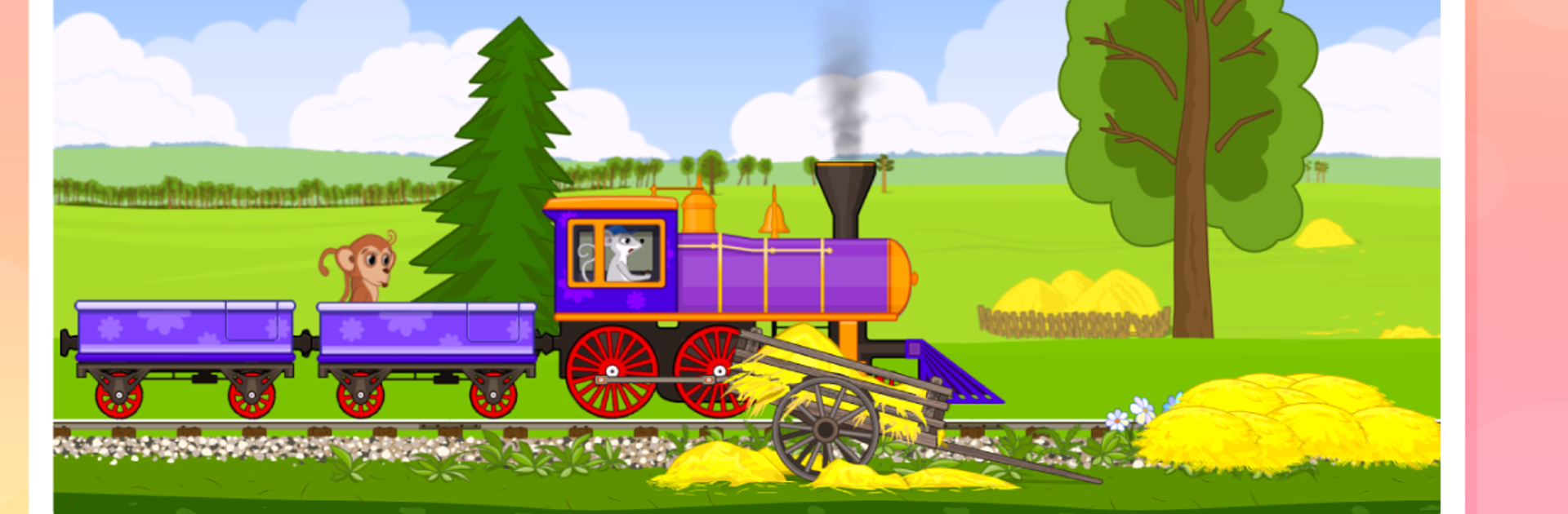
Train for Animals – BabyMagica is a cute little game where you guide a friendly train packed with animals to different stations, and along the way, there’s all kinds of simple, happy stuff going on. The style is cheerful — bright colors everywhere, funny little animals dancing around, with kids’ music playing in the background, so the whole thing feels upbeat and light. The animals aren’t just there for the ride, either. When you get to a station, each animal has a quick mini-activity. The hedgehog gathers falling apples, the rabbit chomps a carrot and does a giggle, a little fox does this silly dance, there’s even a monkey blowing bubbles you can pop. Every station is just another chance for little bursts of activity. Even the train itself is entertaining — it can switch its colors, honk the whistle, spit out colored smoke.

The whole game is clearly made for younger kids — simple taps are all it takes, and the controls work perfectly even on a bigger screen with BlueStacks. There aren’t timers or points to stress out over, so anyone can just take their time moving the train and poking at things. It’s the kind of game that helps kids practice basic things like recognizing animals, remembering what to do next, and a bit of hand-eye coordination, too, but mostly it’s just about having a playful time. The animals react to everything, sometimes purring, giggling, or tossing confetti, and that gives the game this real sense of being alive and interactive. For any little kid who loves animals and trains — or just a game that’s gentle and sweet — it’s worth a look, especially since it feels nice and easy to play on PC.

Get ready for a buttery smooth, high-performance gaming action only on BlueStacks.

Game Features

Enhancements

  • Macros
  • Multi Instance
  • Multi Instance Sync
  • Script
  • Enhancements
Macros

Macros

Automate the predictable in Train for Animals - BabyMagica free and transform your gameplay with Macros. Get access to inventive Macros in the BlueStacks Macro Community
Multi Instance

Multi Instance

Play Train for Animals - BabyMagica free on one window. And chat with your friend on the other. Press CTRL + Shift + 8 to open the Multi-Instance Manager. And start creating fresh instances or clone an existing one.
Multi Instance Sync

Multi Instance Sync

Play Train for Animals - BabyMagica free with the power of Multi-Instance Sync. Replicate what you are doing on the main instance on all other instances. Level up faster, play more.
Script

Script

Script your way to gaming glory in Train for Animals - BabyMagica free with BlueStacks Script. Write and run a set of commands to automate repeated tasks. Trigger the command by assigning it to any key.
Read More

How to Download and Play Train for Animals - BabyMagica free on PC or Mac

  • Download and install BlueStacks on your PC or Mac

  • Complete Google sign-in to access the Play Store, or do it later

  • Look for Train for Animals - BabyMagica free in the search bar at the top right corner

  • Click to install Train for Animals - BabyMagica free from the search results

  • Complete Google sign-in (if you skipped step 2) to install Train for Animals - BabyMagica free

  • Click the Train for Animals - BabyMagica free icon on the home screen to start playing

video
Watch Video

Minimum System Requirements

With BlueStacks 5, you can get started on a PC that fulfills the following requirements.

  • Operating System

    Microsoft Windows 7 or above, macOS 11 (Big Sur) or above

  • Processor

    Intel, AMD or Apple Silicon Processor

  • RAM

    at least 4GB

  • HDD

    10GB Free Disk Space

Note:

* You must be an Administrator on your PC. Up to date graphics drivers from Microsoft or the chipset vendor.

Train for Animals - BabyMagica free - FAQs

  • How to play Train for Animals - BabyMagica free on Windows PC & Mac?

    Play Train for Animals - BabyMagica free on your PC or Mac by following these simple steps.

    • Click on 'Play Train for Animals - BabyMagica free on PC’ to download BlueStacks
    • Install it and log-in to Google Play Store
    • Launch and play the game.
  • Why is BlueStacks the fastest and safest platform to play games on PC?

    BlueStacks respects your privacy and is always safe and secure to use. It does not carry any malware, spyware, or any sort of additional software that could harm your PC.

    It is engineered to optimize speed and performance for a seamless gaming experience.

  • What are Train for Animals - BabyMagica free PC requirements?

    Minimum requirement to run Train for Animals - BabyMagica free on your PC

    • OS: Microsoft Windows 7 or above MacOS 11 (Big Sur) or above
    • Processor: Intel, AMD or Apple Silicon Processor
    • RAM: Your PC must have at least 4GB of RAM. (Note that having 4GB or more disk space is not a substitute for RAM)
    • HDD: 10GB Free Disk Space.
    • You must be an Administrator on your PC.