
3ABN+
3ABN+

3ABN+

Entertainment

| Three Angels Broadcasting Network (3ABN)

Play on PC with BlueStacks or from our cloud

  • Overview
  • How to Download

Page Modified On: October 24, 2025

Run 3ABN+ on PC or Mac

Upgrade your experience. Try 3ABN+, the fantastic Entertainment app from Three Angels Broadcasting Network (3ABN), from the comfort of your laptop, PC, or Mac, only on BlueStacks.

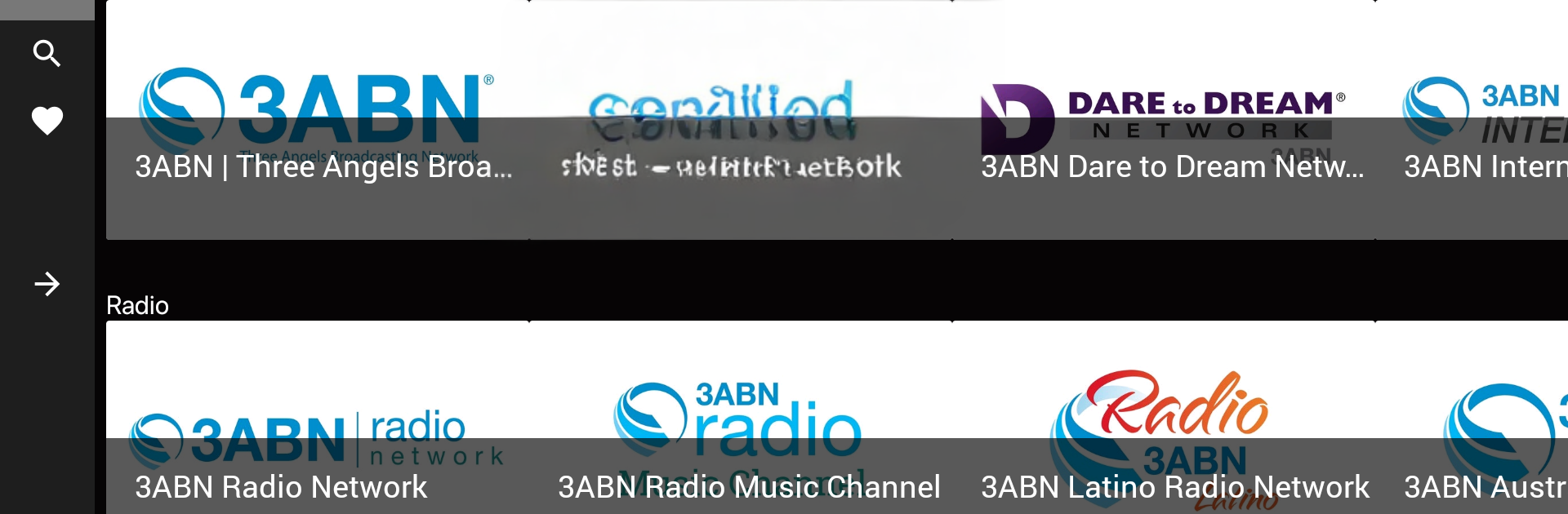
3ABN+ feels like a calm, faith-focused hub where someone can keep Christian TV and radio playing in the background all day, or just dip into specific programs when there is time. The mix is wide: Bible teaching for adults and kids, Christian music, health and plant-based cooking shows, recovery and family topics, even weight loss and emotional wellness. It is not flashy, but it is steady, and that is kind of the point. There are multiple live channels to flip through, including the main 3ABN feed, Proclaim, Dare to Dream, International, Praise Him, Kids, plus language networks in Spanish and Portuguese for Latino audiences, Russian, and Francais. Radio is here too, with a regular stream, a music-only channel, and region-focused stations.

On a PC with BlueStacks, it runs smoothly and is easy to leave open while doing other things. Streams start quick, quality is solid, and older programs may show black bars or look old-school, which the app is upfront about. The on-demand library is organized in a way that makes sense, with simple browsing and a watchlist so a person can save favorites. Downloading videos for offline viewing is handy for travel or spotty internet. Full features sit behind a login for subscribers, but the layout stays clean either way. Someone looking for faith-based content that covers real-life issues along with worship and study will probably feel at home here, and families get a safe kids lane without extra fuss.

BlueStacks gives you the much-needed freedom to experience your favorite apps on a bigger screen. Get it now.


How to Download and Run 3ABN+ on PC or Mac

  • Download and install BlueStacks on your PC or Mac

  • Complete Google sign-in to access the Play Store, or do it later

  • Look for 3ABN+ in the search bar at the top right corner

  • Click to install 3ABN+ from the search results

  • Complete Google sign-in (if you skipped step 2) to install 3ABN+

  • Click the 3ABN+ icon on the home screen to start playing

video
Watch Video

Minimum System Requirements

With BlueStacks 5, you can get started on a PC that fulfills the following requirements.

  • Operating System

    Microsoft Windows 7 or above, macOS 11 (Big Sur) or above

  • Processor

    Intel, AMD or Apple Silicon Processor

  • RAM

    at least 4GB

  • HDD

    10GB Free Disk Space

Note:

* You must be an Administrator on your PC. Up to date graphics drivers from Microsoft or the chipset vendor.

3ABN+ - FAQs

  • How to Run 3ABN+ on Windows PC & Mac?

    Run 3ABN+ on your PC or Mac by following these simple steps.

    • Click on ‘Download 3ABN+ on PC’ to download BlueStacks
    • Install it and log-in to Google Play Store
    • Launch and run the app.
  • Why is BlueStacks the fastest and safest platform to play games on PC?

    BlueStacks respects your privacy and is always safe and secure to use. It does not carry any malware, spyware, or any sort of additional software that could harm your PC.

    It is engineered to optimize speed and performance for a seamless gaming experience.

  • What are 3ABN+ PC requirements?

    Minimum requirement to run 3ABN+ on your PC

    • OS: Microsoft Windows 7 and above:
    • Processor: Intel or AMD Processor:
    • RAM: Your PC must have at least 2GB of RAM. (Note that having 2GB or more disk space is not a substitute for RAM):
    • HDD: 5GB Free Disk Space.
    • You must be an Administrator on your PC.



