
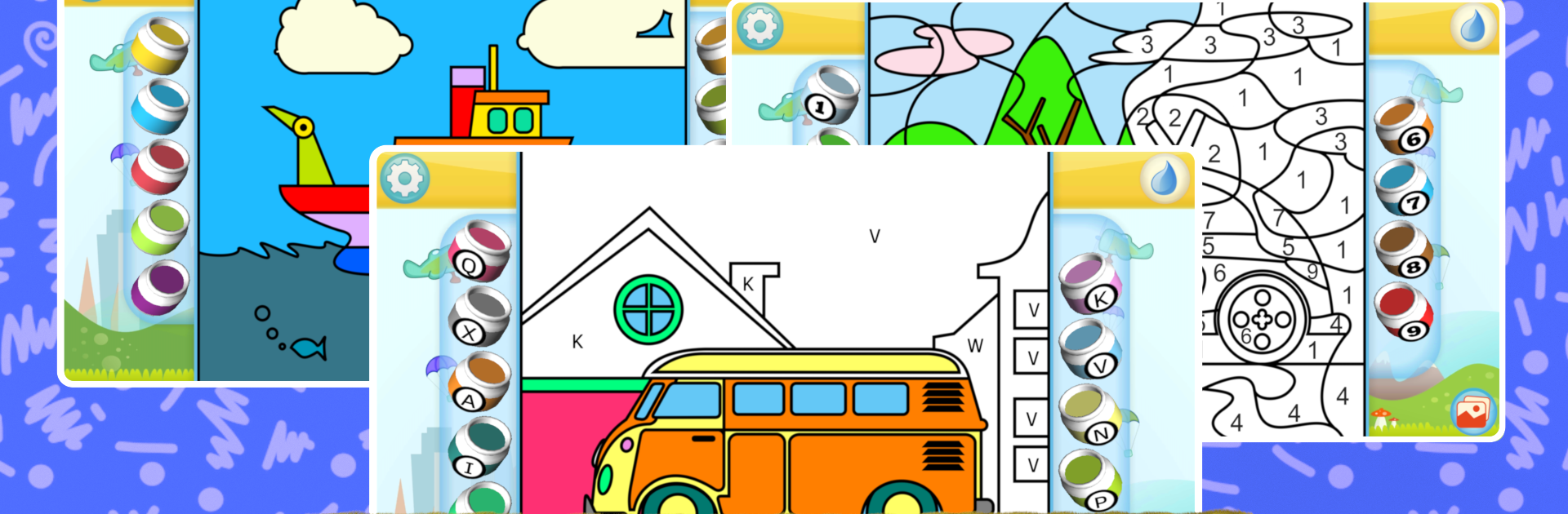
Car Coloring Book: Fun & Learn

Car Coloring Book: Fun & Learn

Entertainment

| Kedronic UAB

Play on PC with BlueStacks or from our cloud

  • Overview
  • How to Download

Page Modified On: December 26, 2025

Run Car Coloring Book: Fun & Learn on PC or Mac

What’s better than using Car Coloring Book: Fun & Learn by Kedronic UAB? Well, try it on a big screen, on your PC or Mac, with BlueStacks to see the difference.

About the App

Car Coloring Book: Fun & Learn turns a love of wheels, wings, and big machines into hands-on creativity. Made by Kedronic UAB, this Entertainment app blends coloring fun with simple learning, so kids can practice colors, numbers, letters, shapes, and even basic math while painting their favorite vehicles. It’s relaxed, colorful, and easy to pick up—great for quick breaks or longer art sessions at home or on BlueStacks if you prefer a bigger screen.

App Features

  • Two Ways to Play: Pick simple pages for quick coloring or go for detailed, paint-by-number challenges when you want something more focused.
  • Layer Reveal Coloring: Color artwork in stages and watch each section come to life as new layers unfold.
  • Freestyle Mode: Forget the rules—choose any color for any part and create your own wild paint jobs.
  • Learning Packs: Gentle practice with numbers, letters, shapes, plus beginner-friendly addition and subtraction woven into coloring.
  • Custom Color Palette: Swap out preset shades for your favorites and save the combinations kids love.
  • Big Garage of Rides: Color race cars, hot rods, trucks, diggers, buses, planes, trains, boats—even a star-worthy classic straight from rock-and-roll lore.
  • Grows with Your Child: Adjustable difficulty means toddlers can start simple, while older kids take on more intricate scenes.
  • Skill-Building Fun: Supports fine motor skills, hand–eye coordination, color recognition, and creative confidence without feeling like “homework.”
  • Calm, Kid-Friendly Flow: Clean tools and intuitive controls keep the focus on art, not menus or fuss.
  • Transportation Themes Galore: From construction sites to city streets to open seas, every scene keeps vehicle fans engaged and curious.

Eager to take your app experience to the next level? Start right away by downloading BlueStacks on your PC or Mac.


How to Download and Run Car Coloring Book: Fun & Learn on PC or Mac

  • Download and install BlueStacks on your PC or Mac

  • Complete Google sign-in to access the Play Store, or do it later

  • Look for Car Coloring Book: Fun & Learn in the search bar at the top right corner

  • Click to install Car Coloring Book: Fun & Learn from the search results

  • Complete Google sign-in (if you skipped step 2) to install Car Coloring Book: Fun & Learn

  • Click the Car Coloring Book: Fun & Learn icon on the home screen to start playing

video
Watch Video

Minimum System Requirements

With BlueStacks 5, you can get started on a PC that fulfills the following requirements.

  • Operating System

    Microsoft Windows 7 or above, macOS 11 (Big Sur) or above

  • Processor

    Intel, AMD or Apple Silicon Processor

  • RAM

    at least 4GB

  • HDD

    10GB Free Disk Space

Note:

* You must be an Administrator on your PC. Up to date graphics drivers from Microsoft or the chipset vendor.

Car Coloring Book: Fun & Learn - FAQs

  • How to Run Car Coloring Book: Fun & Learn on Windows PC & Mac?

    Run Car Coloring Book: Fun & Learn on your PC or Mac by following these simple steps.

    • Click on ‘Download Car Coloring Book: Fun & Learn on PC’ to download BlueStacks
    • Install it and log-in to Google Play Store
    • Launch and run the app.
  • Why is BlueStacks the fastest and safest platform to play games on PC?

    BlueStacks respects your privacy and is always safe and secure to use. It does not carry any malware, spyware, or any sort of additional software that could harm your PC.

    It is engineered to optimize speed and performance for a seamless gaming experience.

  • What are Car Coloring Book: Fun & Learn PC requirements?

    Minimum requirement to run Car Coloring Book: Fun & Learn on your PC

    • OS: Microsoft Windows 7 and above:
    • Processor: Intel or AMD Processor:
    • RAM: Your PC must have at least 2GB of RAM. (Note that having 2GB or more disk space is not a substitute for RAM):
    • HDD: 5GB Free Disk Space.
    • You must be an Administrator on your PC.



