
Elite Dangerous TradePad Pro

Elite Dangerous TradePad Pro

Entertainment

| Phantomapps

Play on PC with BlueStacks or from our cloud

  • Overview
  • How to Download

Page Modified On: October 13, 2025

Run Elite Dangerous TradePad Pro on PC or Mac

What’s better than using Elite Dangerous TradePad Pro by Phantomapps? Well, try it on a big screen, on your PC or Mac, with BlueStacks to see the difference.

About the App

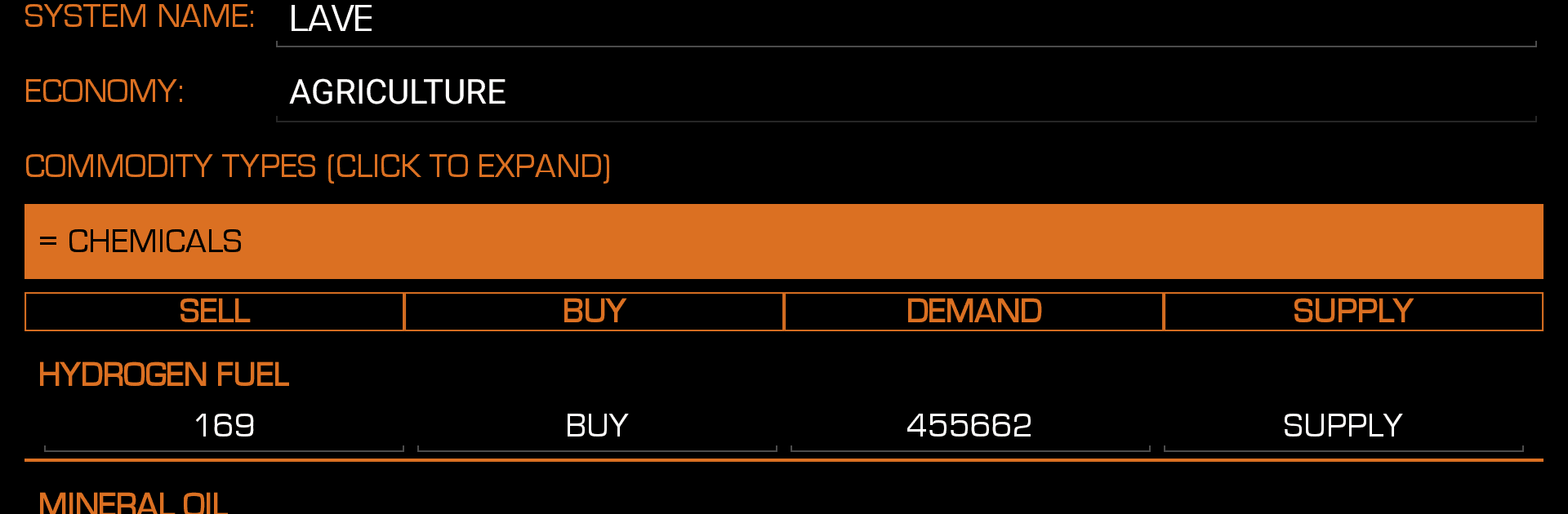
Elite Dangerous TradePad Pro by Phantomapps is your no‑nonsense co‑pilot for trading and outfitting in Elite Dangerous. It’s the ad‑free version built for Commanders who want fast answers, clean tools, and fewer taps between you and your next profitable run. Expect quick searches, instant market updates, and a simple way to plan routes that actually make sense. Prefer a bigger view while you play? It also works great on BlueStacks.

App Features

  • Massive game database: Pulls from a community-powered source with millions of price points across a million‑plus systems and tens of thousands of stations.
  • Smart route calculator: Find the best profit routes, loop runs, and multi‑hop paths without spreadsheets. Save your favorites for offline use.
  • Fine‑tuned filters: Set max jump distance, landing pad size, and even distance from the main star to avoid those long supercruises.
  • Profit-driven sorting: Sort by highest profit, distance, or last updated. Pin your top five routes to the home screen for quick access.
  • Station and system intel: Check station details, services, pad size, and more. Look up system info and body data before you commit.
  • Market and outfitting search: Scan commodities, ships, modules, and materials to see what’s available where—fast.
  • Instant updates: Get near real‑time refreshes for prices, modules, and ships at every station. Contribute updates to help keep the data sharp.
  • Notes that stick: Jot down reminders for any station or system and find them later with lightning‑fast search.
  • Galnet news feed: Keep an eye on the galaxy’s headlines while planning your next run.
  • Clean, modern design: A straightforward interface that stays out of your way. Available in English, Russian, and German.
  • Easy upgrade path: Coming from the free version? Bring your data with you in a couple of steps—no hassle.
  • Ad‑free experience: No banners, no interruptions—just the tools you need.

Switch to BlueStacks and make the most of your apps on your PC or Mac.

How to Download and Run Elite Dangerous TradePad Pro on PC or Mac

  • Download and install BlueStacks on your PC or Mac

  • Complete Google sign-in to access the Play Store, or do it later

  • Look for Elite Dangerous TradePad Pro in the search bar at the top right corner

  • Click to install Elite Dangerous TradePad Pro from the search results

  • Complete Google sign-in (if you skipped step 2) to install Elite Dangerous TradePad Pro

  • Click the Elite Dangerous TradePad Pro icon on the home screen to start playing

video
Watch Video

Minimum System Requirements

With BlueStacks 5, you can get started on a PC that fulfills the following requirements.

  • Operating System

    Microsoft Windows 7 or above, macOS 11 (Big Sur) or above

  • Processor

    Intel, AMD or Apple Silicon Processor

  • RAM

    at least 4GB

  • HDD

    10GB Free Disk Space

Note:

* You must be an Administrator on your PC. Up to date graphics drivers from Microsoft or the chipset vendor.

Elite Dangerous TradePad Pro - FAQs

  • How to Run Elite Dangerous TradePad Pro on Windows PC & Mac?

    Run Elite Dangerous TradePad Pro on your PC or Mac by following these simple steps.

    • Click on ‘Download Elite Dangerous TradePad Pro on PC’ to download BlueStacks
    • Install it and log-in to Google Play Store
    • Launch and run the app.
  • Why is BlueStacks the fastest and safest platform to play games on PC?

    BlueStacks respects your privacy and is always safe and secure to use. It does not carry any malware, spyware, or any sort of additional software that could harm your PC.

    It is engineered to optimize speed and performance for a seamless gaming experience.

  • What are Elite Dangerous TradePad Pro PC requirements?

    Minimum requirement to run Elite Dangerous TradePad Pro on your PC

    • OS: Microsoft Windows 7 and above:
    • Processor: Intel or AMD Processor:
    • RAM: Your PC must have at least 2GB of RAM. (Note that having 2GB or more disk space is not a substitute for RAM):
    • HDD: 5GB Free Disk Space.
    • You must be an Administrator on your PC.




