
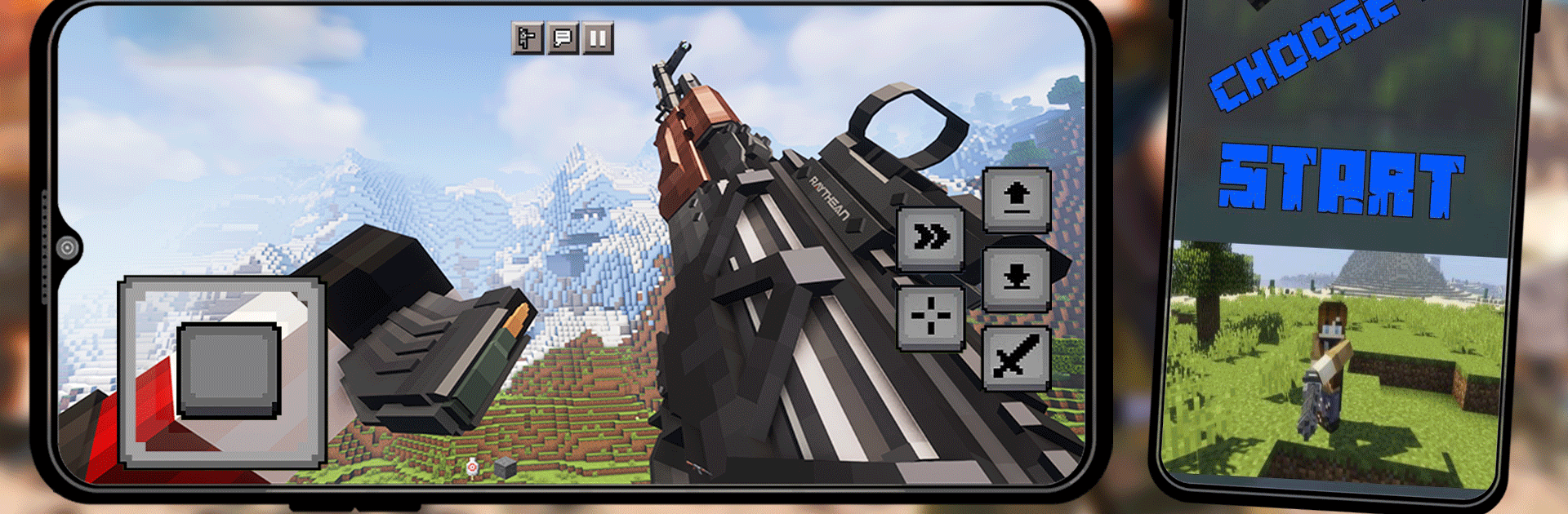
Guns Mods for Minecraft PE

Guns Mods for Minecraft PE

Entertainment

| Rtitor Mods Studio

Play on PC with BlueStacks or from our cloud

  • Overview
  • How to Download

Page Modified On: November 20, 2025

Run Guns Mods for Minecraft PE on PC or Mac

Get freedom from your phone’s obvious limitations. Use Guns Mods for Minecraft PE, made by Rtitor Mods Studio, a Entertainment app on your PC or Mac with BlueStacks, and level up your experience.

About the App

Guns Mods for Minecraft PE packs your worlds with modern firepower and the tools to use it well. Built by Rtitor Mods Studio, this Entertainment app makes it easy to add tons of weapons, gear, and even skins to Minecraft PE without the hassle. Expect quick installs, satisfying effects, and a bunch of ways to change how you play—whether you’re into survival or just want to mess around with new toys.

App Features

  • Massive arsenal
  • Load up with 100+ weapons: assault rifles, shotguns, pistols, submachine guns, sniper rifles, grenades, and even melee options. Yes, the classics like the Kalashnikov and M4A4 are in the mix.

  • Realistic feel

  • Crisp textures, punchy firing sounds, and snappy reloads give each gun its own vibe. Different weapons come with unique behaviors, so picking your favorite actually matters.

  • Survival-friendly

  • Bring firearms into survival mode and handle mobs faster. It’s not just flashy; it’s practical when night falls or you’re exploring dangerous spots.

  • Easy install, no fuss

  • Use the built-in launcher to browse add-ons, tap to download, and follow simple steps. You’ll be testing new gear in minutes—no tech wizardry required.

  • Skins to stand out

  • Find cool skins alongside the mods. Switch up your look so your gear—and your character—feel fresh.

  • Fan-favorite packs included

  • Try Actual Guns for a broad selection of modern weapons and equipment, Better Guns for expanded firearms in survival, and a fun Portal gun that opens up wild possibilities.

  • Helpful guides

  • Clear instructions walk you through setup and configuration, so you can focus on playing, not troubleshooting.

  • Play your way

  • Prefer a bigger screen? You can run the app through BlueStacks and enjoy all the content with room to spare.

Big screen. Bigger performance. Use BlueStacks on your PC or Mac to run your favorite apps.

How to Download and Run Guns Mods for Minecraft PE on PC or Mac

  • Download and install BlueStacks on your PC or Mac

  • Complete Google sign-in to access the Play Store, or do it later

  • Look for Guns Mods for Minecraft PE in the search bar at the top right corner

  • Click to install Guns Mods for Minecraft PE from the search results

  • Complete Google sign-in (if you skipped step 2) to install Guns Mods for Minecraft PE

  • Click the Guns Mods for Minecraft PE icon on the home screen to start playing

video
Watch Video

Minimum System Requirements

With BlueStacks 5, you can get started on a PC that fulfills the following requirements.

  • Operating System

    Microsoft Windows 7 or above, macOS 11 (Big Sur) or above

  • Processor

    Intel, AMD or Apple Silicon Processor

  • RAM

    at least 4GB

  • HDD

    10GB Free Disk Space

Note:

* You must be an Administrator on your PC. Up to date graphics drivers from Microsoft or the chipset vendor.

Guns Mods for Minecraft PE - FAQs

  • How to Run Guns Mods for Minecraft PE on Windows PC & Mac?

    Run Guns Mods for Minecraft PE on your PC or Mac by following these simple steps.

    • Click on ‘Download Guns Mods for Minecraft PE on PC’ to download BlueStacks
    • Install it and log-in to Google Play Store
    • Launch and run the app.
  • Why is BlueStacks the fastest and safest platform to play games on PC?

    BlueStacks respects your privacy and is always safe and secure to use. It does not carry any malware, spyware, or any sort of additional software that could harm your PC.

    It is engineered to optimize speed and performance for a seamless gaming experience.

  • What are Guns Mods for Minecraft PE PC requirements?

    Minimum requirement to run Guns Mods for Minecraft PE on your PC

    • OS: Microsoft Windows 7 and above:
    • Processor: Intel or AMD Processor:
    • RAM: Your PC must have at least 2GB of RAM. (Note that having 2GB or more disk space is not a substitute for RAM):
    • HDD: 5GB Free Disk Space.
    • You must be an Administrator on your PC.




