
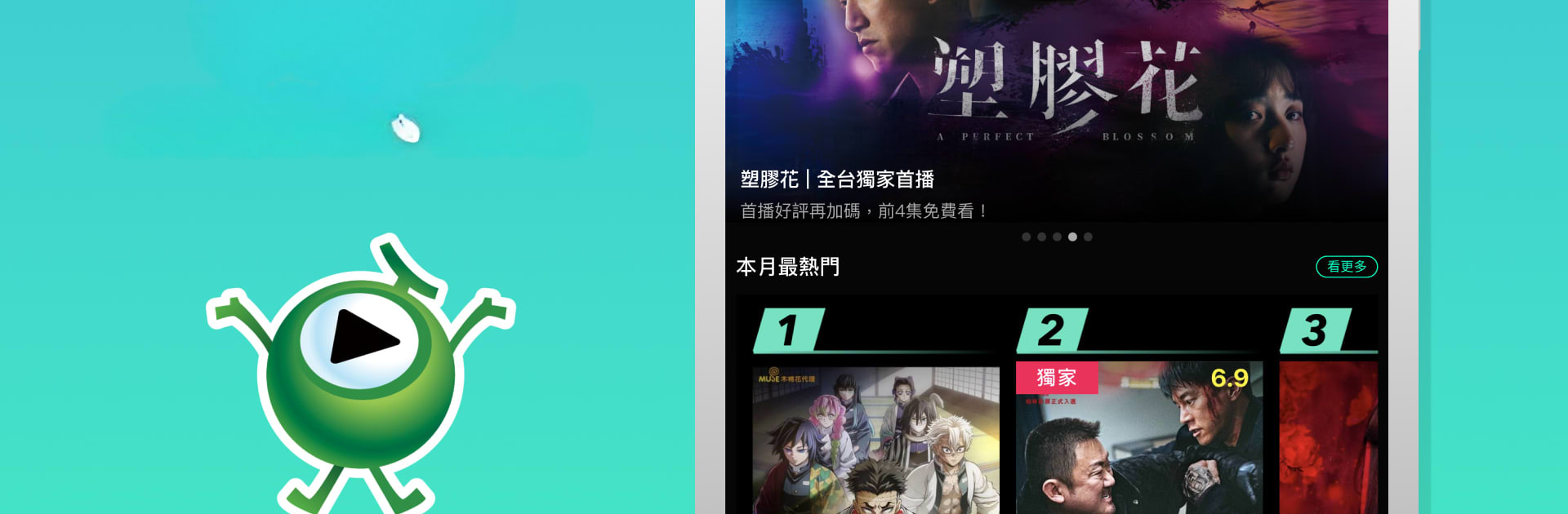
Hami Video TV版
Hami Video TV版

Hami Video TV版

Entertainment

| Hami Video

Play on PC with BlueStacks or from our cloud

  • Overview
  • How to Download

Page Modified On: December 05, 2025

Run Hami Video TV版 on PC or Mac

Why limit yourself to your small screen on the phone? Run Hami Video TV版, an app by Hami Video, best experienced on your PC or Mac with BlueStacks, the world’s #1 Android emulator.

Hami Video TV edition feels like a full cable box and a streaming app living in the same place. There are more than 90 live channels to flip through, with real-time news, finance, dramas, variety shows, and plenty of sports, then a huge on demand library for movies, series, and animation when there is time to binge something specific. On a PC with BlueStacks it runs like a normal TV app, just easier to browse with a mouse and arrow keys. The layout is simple, clean rows of channels and posters, and streams pop in quickly after a short buffer. It really suits someone who wants the comfort of channel surfing but also wants a pile of shows ready to start right away.

Content is very Taiwan focused, which is the point. There are headline exclusives that stand out, like The Doctor, a tense medical crime series, and The Technology of Negotiation with Lee Je hoon and Kim Daming for that sharp business drama kick. Fans of romance reality get Transfer Love – Another Beginning, and movie lovers get names like Song Kang ho, Park Jung min, and Jang Yoon joo in Really Want to Win 1 Game. Action fans will notice I Upgrade S2 Alone – From the Shadow, and sports nuts can dig into Those Who Supported Professional Baseball in Those Years for behind the scenes stories. Service availability is Taiwan only, with the exception that CPBLTV and HBLTV work overseas, so keep that in mind before getting too excited.

Eager to take your app experience to the next level? Start right away by downloading BlueStacks on your PC or Mac.


How to Download and Run Hami Video TV版 on PC or Mac

  • Download and install BlueStacks on your PC or Mac

  • Complete Google sign-in to access the Play Store, or do it later

  • Look for Hami Video TV版 in the search bar at the top right corner

  • Click to install Hami Video TV版 from the search results

  • Complete Google sign-in (if you skipped step 2) to install Hami Video TV版

  • Click the Hami Video TV版 icon on the home screen to start playing

video
Watch Video

Minimum System Requirements

With BlueStacks 5, you can get started on a PC that fulfills the following requirements.

  • Operating System

    Microsoft Windows 7 or above, macOS 11 (Big Sur) or above

  • Processor

    Intel, AMD or Apple Silicon Processor

  • RAM

    at least 4GB

  • HDD

    10GB Free Disk Space

Note:

* You must be an Administrator on your PC. Up to date graphics drivers from Microsoft or the chipset vendor.

Hami Video TV版 - FAQs

  • How to Run Hami Video TV版 on Windows PC & Mac?

    Run Hami Video TV版 on your PC or Mac by following these simple steps.

    • Click on ‘Download Hami Video TV版 on PC’ to download BlueStacks
    • Install it and log-in to Google Play Store
    • Launch and run the app.
  • Why is BlueStacks the fastest and safest platform to play games on PC?

    BlueStacks respects your privacy and is always safe and secure to use. It does not carry any malware, spyware, or any sort of additional software that could harm your PC.

    It is engineered to optimize speed and performance for a seamless gaming experience.

  • What are Hami Video TV版 PC requirements?

    Minimum requirement to run Hami Video TV版 on your PC

    • OS: Microsoft Windows 7 and above:
    • Processor: Intel or AMD Processor:
    • RAM: Your PC must have at least 2GB of RAM. (Note that having 2GB or more disk space is not a substitute for RAM):
    • HDD: 5GB Free Disk Space.
    • You must be an Administrator on your PC.



