
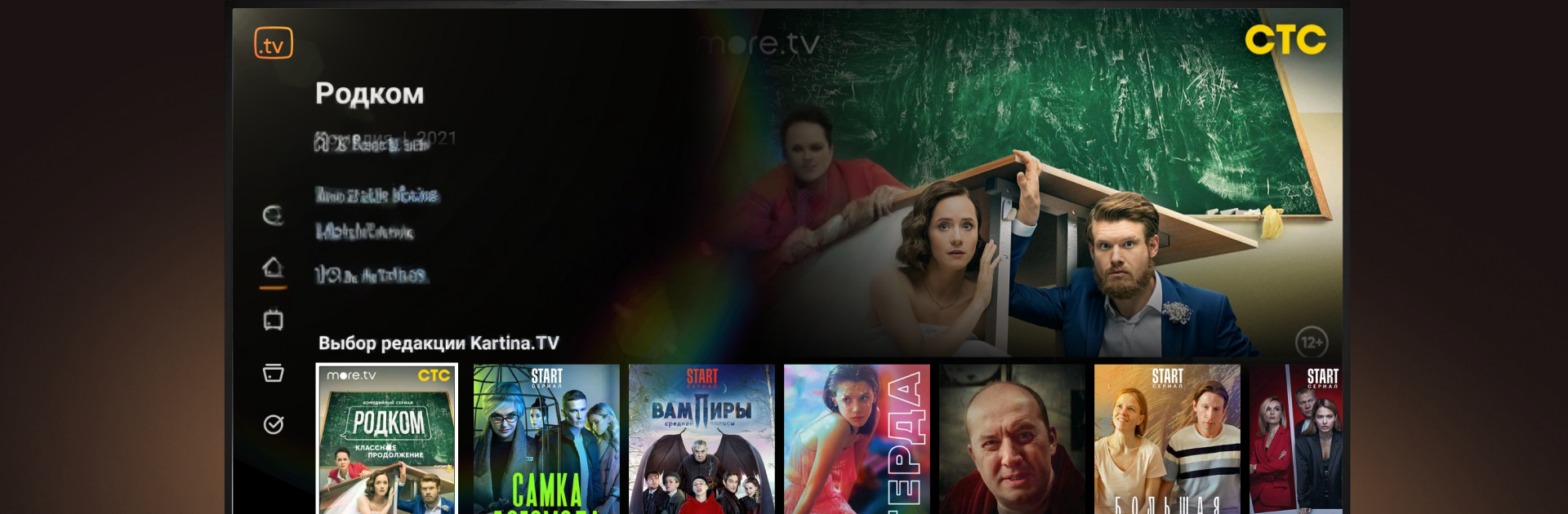
Kartina.TV for Android TV

Kartina.TV for Android TV

Entertainment

| Kartina.TV GmbH

Play on PC with BlueStacks or from our cloud

  • Overview
  • How to Download

Page Modified On: January 09, 2026

Run Kartina.TV for Android TV on PC or Mac

Upgrade your experience. Try Kartina.TV for Android TV, the fantastic Entertainment app from Kartina.TV GmbH, from the comfort of your laptop, PC, or Mac, only on BlueStacks.

Kartina.TV feels like a full cable setup packed into one app, only without the messy bundle. It has over 200 live channels in different languages, a big on‑demand catalog that goes into the tens of thousands, and a 14‑day archive so users can catch shows they missed. The whole thing sits under one subscription, and it works on up to three devices at the same time, which is handy for families. On PC through BlueStacks it behaves like a neat Android TV box on the desktop: big tiles, clean menus, quick search, and it does not take long to find a channel or a movie. The interface is simple enough that kids and grandparents will figure it out.

What stands out is the mix of live TV plus several video libraries in one place. There are platforms like START, LAVA, PREMIER, ivi, more.tv, Megogo, and even libraries in Ukrainian and Armenian. New titles land often, with stuff ranging from the comedy Two Hills to the detective series Mop and the food‑flavored IP Pirogov. LAVA leans into mystery with Cold Shores, Anna the Detective, and Secrets of Mrs. Kirsanova. PREMIER brings dramas like Without Rules, the mini‑series UZZZ, and the comedy High Security Parents. Much of it streams in Full HD, and more dubbing and subtitles in languages like English, Spanish, French, and Portuguese are rolling in over time. Availability can differ by region, so the exact channel lineup or specific films may vary, but the overall feel is all‑in‑one TV without juggling five different apps.

BlueStacks brings your apps to life on a bigger screen—seamless and straightforward.

How to Download and Run Kartina.TV for Android TV on PC or Mac

  • Download and install BlueStacks on your PC or Mac

  • Complete Google sign-in to access the Play Store, or do it later

  • Look for Kartina.TV for Android TV in the search bar at the top right corner

  • Click to install Kartina.TV for Android TV from the search results

  • Complete Google sign-in (if you skipped step 2) to install Kartina.TV for Android TV

  • Click the Kartina.TV for Android TV icon on the home screen to start playing

video
Watch Video

Minimum System Requirements

With BlueStacks 5, you can get started on a PC that fulfills the following requirements.

  • Operating System

    Microsoft Windows 7 or above, macOS 11 (Big Sur) or above

  • Processor

    Intel, AMD or Apple Silicon Processor

  • RAM

    at least 4GB

  • HDD

    10GB Free Disk Space

Note:

* You must be an Administrator on your PC. Up to date graphics drivers from Microsoft or the chipset vendor.

Kartina.TV for Android TV - FAQs

  • How to Run Kartina.TV for Android TV on Windows PC & Mac?

    Run Kartina.TV for Android TV on your PC or Mac by following these simple steps.

    • Click on ‘Download Kartina.TV for Android TV on PC’ to download BlueStacks
    • Install it and log-in to Google Play Store
    • Launch and run the app.
  • Why is BlueStacks the fastest and safest platform to play games on PC?

    BlueStacks respects your privacy and is always safe and secure to use. It does not carry any malware, spyware, or any sort of additional software that could harm your PC.

    It is engineered to optimize speed and performance for a seamless gaming experience.

  • What are Kartina.TV for Android TV PC requirements?

    Minimum requirement to run Kartina.TV for Android TV on your PC

    • OS: Microsoft Windows 7 and above:
    • Processor: Intel or AMD Processor:
    • RAM: Your PC must have at least 2GB of RAM. (Note that having 2GB or more disk space is not a substitute for RAM):
    • HDD: 5GB Free Disk Space.
    • You must be an Administrator on your PC.




