KLACK Fernseh- & TV-Programm

KLACK Fernseh- & TV-Programm

Entertainment

| FUNKE Zeitschriften Digital GmbH

Play on PC with BlueStacks or from our cloud

  • Overview
  • How to Download

Page Modified On: September 05, 2025

Run KLACK Fernseh- & TV-Programm on PC or Mac

Multitask effortlessly on your PC or Mac as you try out KLACK Fernseh- & TV-Programm, a Entertainment app by FUNKE Zeitschriften Digital GmbH on BlueStacks.

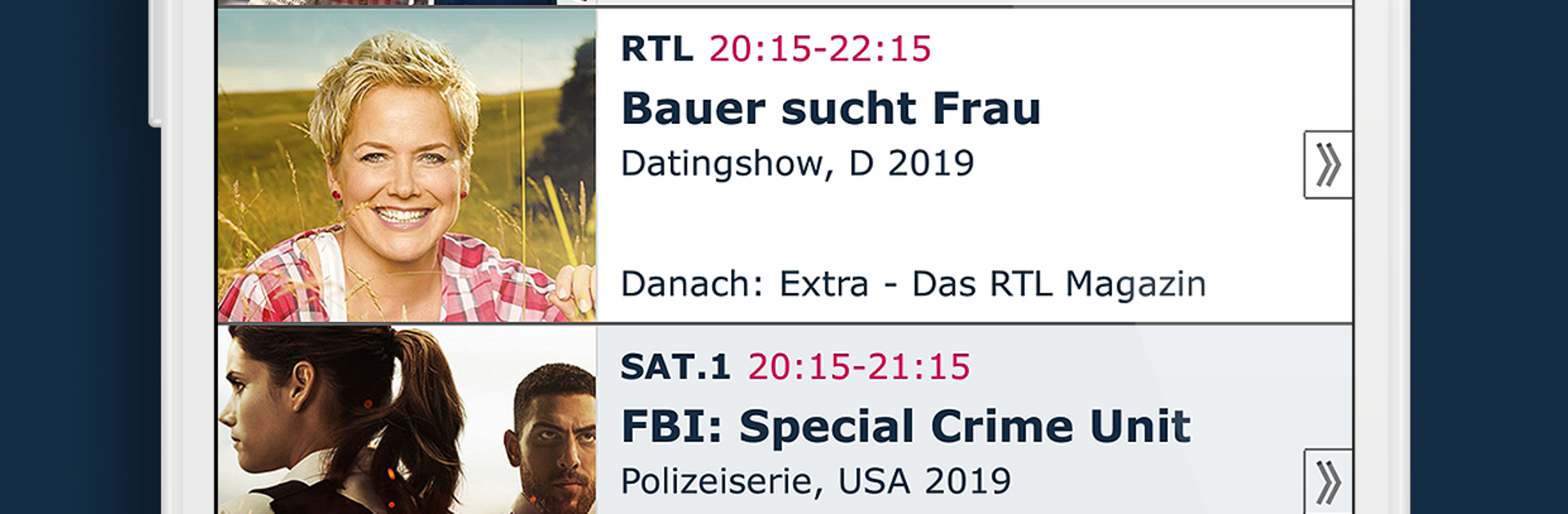
KLACK Fernseh- & TV-Programm feels like a fast, no fuss TV guide for German channels, both free and pay. It opens to a clean grid or a simple list, and those quick buttons for now, 20:15, and 22:00 are very handy. Browsing is quick, with info and pictures for the daily highlights, and it does not just stop at today. It shows what is on right now, tonight, tomorrow, the next 14 days, and even the last three days, which is rare. All the major stations show up, ARD, ZDF, RTL, Pro7, Sat.1, VOX, Sky and many more, so there is real coverage rather than gaps.

What stands out is how easy it is to make the guide personal. Favorite channels can be pinned for a tidy view, there is a planner with reminders for things like Bundesliga, Tatort, or Tagesschau, and the filters do real work. Someone who only wants sport can switch to that genre and get an instant overview, from Sportschau and football to handball and golf. The search is good too, down to actor names like Elyas M’Barek or Matt Damon. There is a streaming section that collects flatrate picks from services like Netflix, Amazon, Maxdome, and Sky Ticket, so if TV has nothing, there are ideas ready. Logging in syncs channel lists between web and app, which makes it nice on both phone and PC. On a computer with BlueStacks, the grid has more room, scrolling is calmer, and setting reminders with a mouse click is comfortable. There is even a homescreen widget for quick access to now, soon, 20:15, and 22:00. Ads are there, but there is an option to remove them for a small monthly fee, while the core features stay free. Channels go deep, from ARD and ZDF to ProSieben MAXX, Servus TV, N24, Tagesschau24, WDR, NDR, and Sky Bundesliga, so planning a quiet evening or a full sports weekend is straightforward.

Switch to BlueStacks and make the most of your apps on your PC or Mac.

How to Download and Run KLACK Fernseh- & TV-Programm on PC or Mac

  • Download and install BlueStacks on your PC or Mac

  • Complete Google sign-in to access the Play Store, or do it later

  • Look for KLACK Fernseh- & TV-Programm in the search bar at the top right corner

  • Click to install KLACK Fernseh- & TV-Programm from the search results

  • Complete Google sign-in (if you skipped step 2) to install KLACK Fernseh- & TV-Programm

  • Click the KLACK Fernseh- & TV-Programm icon on the home screen to start playing

video
Watch Video

Minimum System Requirements

With BlueStacks 5, you can get started on a PC that fulfills the following requirements.

  • Operating System

    Microsoft Windows 7 or above, macOS 11 (Big Sur) or above

  • Processor

    Intel, AMD or Apple Silicon Processor

  • RAM

    at least 4GB

  • HDD

    10GB Free Disk Space

Note:

* You must be an Administrator on your PC. Up to date graphics drivers from Microsoft or the chipset vendor.

KLACK Fernseh- & TV-Programm - FAQs

  • How to Run KLACK Fernseh- & TV-Programm on Windows PC & Mac?

    Run KLACK Fernseh- & TV-Programm on your PC or Mac by following these simple steps.

    • Click on ‘Download KLACK Fernseh- & TV-Programm on PC’ to download BlueStacks
    • Install it and log-in to Google Play Store
    • Launch and run the app.
  • Why is BlueStacks the fastest and safest platform to play games on PC?

    BlueStacks respects your privacy and is always safe and secure to use. It does not carry any malware, spyware, or any sort of additional software that could harm your PC.

    It is engineered to optimize speed and performance for a seamless gaming experience.

  • What are KLACK Fernseh- & TV-Programm PC requirements?

    Minimum requirement to run KLACK Fernseh- & TV-Programm on your PC

    • OS: Microsoft Windows 7 and above:
    • Processor: Intel or AMD Processor:
    • RAM: Your PC must have at least 2GB of RAM. (Note that having 2GB or more disk space is not a substitute for RAM):
    • HDD: 5GB Free Disk Space.
    • You must be an Administrator on your PC.