Prime Guide TV Programm

Prime Guide TV Programm

Entertainment

| greenrobot

Play on PC with BlueStacks or from our cloud

  • Overview
  • How to Download

Page Modified On: November 28, 2025

Run Prime Guide TV Programm on PC or Mac

Why limit yourself to your small screen on the phone? Run Prime Guide TV Programm, an app by greenrobot, best experienced on your PC or Mac with BlueStacks, the world’s #1 Android emulator.

About the App

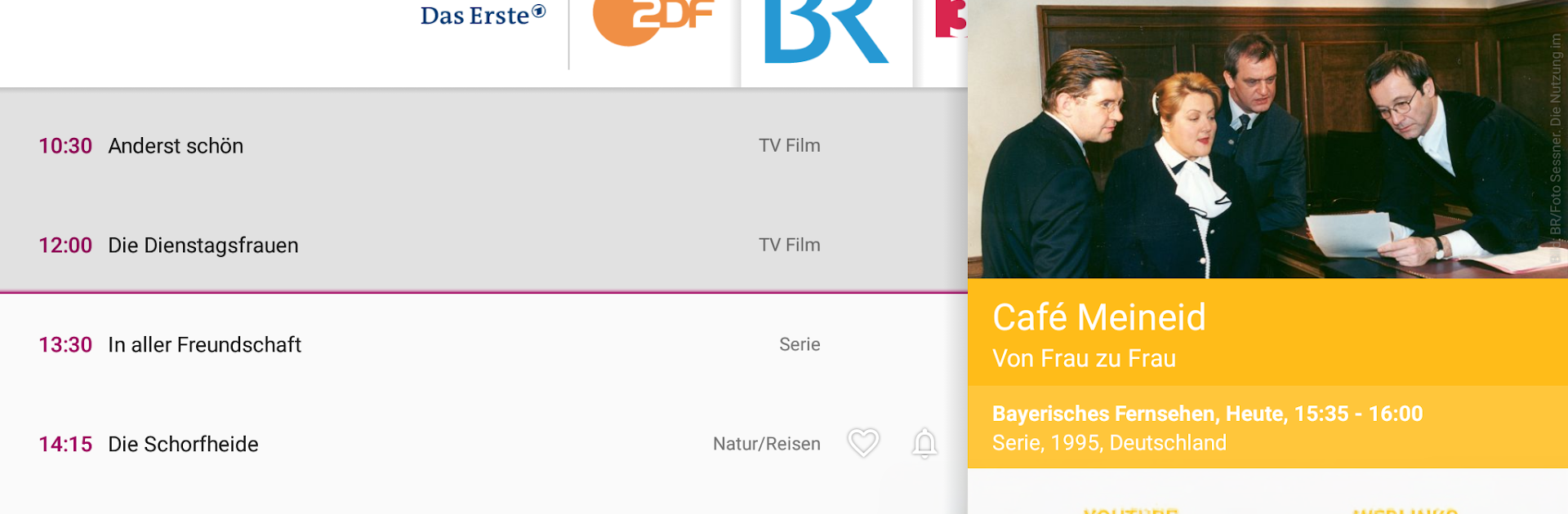
Prime Guide TV Programm makes finding something to watch feel effortless. Open it, and you’re instantly greeted with what’s on right now—no waiting around, no clutter. It’s not just a schedule, either. You’ll get trailers, ratings, and fun background details that help you decide fast. Built by greenrobot for the Entertainment crowd, it’s a clean, speedy way to keep your TV time simple.

Prefer a bigger screen for browsing? You can also use Prime Guide TV Programm on your PC or Mac with BlueStacks.

App Features

  • Instant overview: Launch the app and see what’s currently on without loading delays—perfect for quick decisions.
  • Deep show info: Check trailers, ratings, and extras that add context to movies and TV shows.
  • Smart reminders: Set alerts with flexible options and add them to your calendar so you never miss a premiere.
  • 10‑day fast search: Scan the schedule for the next ten days in seconds to plan ahead.
  • Alternative airings: Find reruns, new episodes, and other broadcast times with a tap.
  • Share with friends: Send interesting picks via email or your favorite Android apps.
  • Rich photo galleries: Browse images with scene notes to get a feel for the vibe before you watch.
  • Handy widgets: See what’s on now and at prime time right from your home screen or lock screen.
  • Personal channel lineup: Choose from up to 170 channels, sort them your way, and sync your picks across devices.
  • Premium perks: Unlock an ad‑free guide and a scrollable home screen widget that shows all your channels at a glance.

Ready to experience Prime Guide TV Programm on a bigger screen, in all its glory? Download BlueStacks now.


How to Download and Run Prime Guide TV Programm on PC or Mac

  • Download and install BlueStacks on your PC or Mac

  • Complete Google sign-in to access the Play Store, or do it later

  • Look for Prime Guide TV Programm in the search bar at the top right corner

  • Click to install Prime Guide TV Programm from the search results

  • Complete Google sign-in (if you skipped step 2) to install Prime Guide TV Programm

  • Click the Prime Guide TV Programm icon on the home screen to start playing

video
Watch Video

Minimum System Requirements

With BlueStacks 5, you can get started on a PC that fulfills the following requirements.

  • Operating System

    Microsoft Windows 7 or above, macOS 11 (Big Sur) or above

  • Processor

    Intel, AMD or Apple Silicon Processor

  • RAM

    at least 4GB

  • HDD

    10GB Free Disk Space

Note:

* You must be an Administrator on your PC. Up to date graphics drivers from Microsoft or the chipset vendor.

Prime Guide TV Programm - FAQs

  • How to Run Prime Guide TV Programm on Windows PC & Mac?

    Run Prime Guide TV Programm on your PC or Mac by following these simple steps.

    • Click on ‘Download Prime Guide TV Programm on PC’ to download BlueStacks
    • Install it and log-in to Google Play Store
    • Launch and run the app.
  • Why is BlueStacks the fastest and safest platform to play games on PC?

    BlueStacks respects your privacy and is always safe and secure to use. It does not carry any malware, spyware, or any sort of additional software that could harm your PC.

    It is engineered to optimize speed and performance for a seamless gaming experience.

  • What are Prime Guide TV Programm PC requirements?

    Minimum requirement to run Prime Guide TV Programm on your PC

    • OS: Microsoft Windows 7 and above:
    • Processor: Intel or AMD Processor:
    • RAM: Your PC must have at least 2GB of RAM. (Note that having 2GB or more disk space is not a substitute for RAM):
    • HDD: 5GB Free Disk Space.
    • You must be an Administrator on your PC.