Skins Truckers Of Europe 3

Skins Truckers Of Europe 3

Entertainment

| Kivel Skinz Apps

Play on PC with BlueStacks or from our cloud

  • Overview
  • Tips & Tricks
  • How to Download

Page Modified On: May 15, 2026

Run Skins Truckers Of Europe 3 on PC or Mac

What’s better than using Skins Truckers Of Europe 3 by Kivel Skinz Apps? Well, try it on a big screen, on your PC or Mac, with BlueStacks to see the difference.

About the App

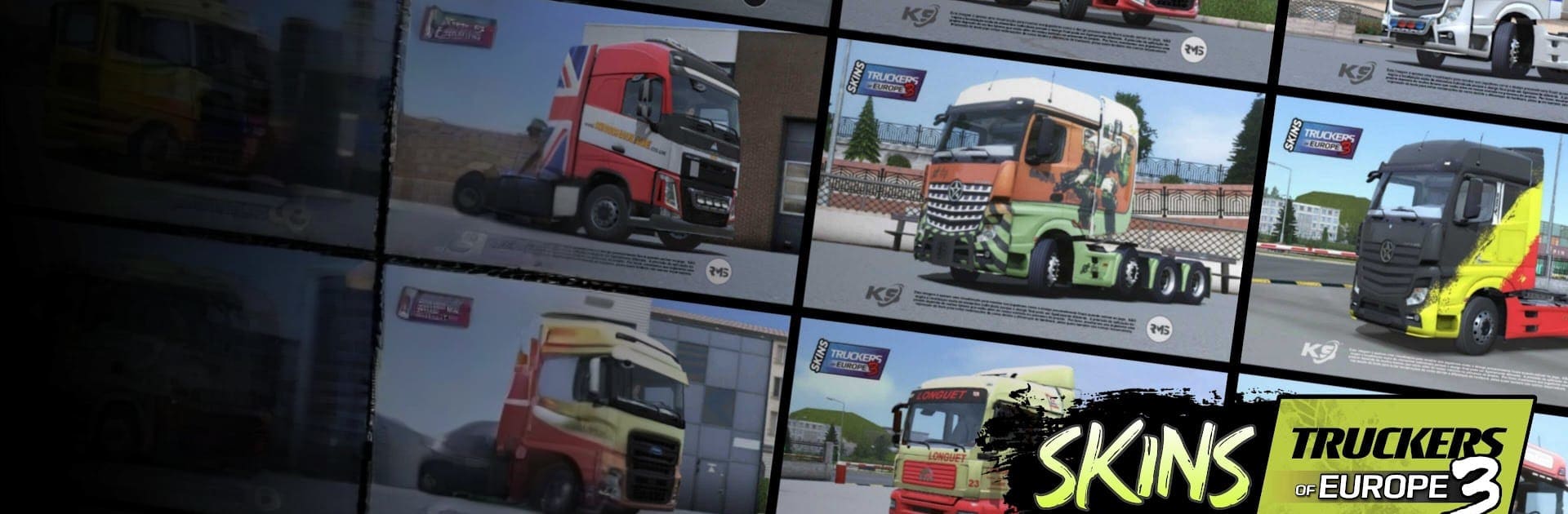
Skins Truckers Of Europe 3 is your go-to sidekick for refreshing the look of your rigs in Truckers of Europe 3. Built by Kivel Skinz Apps in the Entertainment genre, it packs a big, tidy catalog of crisp truck, trailer, and cargo designs you can grab in seconds. Prefer browsing on a larger screen while you play? It pairs nicely with the game when you’re on PC using BlueStacks.

App Features

  • Huge collection: Scroll through a library with more than 1,500 skins, ready to give every haul a new vibe.
  • Real-world and fantasy options: Pick from designs inspired by real companies or go bold with creative, fictional brands.
  • Trucks and cargo, covered: Outfit the cab, trailers, and even cargo—match sets or mix styles your way.
  • High-clarity visuals: Clean, sharp skins made to look clear and detailed in-game—no muddy textures.
  • Lightweight downloads: Files are small and quick to grab, so you won’t wait around or fill up your storage.
  • Simple menus and categories: Find what you want faster with straightforward navigation, clear sections, and easy access to each skin.
  • Quick, practical setup: One-tap downloads and a smooth flow keep the process painless from browsing to applying.

Big screen. Bigger performance. Use BlueStacks on your PC or Mac to run your favorite apps.
How to Download and Run Skins Truckers Of Europe 3 on PC or Mac

  • Download and install BlueStacks on your PC or Mac

  • Complete Google sign-in to access the Play Store, or do it later

  • Look for Skins Truckers Of Europe 3 in the search bar at the top right corner

  • Click to install Skins Truckers Of Europe 3 from the search results

  • Complete Google sign-in (if you skipped step 2) to install Skins Truckers Of Europe 3

  • Click the Skins Truckers Of Europe 3 icon on the home screen to start playing

video
Watch Video

Minimum System Requirements

With BlueStacks 5, you can get started on a PC that fulfills the following requirements.

  • Operating System

    Microsoft Windows 7 or above, macOS 11 (Big Sur) or above

  • Processor

    Intel, AMD or Apple Silicon Processor

  • RAM

    at least 4GB

  • HDD

    10GB Free Disk Space

Note:

* You must be an Administrator on your PC. Up to date graphics drivers from Microsoft or the chipset vendor.

Skins Truckers Of Europe 3 - FAQs

  • How to Run Skins Truckers Of Europe 3 on Windows PC & Mac?

    Run Skins Truckers Of Europe 3 on your PC or Mac by following these simple steps.

    • Click on ‘Download Skins Truckers Of Europe 3 on PC’ to download BlueStacks
    • Install it and log-in to Google Play Store
    • Launch and run the app.
  • Why is BlueStacks the fastest and safest platform to play games on PC?

    BlueStacks respects your privacy and is always safe and secure to use. It does not carry any malware, spyware, or any sort of additional software that could harm your PC.

    It is engineered to optimize speed and performance for a seamless gaming experience.

  • What are Skins Truckers Of Europe 3 PC requirements?

    Minimum requirement to run Skins Truckers Of Europe 3 on your PC

    • OS: Microsoft Windows 7 and above:
    • Processor: Intel or AMD Processor:
    • RAM: Your PC must have at least 2GB of RAM. (Note that having 2GB or more disk space is not a substitute for RAM):
    • HDD: 5GB Free Disk Space.
    • You must be an Administrator on your PC.