
Smotreshka: online TV and more

Smotreshka: online TV and more

Entertainment

| LifeStream Ltd.

Play on PC with BlueStacks or from our cloud

  • Overview
  • How to Download

Page Modified On: January 02, 2026

Run Smotreshka: online TV and more on PC or Mac

Let BlueStacks turn your PC, Mac, or laptop into the perfect home for Smotreshka: online TV and more, a fun Entertainment app from LifeStream Ltd..

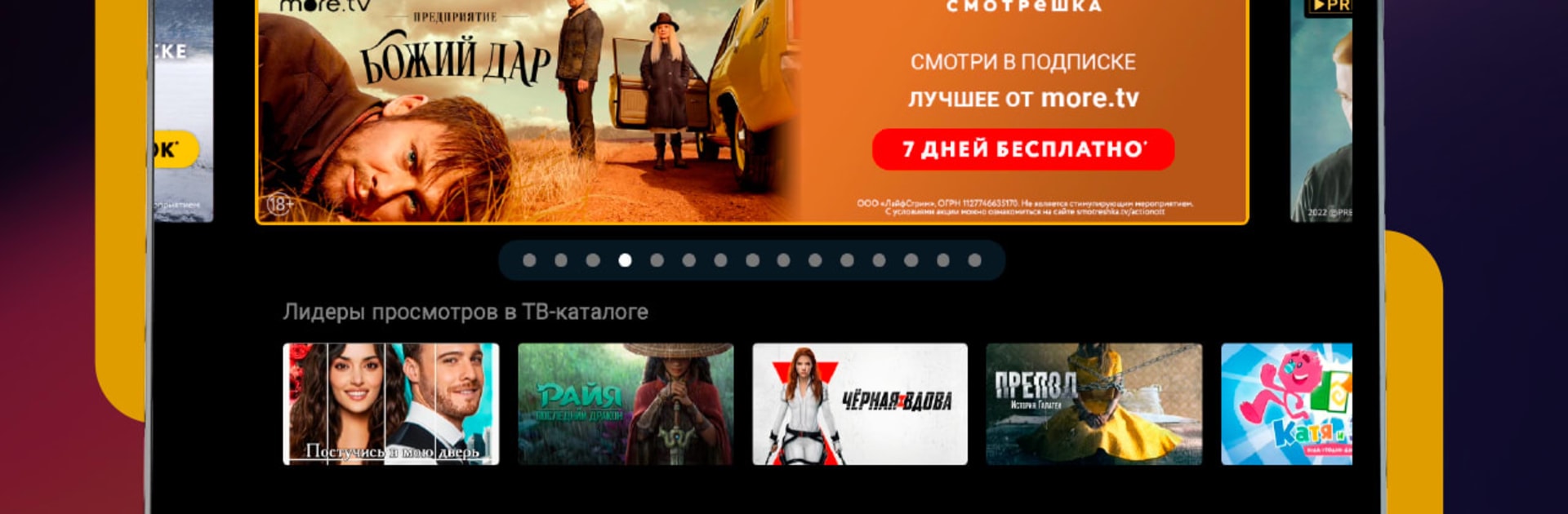
Smotreshka feels like a full TV package rolled into one place, with live channels and a bunch of streaming catalogs under the same roof. It brings together PREMIER, START, Amediateka, and viju, plus more than 350 channels, so there is always something to put on, whether that is a new series, football, or a random cartoon for background noise. On a PC with BlueStacks it runs smooth and the layout scales well, so flipping through the guide with a mouse and typing into search feels quick, almost like using a lightweight TV box on a bigger screen.

The library is huge, thousands of movies and shows, and the Cinema tab looks curated rather than spammy, so it is easy to find one good film instead of twenty so-so ones. Search works across everything, which helps a lot when the exact channel or service is unknown. Live channels are sorted by genre and there is a 14‑day archive, so catching a program later or rewinding a match is not a hassle. It has pause and reminders, and adding channels to Favorites makes the usual rotation easy to reach. Recommendations tune themselves to a profile and start pointing to similar channels and programs. Most channels load in HD or 4K, and the quality steps down gracefully on weaker connections, so it does not choke on basic Wi‑Fi or mobile data. It supports casting and runs on phones, tablets, smart TVs, browsers, set‑top boxes, and up to five devices are allowed at once, which keeps shared households from fighting over the remote.

Ready to experience Smotreshka: online TV and more on a bigger screen, in all its glory? Download BlueStacks now.


How to Download and Run Smotreshka: online TV and more on PC or Mac

  • Download and install BlueStacks on your PC or Mac

  • Complete Google sign-in to access the Play Store, or do it later

  • Look for Smotreshka: online TV and more in the search bar at the top right corner

  • Click to install Smotreshka: online TV and more from the search results

  • Complete Google sign-in (if you skipped step 2) to install Smotreshka: online TV and more

  • Click the Smotreshka: online TV and more icon on the home screen to start playing

video
Watch Video

Minimum System Requirements

With BlueStacks 5, you can get started on a PC that fulfills the following requirements.

  • Operating System

    Microsoft Windows 7 or above, macOS 11 (Big Sur) or above

  • Processor

    Intel, AMD or Apple Silicon Processor

  • RAM

    at least 4GB

  • HDD

    10GB Free Disk Space

Note:

* You must be an Administrator on your PC. Up to date graphics drivers from Microsoft or the chipset vendor.

Smotreshka: online TV and more - FAQs

  • How to Run Smotreshka: online TV and more on Windows PC & Mac?

    Run Smotreshka: online TV and more on your PC or Mac by following these simple steps.

    • Click on ‘Download Smotreshka: online TV and more on PC’ to download BlueStacks
    • Install it and log-in to Google Play Store
    • Launch and run the app.
  • Why is BlueStacks the fastest and safest platform to play games on PC?

    BlueStacks respects your privacy and is always safe and secure to use. It does not carry any malware, spyware, or any sort of additional software that could harm your PC.

    It is engineered to optimize speed and performance for a seamless gaming experience.

  • What are Smotreshka: online TV and more PC requirements?

    Minimum requirement to run Smotreshka: online TV and more on your PC

    • OS: Microsoft Windows 7 and above:
    • Processor: Intel or AMD Processor:
    • RAM: Your PC must have at least 2GB of RAM. (Note that having 2GB or more disk space is not a substitute for RAM):
    • HDD: 5GB Free Disk Space.
    • You must be an Administrator on your PC.



