
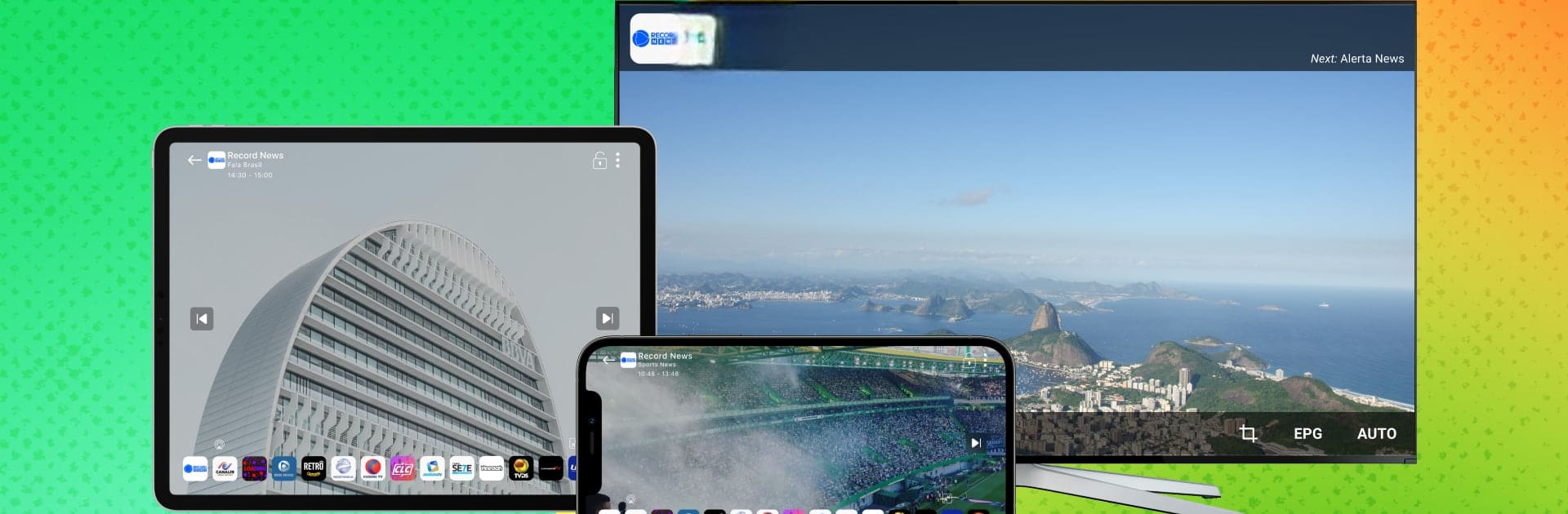
TV Digital: tv online ao vivo

TV Digital: tv online ao vivo

Entertainment

| LIMEX LTDA

Play on PC with BlueStacks or from our cloud

  • Overview
  • How to Download

Page Modified On: August 22, 2025

Run TV Digital: tv online ao vivo on PC or Mac

What’s better than using TV Digital: tv online ao vivo by LIMEX LTDA? Well, try it on a big screen, on your PC or Mac, with BlueStacks to see the difference.

About the App

Craving some Brazilian TV, no matter where you are? TV Digital: tv online ao vivo brings live Brazilian channels right to your fingertips. Whether you’re at home or on the go, this Entertainment app by LIMEX LTDA makes it easy to catch your favorite shows, movies, or news in high quality—straight from your phone, tablet, or Android TV. Quick setup, simple navigation, and everything is streaming for free.

App Features

  • Live Brazilian Channels
    Tune into a lineup of Brazilian free-to-air channels, with options covering news, sports, entertainment, and more—all without any cost.

  • Movies & Series On Demand
    Not in the mood for live TV? There’s a selection of films and series included, ready to watch whenever you want from your device.

  • HD Streaming, Low Data
    Enjoy sharp picture and clear sound, even if your connection isn’t the fastest. The app’s efficient streaming means less data burn and no constant buffering.

  • Personalized Channel List
    Quickly flip between channels, mark your favorites, and find your go-to programs in just a tap or two. It’s super easy to organize what you like best.

  • Lightweight & Fast
    It doesn’t hog your memory or slow things down, so it works smoothly on just about any Android device out there.

  • Free Streaming, Anywhere
    No subscriptions, no hidden costs. Watch on your own terms—on the couch, at a café, or traveling—wherever there’s internet.

  • Simple, Easy Interface
    The app’s layout is user-friendly, making it accessible for everyone, whether you’re tech-savvy or just getting started.

You can even enjoy TV Digital: tv online ao vivo on PC setups through BlueStacks, giving you a bit more screen real estate and flexibility.

BlueStacks gives you the much-needed freedom to experience your favorite apps on a bigger screen. Get it now.

How to Download and Run TV Digital: tv online ao vivo on PC or Mac

  • Download and install BlueStacks on your PC or Mac

  • Complete Google sign-in to access the Play Store, or do it later

  • Look for TV Digital: tv online ao vivo in the search bar at the top right corner

  • Click to install TV Digital: tv online ao vivo from the search results

  • Complete Google sign-in (if you skipped step 2) to install TV Digital: tv online ao vivo

  • Click the TV Digital: tv online ao vivo icon on the home screen to start playing

video
Watch Video

Minimum System Requirements

With BlueStacks 5, you can get started on a PC that fulfills the following requirements.

  • Operating System

    Microsoft Windows 7 or above, macOS 11 (Big Sur) or above

  • Processor

    Intel, AMD or Apple Silicon Processor

  • RAM

    at least 4GB

  • HDD

    10GB Free Disk Space

Note:

* You must be an Administrator on your PC. Up to date graphics drivers from Microsoft or the chipset vendor.

TV Digital: tv online ao vivo - FAQs

  • How to Run TV Digital: tv online ao vivo on Windows PC & Mac?

    Run TV Digital: tv online ao vivo on your PC or Mac by following these simple steps.

    • Click on ‘Download TV Digital: tv online ao vivo on PC’ to download BlueStacks
    • Install it and log-in to Google Play Store
    • Launch and run the app.
  • Why is BlueStacks the fastest and safest platform to play games on PC?

    BlueStacks respects your privacy and is always safe and secure to use. It does not carry any malware, spyware, or any sort of additional software that could harm your PC.

    It is engineered to optimize speed and performance for a seamless gaming experience.

  • What are TV Digital: tv online ao vivo PC requirements?

    Minimum requirement to run TV Digital: tv online ao vivo on your PC

    • OS: Microsoft Windows 7 and above:
    • Processor: Intel or AMD Processor:
    • RAM: Your PC must have at least 2GB of RAM. (Note that having 2GB or more disk space is not a substitute for RAM):
    • HDD: 5GB Free Disk Space.
    • You must be an Administrator on your PC.



