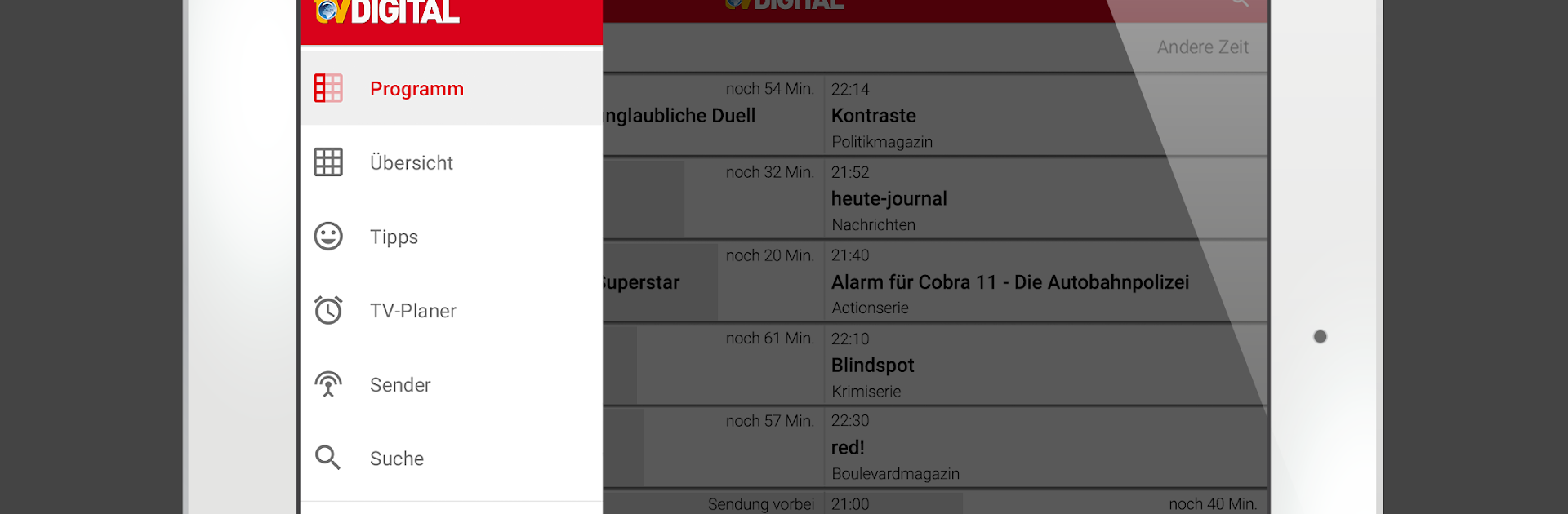
TV-Programm TV DIGITAL

TV-Programm TV DIGITAL

Entertainment

| FUNKE Zeitschriften Digital GmbH

Play on PC with BlueStacks or from our cloud

  • Overview
  • How to Download

Page Modified On: September 19, 2025

Run TV-Programm TV DIGITAL on PC or Mac

Let BlueStacks turn your PC, Mac, or laptop into the perfect home for TV-Programm TV DIGITAL, a fun Entertainment app from FUNKE Zeitschriften Digital GmbH.

TV-Programm TV DIGITAL is basically a clean, quick TV guide that focuses on what matters, what is on now and what is worth watching later. It loads fast, shows over a hundred channels across free and pay TV, and gives real details for each program, things like cast, director, images, a short summary, and if there is a repeat later. The editor picks and movie ratings help when decision fatigue hits. It feels less like scrolling forever and more like getting an answer.

The planner is the star for anyone who forgets start times. Shows can be saved and the app nudges right before they begin, so no Bundesliga kick off or late-night thriller is missed. Filters are simple but powerful, with options for genres, days, time slots, and channel groups, so finding sports tonight or documentaries tomorrow morning takes seconds. A personal channel list can be set up too, reorder favorites, hide the rest, and switch between different program views depending on mood. Landscape view is supported, which sounds small but makes a difference on a bigger screen.

Running it on a PC with BlueStacks is surprisingly comfy, the grid breathes, text is easier on the eyes, and dragging around with a mouse feels natural. Everything is free to use, no account hoops. For anyone who just wants a reliable German TV guide that gets out of the way, this does the job without fuss.

Eager to take your app experience to the next level? Start right away by downloading BlueStacks on your PC or Mac.


How to Download and Run TV-Programm TV DIGITAL on PC or Mac

  • Download and install BlueStacks on your PC or Mac

  • Complete Google sign-in to access the Play Store, or do it later

  • Look for TV-Programm TV DIGITAL in the search bar at the top right corner

  • Click to install TV-Programm TV DIGITAL from the search results

  • Complete Google sign-in (if you skipped step 2) to install TV-Programm TV DIGITAL

  • Click the TV-Programm TV DIGITAL icon on the home screen to start playing

video
Watch Video

Minimum System Requirements

With BlueStacks 5, you can get started on a PC that fulfills the following requirements.

  • Operating System

    Microsoft Windows 7 or above, macOS 11 (Big Sur) or above

  • Processor

    Intel, AMD or Apple Silicon Processor

  • RAM

    at least 4GB

  • HDD

    10GB Free Disk Space

Note:

* You must be an Administrator on your PC. Up to date graphics drivers from Microsoft or the chipset vendor.

TV-Programm TV DIGITAL - FAQs

  • How to Run TV-Programm TV DIGITAL on Windows PC & Mac?

    Run TV-Programm TV DIGITAL on your PC or Mac by following these simple steps.

    • Click on ‘Download TV-Programm TV DIGITAL on PC’ to download BlueStacks
    • Install it and log-in to Google Play Store
    • Launch and run the app.
  • Why is BlueStacks the fastest and safest platform to play games on PC?

    BlueStacks respects your privacy and is always safe and secure to use. It does not carry any malware, spyware, or any sort of additional software that could harm your PC.

    It is engineered to optimize speed and performance for a seamless gaming experience.

  • What are TV-Programm TV DIGITAL PC requirements?

    Minimum requirement to run TV-Programm TV DIGITAL on your PC

    • OS: Microsoft Windows 7 and above:
    • Processor: Intel or AMD Processor:
    • RAM: Your PC must have at least 2GB of RAM. (Note that having 2GB or more disk space is not a substitute for RAM):
    • HDD: 5GB Free Disk Space.
    • You must be an Administrator on your PC.