
DJ Music Mixer - 3D DJ Player

DJ Music Mixer - 3D DJ Player

Music & Audio

| Easyelife

Play on PC with BlueStacks or from our cloud

  • Overview
  • How to Download

Page Modified On: January 06, 2026

Run DJ Music Mixer - 3D DJ Player on PC or Mac

Upgrade your experience. Try DJ Music Mixer – 3D DJ Player, the fantastic Music & Audio app from Easyelife, from the comfort of your laptop, PC, or Mac, only on BlueStacks.

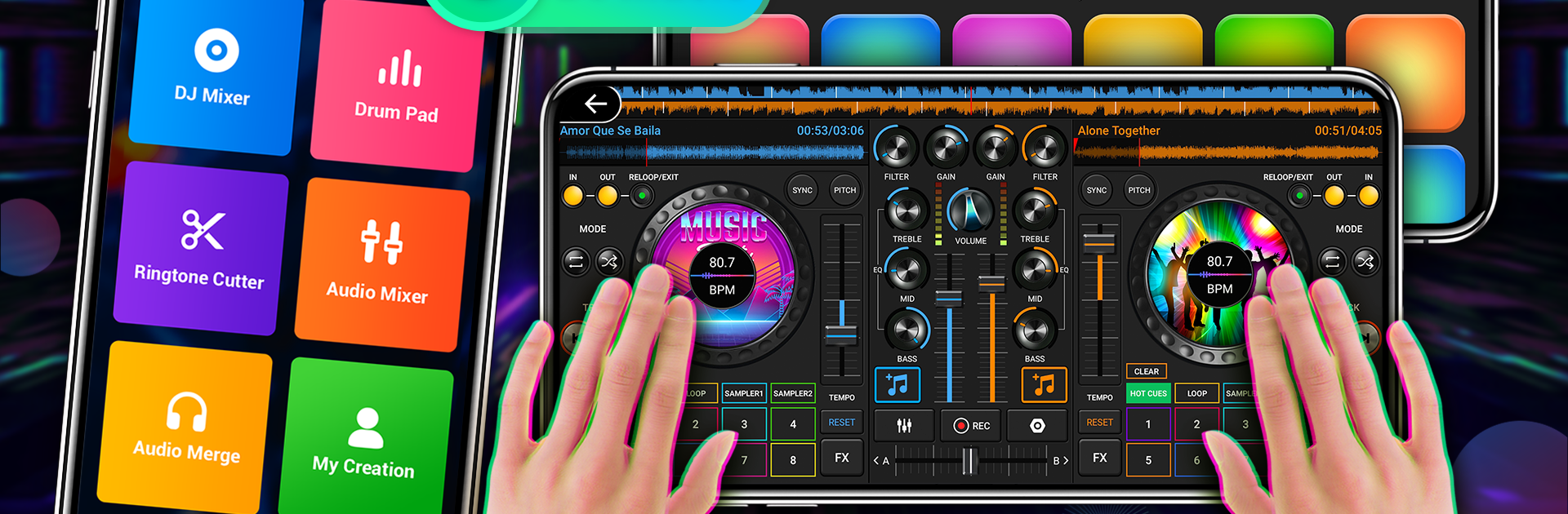
This feels like a pocket DJ booth that happens to live on a phone, with two decks, a crossfader, and all the little things that make mixing feel real. Someone loads a couple tracks, hits the sync to match BPM, drops a loop, sets a few cue points, and the transitions come out smoother than expected. The effects are not just for show either. Echo, flanger, crush, gate, plus a 10‑band EQ with bass boost and a virtualizer give enough control to shape a mix without getting lost. There is a drum pad for quick fills and beat ideas, and there are plenty of free sample packs for stabs, risers, and little ear candy. Scratching is there, the turntables react fast, and automatic beat detection saves time when the library is messy.

What stands out is how much utility is tucked in. It records mixes, trims audio, and even cuts ringtones or merges clips for quick mashups. Beginners can find their way fast, while more experienced folks still get pitch control, a metronome, hot cues, and proper looping. Running it on a PC with BlueStacks makes everything roomier, so the mixer and EQ knobs are easier to grab with a mouse and the whole layout feels closer to a small controller. It reads the music saved on the device, switches tracks without drama, and the crossfader feels responsive. A few menus feel busy at first, but after a session or two the workflow clicks and the app does what it promises.

Ready to experience DJ Music Mixer – 3D DJ Player on a bigger screen, in all its glory? Download BlueStacks now.


How to Download and Run DJ Music Mixer - 3D DJ Player on PC or Mac

  • Download and install BlueStacks on your PC or Mac

  • Complete Google sign-in to access the Play Store, or do it later

  • Look for DJ Music Mixer - 3D DJ Player in the search bar at the top right corner

  • Click to install DJ Music Mixer - 3D DJ Player from the search results

  • Complete Google sign-in (if you skipped step 2) to install DJ Music Mixer - 3D DJ Player

  • Click the DJ Music Mixer - 3D DJ Player icon on the home screen to start playing

video
Watch Video

Minimum System Requirements

With BlueStacks 5, you can get started on a PC that fulfills the following requirements.

  • Operating System

    Microsoft Windows 7 or above, macOS 11 (Big Sur) or above

  • Processor

    Intel, AMD or Apple Silicon Processor

  • RAM

    at least 4GB

  • HDD

    10GB Free Disk Space

Note:

* You must be an Administrator on your PC. Up to date graphics drivers from Microsoft or the chipset vendor.

DJ Music Mixer - 3D DJ Player - FAQs

  • How to Run DJ Music Mixer - 3D DJ Player on Windows PC & Mac?

    Run DJ Music Mixer - 3D DJ Player on your PC or Mac by following these simple steps.

    • Click on ‘Download DJ Music Mixer - 3D DJ Player on PC’ to download BlueStacks
    • Install it and log-in to Google Play Store
    • Launch and run the app.
  • Why is BlueStacks the fastest and safest platform to play games on PC?

    BlueStacks respects your privacy and is always safe and secure to use. It does not carry any malware, spyware, or any sort of additional software that could harm your PC.

    It is engineered to optimize speed and performance for a seamless gaming experience.

  • What are DJ Music Mixer - 3D DJ Player PC requirements?

    Minimum requirement to run DJ Music Mixer - 3D DJ Player on your PC

    • OS: Microsoft Windows 7 and above:
    • Processor: Intel or AMD Processor:
    • RAM: Your PC must have at least 2GB of RAM. (Note that having 2GB or more disk space is not a substitute for RAM):
    • HDD: 5GB Free Disk Space.
    • You must be an Administrator on your PC.



