
CLZ Music, CD/vinyl collection

CLZ Music, CD/vinyl collection

Play on PC with BlueStacks or from our cloud

  • Overview
  • How to Download

Page Modified On: November 10, 2025

Run CLZ Music, CD/vinyl collection on PC or Mac

Let BlueStacks turn your PC, Mac, or laptop into the perfect home for CLZ Music, CD/vinyl collection, a fun Music & Audio app from CLZ.

About the App

CLZ Music, CD/vinyl collection is your no-fuss way to keep track of every album you own, from rare pressings to everyday CDs. Made by CLZ in the Music & Audio genre, it helps you build a clean, accurate catalog in minutes and keeps it tidy as your collection grows. It feels simple, flexible, and built for collectors who care about details.

App Features

  • Fast barcode scanning: Point your camera at a CD or vinyl barcode and add it on the spot. It’s quick and surprisingly reliable.

  • Smart searching: No barcode? Search by artist, title, or catalog number to match the exact release you have, including Discogs entries.

  • Automatic album details: Get full metadata pulled in for you—track lists, release info, cover art, and more—sourced from CLZ Core and Discogs.

  • Edit everything: Fine-tune any field. Change artist or label, fix release dates, rearrange tracks, or upload your own front/back artwork.

  • Add personal notes: Track condition, where it’s stored, purchase date and price, the store you bought it from, and any notes you want to remember.

  • Multiple collections: Create separate libraries for CDs, vinyl, and even items you’ve sold or plan to sell, then switch between them with simple tabs.

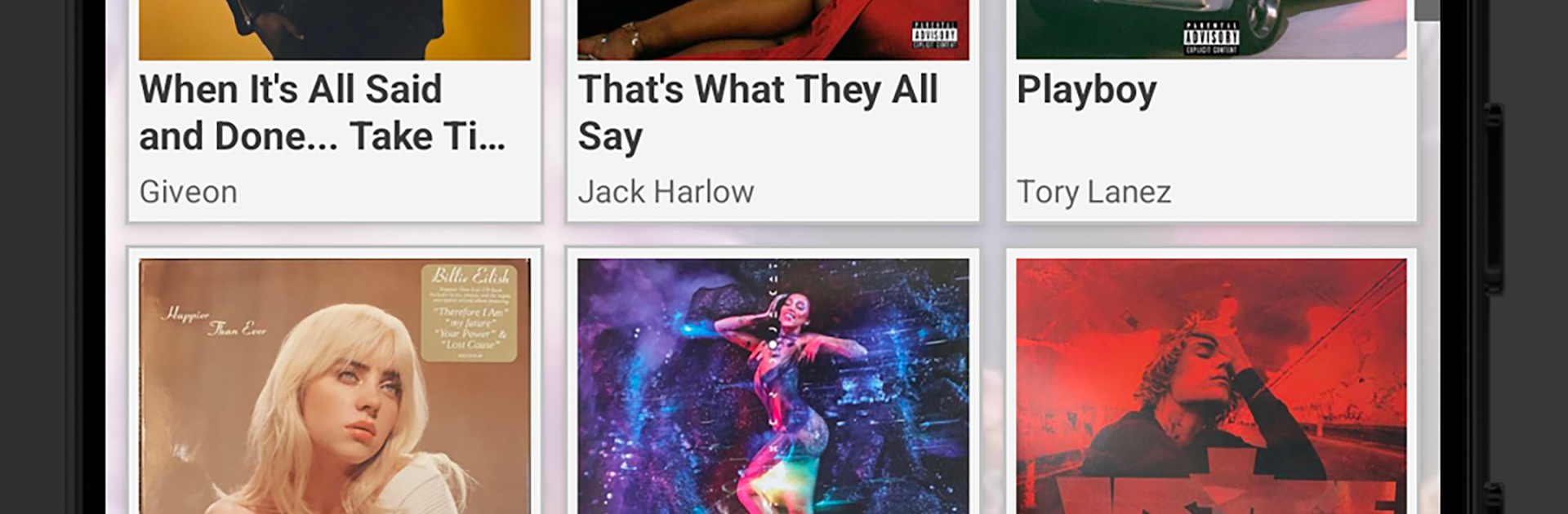
  • Custom views and sorting: Browse as a clean list or big-image cards. Sort by artist, title, release date, length, or date added. Group albums by composer, label, genre, format, location, and more.

  • CLZ Cloud sync: Keep a secure online backup, sync changes between your phone and tablet, and optionally share your collection online.

  • Friendly in-app support: Got a question? Use Contact Support or the CLZ Club forum right from the menu—help’s available all week.

  • Subscription with trial: Works with an affordable subscription, and there’s a 7‑day free trial so you can try everything first.

  • Nice on a bigger screen: Prefer desktop? Run the app on your PC with BlueStacks and manage your catalog with more room to breathe.

Eager to take your app experience to the next level? Start right away by downloading BlueStacks on your PC or Mac.


How to Download and Run CLZ Music, CD/vinyl collection on PC or Mac

  • Download and install BlueStacks on your PC or Mac

  • Complete Google sign-in to access the Play Store, or do it later

  • Look for CLZ Music, CD/vinyl collection in the search bar at the top right corner

  • Click to install CLZ Music, CD/vinyl collection from the search results

  • Complete Google sign-in (if you skipped step 2) to install CLZ Music, CD/vinyl collection

  • Click the CLZ Music, CD/vinyl collection icon on the home screen to start playing

video
Watch Video

Minimum System Requirements

With BlueStacks 5, you can get started on a PC that fulfills the following requirements.

  • Operating System

    Microsoft Windows 7 or above, macOS 11 (Big Sur) or above

  • Processor

    Intel, AMD or Apple Silicon Processor

  • RAM

    at least 4GB

  • HDD

    10GB Free Disk Space

Note:

* You must be an Administrator on your PC. Up to date graphics drivers from Microsoft or the chipset vendor.

CLZ Music, CD/vinyl collection - FAQs

  • How to Run CLZ Music, CD/vinyl collection on Windows PC & Mac?

    Run CLZ Music, CD/vinyl collection on your PC or Mac by following these simple steps.

    • Click on ‘Download CLZ Music, CD/vinyl collection on PC’ to download BlueStacks
    • Install it and log-in to Google Play Store
    • Launch and run the app.
  • Why is BlueStacks the fastest and safest platform to play games on PC?

    BlueStacks respects your privacy and is always safe and secure to use. It does not carry any malware, spyware, or any sort of additional software that could harm your PC.

    It is engineered to optimize speed and performance for a seamless gaming experience.

  • What are CLZ Music, CD/vinyl collection PC requirements?

    Minimum requirement to run CLZ Music, CD/vinyl collection on your PC

    • OS: Microsoft Windows 7 and above:
    • Processor: Intel or AMD Processor:
    • RAM: Your PC must have at least 2GB of RAM. (Note that having 2GB or more disk space is not a substitute for RAM):
    • HDD: 5GB Free Disk Space.
    • You must be an Administrator on your PC.



