
G-Stomper VA-Beast Synthesizer

G-Stomper VA-Beast Synthesizer

Music & Audio

| planet-h.com

Play on PC with BlueStacks or from our cloud

  • Overview
  • How to Download

Page Modified On: July 23, 2025

Run G-Stomper VA-Beast Synthesizer on PC or Mac

Let BlueStacks turn your PC, Mac, or laptop into the perfect home for G-Stomper VA-Beast Synthesizer, a fun Music & Audio app from planet-h.com.

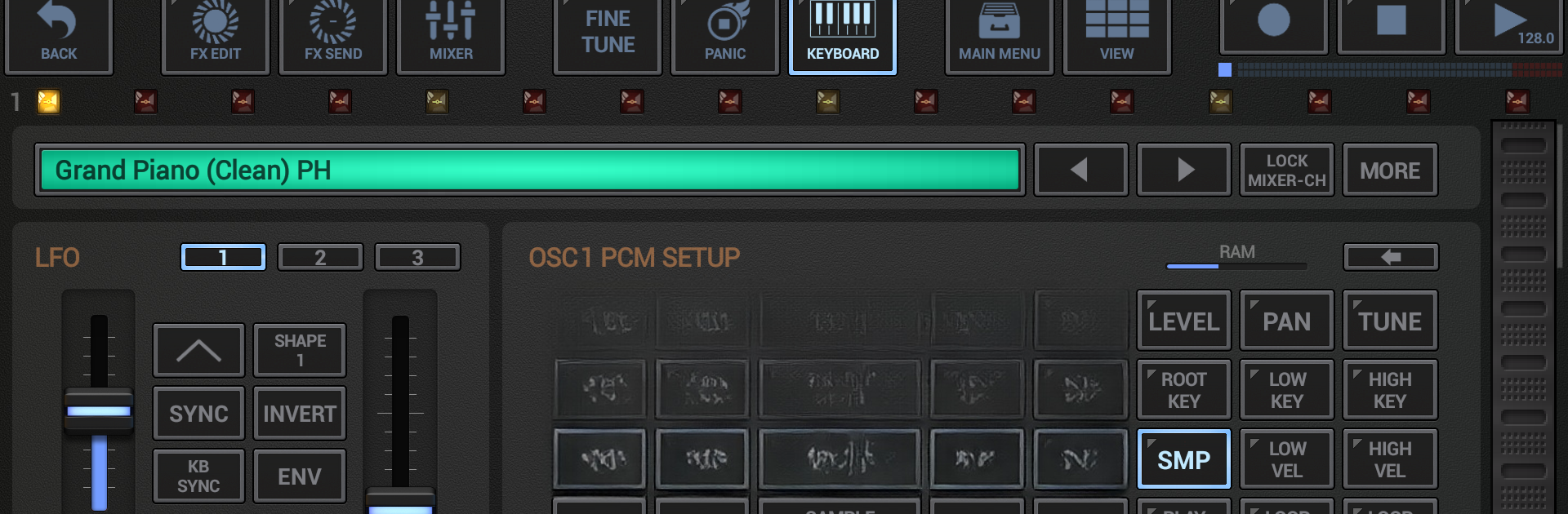
G-Stomper VA-Beast Synthesizer is a mobile synth app that packs in a ton of stuff for both beginners and people who really get into fiddling with sound design. It’s got all these classic synth features, like a piano keyboard you can slide around, a step sequencer so you can lay down multiple tracks, and a mixer that lets you work with a bunch of channels. The fun part is the amount of control you get over your sounds. There are two main oscillators, heaps of modulation options, filters, envelopes—the works. You can build anything from warm analog pads to really edgy, digital textures. It doesn’t matter if you just want to pick from presets or you want to dig deep and make patches from scratch.

Playing this on a PC with BlueStacks feels pretty natural too—having the bigger screen for all the buttons, sliders, and the virtual keyboard makes it more comfortable to navigate than on a small phone. There’s a bunch of effects you can chain together, plus you can export what you make as WAV or MIDI files if you want to use your music in other software. Things like Ableton Link and MIDI integration are there for anyone who wants to sync up with hardware or other music apps. There’s even real-time audio recording and support for sample import. The app is full of features but the layout keeps everything fairly organized, so it doesn’t get overwhelming even if you don’t know every synth term out there. It’s surprisingly deep for something that started on mobile, and definitely worth a look if you’re curious about sound design or want to make electronic music without loading up a full DAW.

Eager to take your app experience to the next level? Start right away by downloading BlueStacks on your PC or Mac.


How to Download and Run G-Stomper VA-Beast Synthesizer on PC or Mac

  • Download and install BlueStacks on your PC or Mac

  • Complete Google sign-in to access the Play Store, or do it later

  • Look for G-Stomper VA-Beast Synthesizer in the search bar at the top right corner

  • Click to install G-Stomper VA-Beast Synthesizer from the search results

  • Complete Google sign-in (if you skipped step 2) to install G-Stomper VA-Beast Synthesizer

  • Click the G-Stomper VA-Beast Synthesizer icon on the home screen to start playing

video
Watch Video

Minimum System Requirements

With BlueStacks 5, you can get started on a PC that fulfills the following requirements.

  • Operating System

    Microsoft Windows 7 or above, macOS 11 (Big Sur) or above

  • Processor

    Intel, AMD or Apple Silicon Processor

  • RAM

    at least 4GB

  • HDD

    10GB Free Disk Space

Note:

* You must be an Administrator on your PC. Up to date graphics drivers from Microsoft or the chipset vendor.

G-Stomper VA-Beast Synthesizer - FAQs

  • How to Run G-Stomper VA-Beast Synthesizer on Windows PC & Mac?

    Run G-Stomper VA-Beast Synthesizer on your PC or Mac by following these simple steps.

    • Click on ‘Download G-Stomper VA-Beast Synthesizer on PC’ to download BlueStacks
    • Install it and log-in to Google Play Store
    • Launch and run the app.
  • Why is BlueStacks the fastest and safest platform to play games on PC?

    BlueStacks respects your privacy and is always safe and secure to use. It does not carry any malware, spyware, or any sort of additional software that could harm your PC.

    It is engineered to optimize speed and performance for a seamless gaming experience.

  • What are G-Stomper VA-Beast Synthesizer PC requirements?

    Minimum requirement to run G-Stomper VA-Beast Synthesizer on your PC

    • OS: Microsoft Windows 7 and above:
    • Processor: Intel or AMD Processor:
    • RAM: Your PC must have at least 2GB of RAM. (Note that having 2GB or more disk space is not a substitute for RAM):
    • HDD: 5GB Free Disk Space.
    • You must be an Administrator on your PC.



