
GuitarArpeggios
GuitarArpeggios

GuitarArpeggios

Music & Audio

| WeSoftLab

Play on PC with BlueStacks or from our cloud

  • Overview
  • How to Download

Page Modified On: September 02, 2025

Run GuitarArpeggios on PC or Mac

What’s better than using GuitarArpeggios by WeSoftLab? Well, try it on a big screen, on your PC or Mac, with BlueStacks to see the difference.

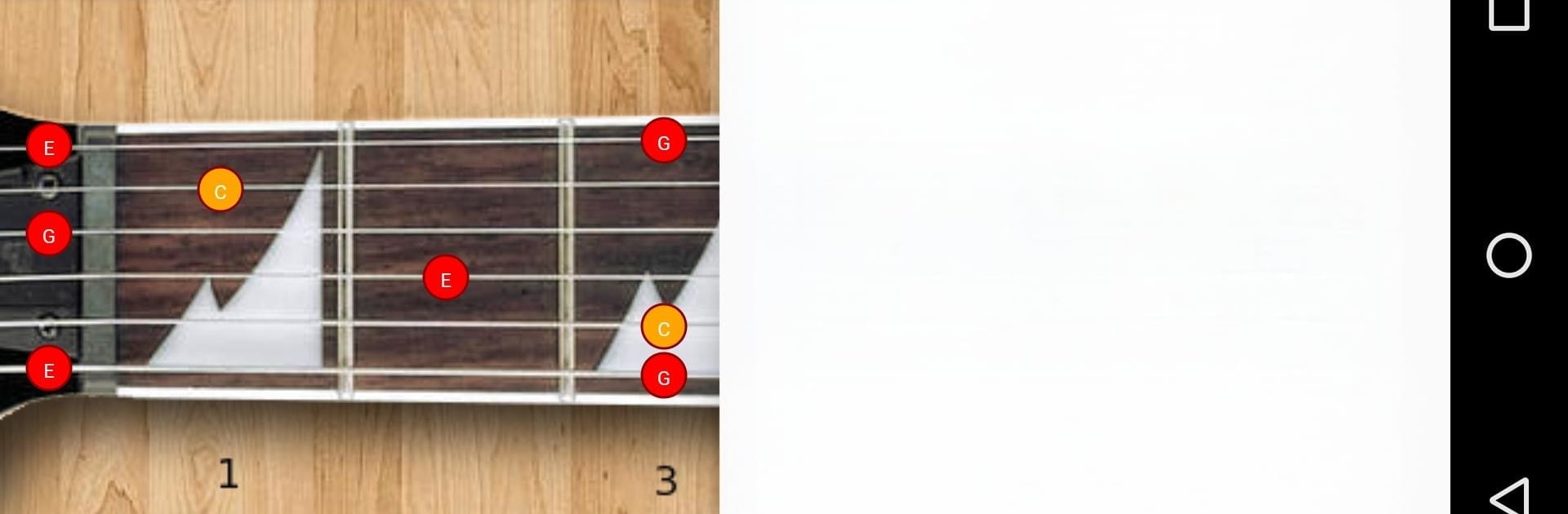
GuitarArpeggios feels like a clean little practice buddy that puts the whole fretboard in front of someone and lets them hear every note of an arpeggio as they click through it. Open it and there is a simple neck view, pick a chord type, and tap the dots to hear the tones ring out one by one, up or down. It covers standard tuning plus a few common drop tunings, and there is a switch for right handed or left handed layout, so the shapes line up the way a player expects. No clutter, no lessons stuffed everywhere, just the patterns and the sound. It is basically a quick way to see where the safe notes live over a chord, then train the ear to that smooth, flowing, broken chord feel.

On a PC with BlueStacks it is extra easy to see the shapes across the neck because the screen is big and the mouse makes slow, precise clicking simple. Someone can crawl through a pattern at their own pace, listen for clean intervals, then pick up the guitar and match it. It works well for short practice bursts, warmups, or sketching ideas for solos. It does not try to teach theory from scratch or hold a hand through full songs. Think of it more like a visual map with sound, a fast reference that helps connect the eyes, the hands, and the ear when arpeggios are the goal.

Eager to take your app experience to the next level? Start right away by downloading BlueStacks on your PC or Mac.


How to Download and Run GuitarArpeggios on PC or Mac

  • Download and install BlueStacks on your PC or Mac

  • Complete Google sign-in to access the Play Store, or do it later

  • Look for GuitarArpeggios in the search bar at the top right corner

  • Click to install GuitarArpeggios from the search results

  • Complete Google sign-in (if you skipped step 2) to install GuitarArpeggios

  • Click the GuitarArpeggios icon on the home screen to start playing

video
Watch Video

Minimum System Requirements

With BlueStacks 5, you can get started on a PC that fulfills the following requirements.

  • Operating System

    Microsoft Windows 7 or above, macOS 11 (Big Sur) or above

  • Processor

    Intel, AMD or Apple Silicon Processor

  • RAM

    at least 4GB

  • HDD

    10GB Free Disk Space

Note:

* You must be an Administrator on your PC. Up to date graphics drivers from Microsoft or the chipset vendor.

GuitarArpeggios - FAQs

  • How to Run GuitarArpeggios on Windows PC & Mac?

    Run GuitarArpeggios on your PC or Mac by following these simple steps.

    • Click on ‘Download GuitarArpeggios on PC’ to download BlueStacks
    • Install it and log-in to Google Play Store
    • Launch and run the app.
  • Why is BlueStacks the fastest and safest platform to play games on PC?

    BlueStacks respects your privacy and is always safe and secure to use. It does not carry any malware, spyware, or any sort of additional software that could harm your PC.

    It is engineered to optimize speed and performance for a seamless gaming experience.

  • What are GuitarArpeggios PC requirements?

    Minimum requirement to run GuitarArpeggios on your PC

    • OS: Microsoft Windows 7 and above:
    • Processor: Intel or AMD Processor:
    • RAM: Your PC must have at least 2GB of RAM. (Note that having 2GB or more disk space is not a substitute for RAM):
    • HDD: 5GB Free Disk Space.
    • You must be an Administrator on your PC.



