
Music Player - Hash Player

Music Player - Hash Player

Music & Audio

| Music Player App.

Play on PC with BlueStacks or from our cloud

  • Overview
  • How to Download

Page Modified On: August 25, 2025

Run Music Player - Hash Player on PC or Mac

Why limit yourself to your small screen on the phone? Run Music Player – Hash Player, an app by Music Player App., best experienced on your PC or Mac with BlueStacks, the world’s #1 Android emulator.

About the App

Looking for a smooth, fuss-free way to enjoy your favorite tunes? Music Player – Hash Player has your back. Whether you’re lining up songs for a workout, getting lost in an audiobook, or just need a smarter way to manage your playlists, this Music & Audio app makes listening feel pretty effortless. Tweak, browse, or control your music however you like—it’s your music, your way.

App Features

  • Voice Assistant Built Right In
    Hands tied up or just feeling lazy? Simply tell the app what you want—skip tracks, change the playlist, or play something new, all with your voice.

  • Organize Your Playlists
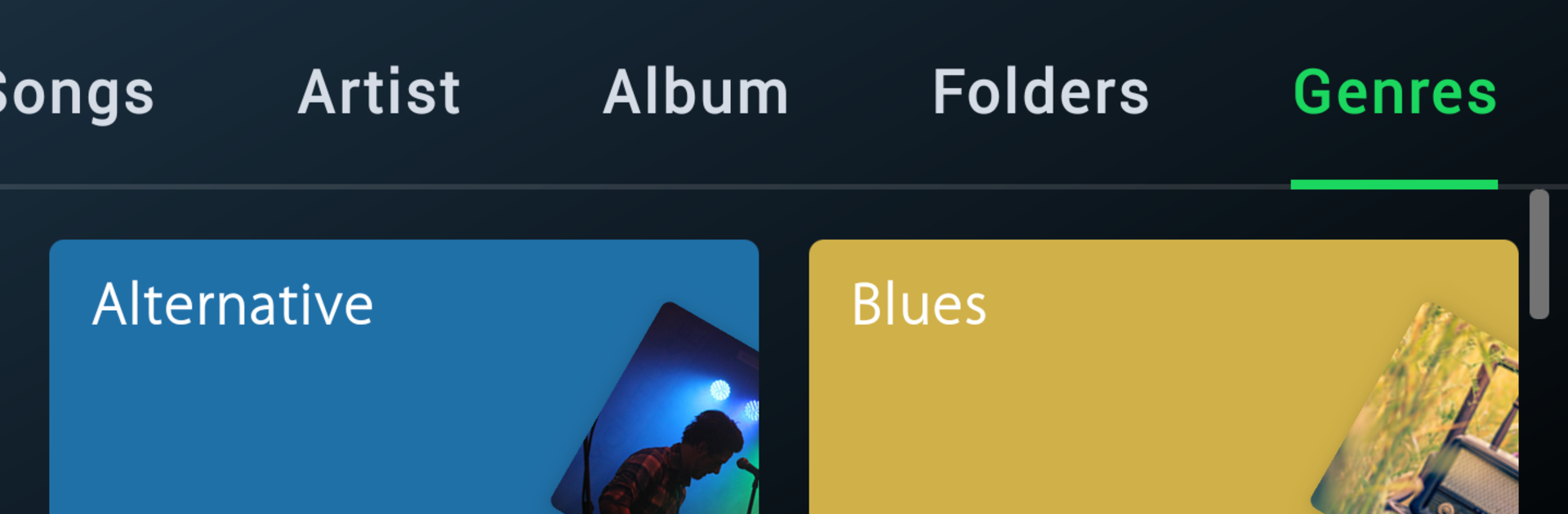
    Craft your own playlists from scratch or sort your music by albums, artists, folders, or even genres. It’s super simple to find exactly what you’re in the mood for.

  • Lyrics on Display
    If you love to sing along (no shame!), see lyrics right as your songs play. Instant access—no extra searching.

  • Custom Ringtone Maker
    Snip and trim your favorite parts of any song to set as your ringtone. Because who doesn’t love a personal touch when the phone rings?

  • Easy Music Sharing (No Wi-Fi Needed)
    Share your latest finds or playlist gems with friends nearby—all without needing an internet connection.

  • Edit Track Info
    Got mislabeled tracks? Clean up your library by editing tags like the artist name or album title in just a few taps.

  • Pick Your Language
    Choose the language you’re comfortable with for a more personal experience throughout the app.

  • Audiobook-Friendly Features
    Not just for music! Curate and manage your audiobooks for easy listening, all from the same player.

  • Widget & Lock Screen Controls
    Change tracks or pause without even unlocking your device—widgets and lock screen options keep music controls right where you want them.

P.S. If you’re running Music Player – Hash Player through BlueStacks, all these features feel just as smooth and handy.

BlueStacks brings your apps to life on a bigger screen—seamless and straightforward.

How to Download and Run Music Player - Hash Player on PC or Mac

  • Download and install BlueStacks on your PC or Mac

  • Complete Google sign-in to access the Play Store, or do it later

  • Look for Music Player - Hash Player in the search bar at the top right corner

  • Click to install Music Player - Hash Player from the search results

  • Complete Google sign-in (if you skipped step 2) to install Music Player - Hash Player

  • Click the Music Player - Hash Player icon on the home screen to start playing

video
Watch Video

Minimum System Requirements

With BlueStacks 5, you can get started on a PC that fulfills the following requirements.

  • Operating System

    Microsoft Windows 7 or above, macOS 11 (Big Sur) or above

  • Processor

    Intel, AMD or Apple Silicon Processor

  • RAM

    at least 4GB

  • HDD

    10GB Free Disk Space

Note:

* You must be an Administrator on your PC. Up to date graphics drivers from Microsoft or the chipset vendor.

Music Player - Hash Player - FAQs

  • How to Run Music Player - Hash Player on Windows PC & Mac?

    Run Music Player - Hash Player on your PC or Mac by following these simple steps.

    • Click on ‘Download Music Player - Hash Player on PC’ to download BlueStacks
    • Install it and log-in to Google Play Store
    • Launch and run the app.
  • Why is BlueStacks the fastest and safest platform to play games on PC?

    BlueStacks respects your privacy and is always safe and secure to use. It does not carry any malware, spyware, or any sort of additional software that could harm your PC.

    It is engineered to optimize speed and performance for a seamless gaming experience.

  • What are Music Player - Hash Player PC requirements?

    Minimum requirement to run Music Player - Hash Player on your PC

    • OS: Microsoft Windows 7 and above:
    • Processor: Intel or AMD Processor:
    • RAM: Your PC must have at least 2GB of RAM. (Note that having 2GB or more disk space is not a substitute for RAM):
    • HDD: 5GB Free Disk Space.
    • You must be an Administrator on your PC.




