
Music Player- Bass Boost,Audio

Music Player- Bass Boost,Audio

Music & Audio

| iJoysoft

Play on PC with BlueStacks or from our cloud

  • Overview
  • How to Download

Page Modified On: September 19, 2025

Run Music Player- Bass Boost,Audio on PC or Mac

Let BlueStacks turn your PC, Mac, or laptop into the perfect home for Music Player- Bass Boost,Audio, a fun Music & Audio app from iJoysoft.

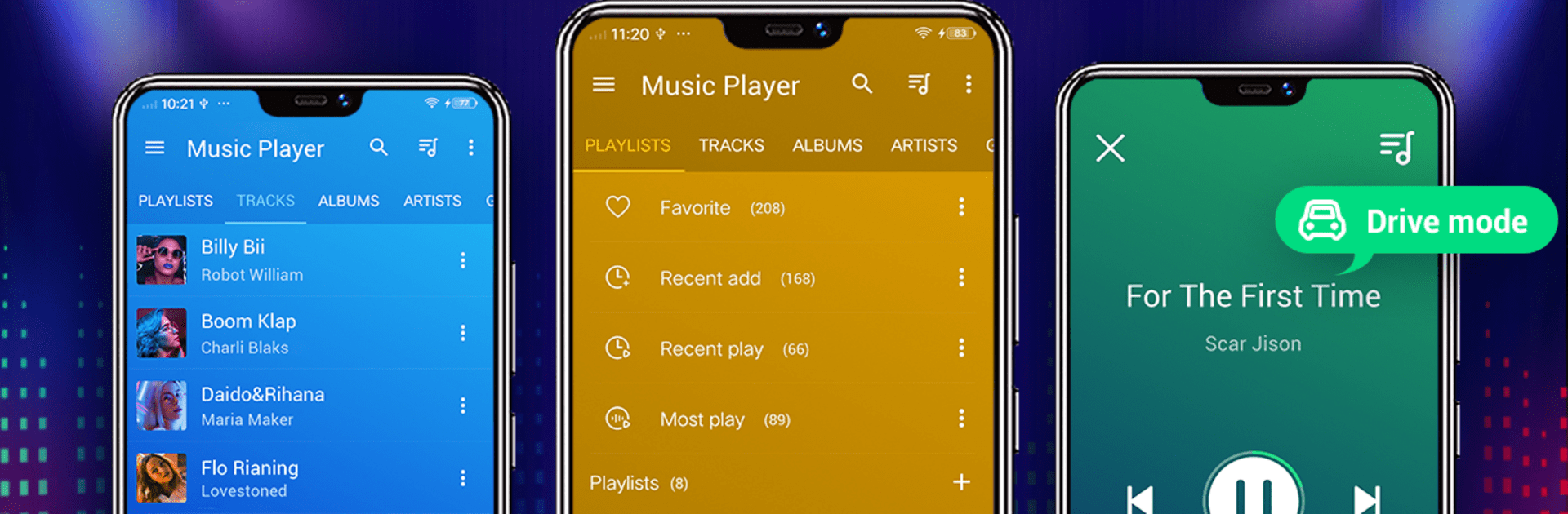
Music Player – Bass Boost, Audio feels like a straightforward offline player that focuses on the stuff people actually use. It scans the device fast and lines everything up by artist, album, genre, playlists, and even the real folder structure, so finding a track is not a chore. The equalizer is the highlight. There are presets like Rock, Pop, Jazz, Hip Hop, Classic, and more, plus manual sliders, a bass boost, and a virtualizer that can give smaller speakers a bit more body. Running it on a PC with BlueStacks makes the layout roomier, so tweaking EQ and managing playlists with a mouse is easy, and it works fine with Bluetooth or a wired headset. One tap style navigation keeps things simple, and the quick search pulls up songs after just a few letters.

There are nice extras that round it out. Lyrics support is built in and will auto match where it can, there is a sleep timer for falling asleep to music, and editing album or artist tags is supported if a library needs cleaning. Adding songs to a queue is smooth, and the player can show related music videos when someone wants to watch instead of just listen. The interface is clean and not loud, readable on a big screen, and responsive. Widgets exist for phones, though on PC they matter less. Worth noting, this is a player, not a downloader, so no free music downloads here. It is just a solid way to play local tracks with a punchy EQ and no fuss.

BlueStacks brings your apps to life on a bigger screen—seamless and straightforward.

How to Download and Run Music Player- Bass Boost,Audio on PC or Mac

  • Download and install BlueStacks on your PC or Mac

  • Complete Google sign-in to access the Play Store, or do it later

  • Look for Music Player- Bass Boost,Audio in the search bar at the top right corner

  • Click to install Music Player- Bass Boost,Audio from the search results

  • Complete Google sign-in (if you skipped step 2) to install Music Player- Bass Boost,Audio

  • Click the Music Player- Bass Boost,Audio icon on the home screen to start playing

video
Watch Video

Minimum System Requirements

With BlueStacks 5, you can get started on a PC that fulfills the following requirements.

  • Operating System

    Microsoft Windows 7 or above, macOS 11 (Big Sur) or above

  • Processor

    Intel, AMD or Apple Silicon Processor

  • RAM

    at least 4GB

  • HDD

    10GB Free Disk Space

Note:

* You must be an Administrator on your PC. Up to date graphics drivers from Microsoft or the chipset vendor.

Music Player- Bass Boost,Audio - FAQs

  • How to Run Music Player- Bass Boost,Audio on Windows PC & Mac?

    Run Music Player- Bass Boost,Audio on your PC or Mac by following these simple steps.

    • Click on ‘Download Music Player- Bass Boost,Audio on PC’ to download BlueStacks
    • Install it and log-in to Google Play Store
    • Launch and run the app.
  • Why is BlueStacks the fastest and safest platform to play games on PC?

    BlueStacks respects your privacy and is always safe and secure to use. It does not carry any malware, spyware, or any sort of additional software that could harm your PC.

    It is engineered to optimize speed and performance for a seamless gaming experience.

  • What are Music Player- Bass Boost,Audio PC requirements?

    Minimum requirement to run Music Player- Bass Boost,Audio on your PC

    • OS: Microsoft Windows 7 and above:
    • Processor: Intel or AMD Processor:
    • RAM: Your PC must have at least 2GB of RAM. (Note that having 2GB or more disk space is not a substitute for RAM):
    • HDD: 5GB Free Disk Space.
    • You must be an Administrator on your PC.




