
Piano Chords, Scales, Progression Companion PRO

Piano Chords, Scales, Progression Companion PRO

Music & Audio

| Songtive

Play on PC with BlueStacks or from our cloud

  • Overview
  • How to Download

Page Modified On: August 29, 2025

Run Piano Chords, Scales, Progression Companion PRO on PC or Mac

What’s better than using Piano Chords, Scales, Progression Companion PRO by Songtive? Well, try it on a big screen, on your PC or Mac, with BlueStacks to see the difference.

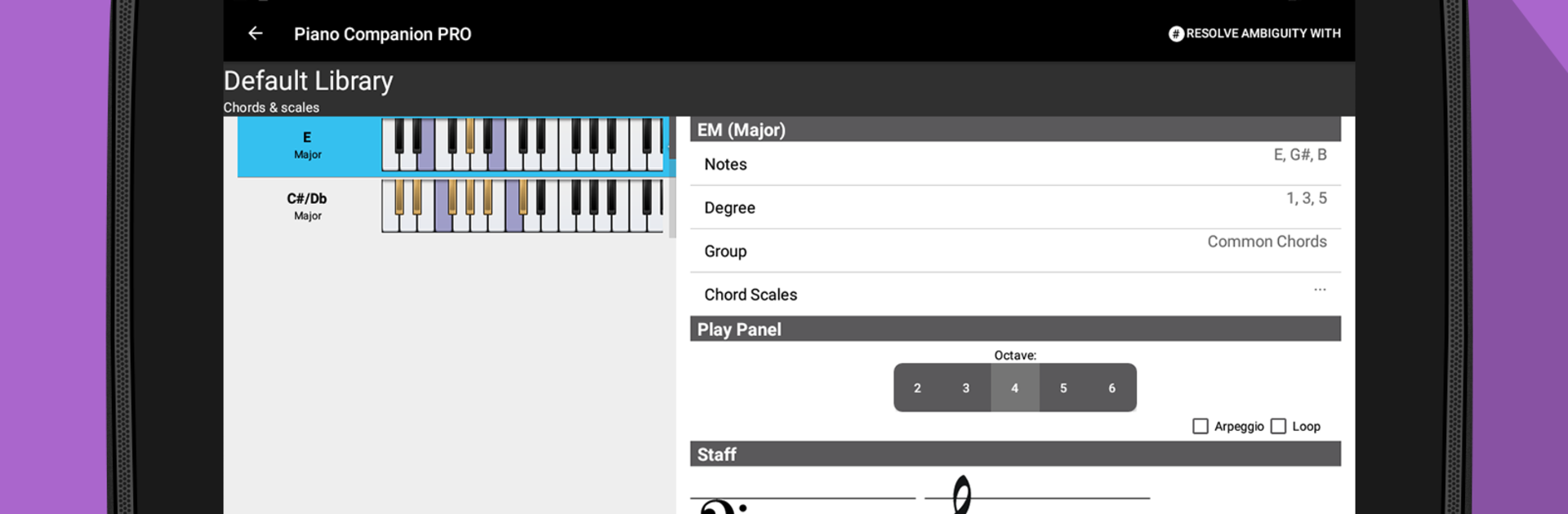
Piano Chords, Scales, Progression Companion PRO feels like a super organized theory buddy that sits next to the keyboard and answers every “what chord is that” question. On a PC with BlueStacks, the bigger screen helps a lot. The on-screen piano is easy to click, and the labels, staff view, and chord details are not squished. The neat trick is the reverse lookup. Someone can press a couple of notes, like C and G, and it will guess the chord, then show variations and inversions. If something does not exist, it lets a person make a custom chord and save it in a library for later.

What stands out is how practical it is for practice and songwriting. It shows chord tones, scale degrees, and fingerings for both hands, and there are community fingerings too. Hit play to hear a chord loop or an arpeggio, or run through a scale so the ear catches the pattern. The progression builder is solid. Pick a key, drop in common or relative chords, and it suggests what will fit next. The interactive Circle of Fifths is there for quick key changes and related chords. There are piles of scales, from major and minor to blues and chromatic, and it displays everything on treble and bass clef. Notation options are flexible, which helps if someone learned different naming. It even supports an external MIDI keyboard for reverse mode if the setup allows. Overall, it feels like a clean, no-nonsense toolbox for players who want quick answers and a space to experiment without leaving the piano.

Big screen. Bigger performance. Use BlueStacks on your PC or Mac to run your favorite apps.

How to Download and Run Piano Chords, Scales, Progression Companion PRO on PC or Mac

  • Download and install BlueStacks on your PC or Mac

  • Complete Google sign-in to access the Play Store, or do it later

  • Look for Piano Chords, Scales, Progression Companion PRO in the search bar at the top right corner

  • Click to install Piano Chords, Scales, Progression Companion PRO from the search results

  • Complete Google sign-in (if you skipped step 2) to install Piano Chords, Scales, Progression Companion PRO

  • Click the Piano Chords, Scales, Progression Companion PRO icon on the home screen to start playing

video
Watch Video

Minimum System Requirements

With BlueStacks 5, you can get started on a PC that fulfills the following requirements.

  • Operating System

    Microsoft Windows 7 or above, macOS 11 (Big Sur) or above

  • Processor

    Intel, AMD or Apple Silicon Processor

  • RAM

    at least 4GB

  • HDD

    10GB Free Disk Space

Note:

* You must be an Administrator on your PC. Up to date graphics drivers from Microsoft or the chipset vendor.

Piano Chords, Scales, Progression Companion PRO - FAQs

  • How to Run Piano Chords, Scales, Progression Companion PRO on Windows PC & Mac?

    Run Piano Chords, Scales, Progression Companion PRO on your PC or Mac by following these simple steps.

    • Click on ‘Download Piano Chords, Scales, Progression Companion PRO on PC’ to download BlueStacks
    • Install it and log-in to Google Play Store
    • Launch and run the app.
  • Why is BlueStacks the fastest and safest platform to play games on PC?

    BlueStacks respects your privacy and is always safe and secure to use. It does not carry any malware, spyware, or any sort of additional software that could harm your PC.

    It is engineered to optimize speed and performance for a seamless gaming experience.

  • What are Piano Chords, Scales, Progression Companion PRO PC requirements?

    Minimum requirement to run Piano Chords, Scales, Progression Companion PRO on your PC

    • OS: Microsoft Windows 7 and above:
    • Processor: Intel or AMD Processor:
    • RAM: Your PC must have at least 2GB of RAM. (Note that having 2GB or more disk space is not a substitute for RAM):
    • HDD: 5GB Free Disk Space.
    • You must be an Administrator on your PC.




