
RDS 100% Grandi Successi

RDS 100% Grandi Successi

Music & Audio

| RDS 100% Grandi Successi

Play on PC with BlueStacks or from our cloud

  • Overview
  • How to Download

Page Modified On: October 06, 2025

Run RDS 100% Grandi Successi on PC or Mac

Why limit yourself to your small screen on the phone? Run RDS 100% Grandi Successi, an app by RDS 100% Grandi Successi, best experienced on your PC or Mac with BlueStacks, the world’s #1 Android emulator.

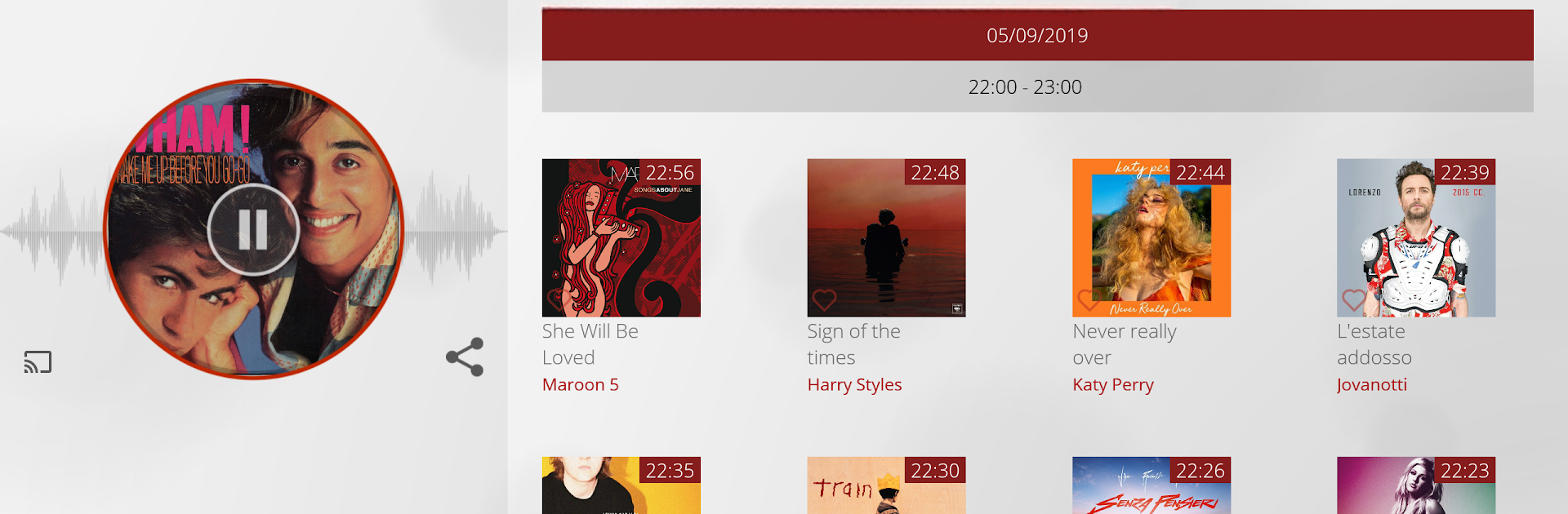
RDS 100% Grandi Successi feels like having an easy Italian radio companion on the desktop. Running it on PC with BlueStacks keeps everything tidy and quick to reach, so a listener can keep the stream going while working and just tab back when something catches the ear. The live radio starts fast and the extras are what make it stick. There is a Favorites feature that lets a user mark songs from the RDS playlist and get a heads up for when they will air again, which is great if someone keeps missing a chorus. The Time Machine is the neat trick here. Slide back through the last 12 hours and replay shows, songs, news, traffic, and weather. On phone it buzzes at key moments, on PC it is easy to spot the markers and jump around without fuss.

It also leans into interaction. Live messages let listeners ping the hosts, dedications make it simple to send a song shout to someone in the contacts, and lyrics pop up so no one hums the wrong line. There are podcasts baked in, like highlights from Tutti Pazzi per RDS, Branko’s horoscope, and the quick 100 seconds clips, which are nice for short breaks. The playlist preview lets users sample what RDS calls its great hits before they turn up live. Sharing out tracks to WhatsApp, Facebook, or Twitter is right there, so passing a song to friends does not take effort. Overall it is straightforward radio with smart tools that make it feel a bit more personal without getting complicated.

Ready to experience RDS 100% Grandi Successi on a bigger screen, in all its glory? Download BlueStacks now.


How to Download and Run RDS 100% Grandi Successi on PC or Mac

  • Download and install BlueStacks on your PC or Mac

  • Complete Google sign-in to access the Play Store, or do it later

  • Look for RDS 100% Grandi Successi in the search bar at the top right corner

  • Click to install RDS 100% Grandi Successi from the search results

  • Complete Google sign-in (if you skipped step 2) to install RDS 100% Grandi Successi

  • Click the RDS 100% Grandi Successi icon on the home screen to start playing

video
Watch Video

Minimum System Requirements

With BlueStacks 5, you can get started on a PC that fulfills the following requirements.

  • Operating System

    Microsoft Windows 7 or above, macOS 11 (Big Sur) or above

  • Processor

    Intel, AMD or Apple Silicon Processor

  • RAM

    at least 4GB

  • HDD

    10GB Free Disk Space

Note:

* You must be an Administrator on your PC. Up to date graphics drivers from Microsoft or the chipset vendor.

RDS 100% Grandi Successi - FAQs

  • How to Run RDS 100% Grandi Successi on Windows PC & Mac?

    Run RDS 100% Grandi Successi on your PC or Mac by following these simple steps.

    • Click on ‘Download RDS 100% Grandi Successi on PC’ to download BlueStacks
    • Install it and log-in to Google Play Store
    • Launch and run the app.
  • Why is BlueStacks the fastest and safest platform to play games on PC?

    BlueStacks respects your privacy and is always safe and secure to use. It does not carry any malware, spyware, or any sort of additional software that could harm your PC.

    It is engineered to optimize speed and performance for a seamless gaming experience.

  • What are RDS 100% Grandi Successi PC requirements?

    Minimum requirement to run RDS 100% Grandi Successi on your PC

    • OS: Microsoft Windows 7 and above:
    • Processor: Intel or AMD Processor:
    • RAM: Your PC must have at least 2GB of RAM. (Note that having 2GB or more disk space is not a substitute for RAM):
    • HDD: 5GB Free Disk Space.
    • You must be an Administrator on your PC.



