Friday Night Funkin'

Friday Night Funkin'

Music

| The Funkin' Crew Inc.

Play on PC with BlueStacks or from our cloud

  • Overview
  • Tips & Tricks
  • Game Features
  • How to Play

Page Modified On: September 07, 2026

Play Friday Night Funkin' on PC or Mac

Bring your A-game to Friday Night Funkin’, the Music game sensation from The Funkin’ Crew Inc.. Give your gameplay the much-needed boost with precise game controls, high FPS graphics, and top-tier features on your PC or Mac with BlueStacks.

About the Game

Friday Night Funkin’ is a Music showdown where rhythm decides everything. You’re Boyfriend, trying to impress Girlfriend, but every week a louder, weirder rival steps up to challenge you. Hit the notes, hold the beat, and prove you’ve got the timing to keep the date on track.

Game Features

  • Story Showdowns: Work through week-by-week battles as Boyfriend faces Girlfriend’s overprotective dad and a lineup of eccentric contenders who won’t go easy.
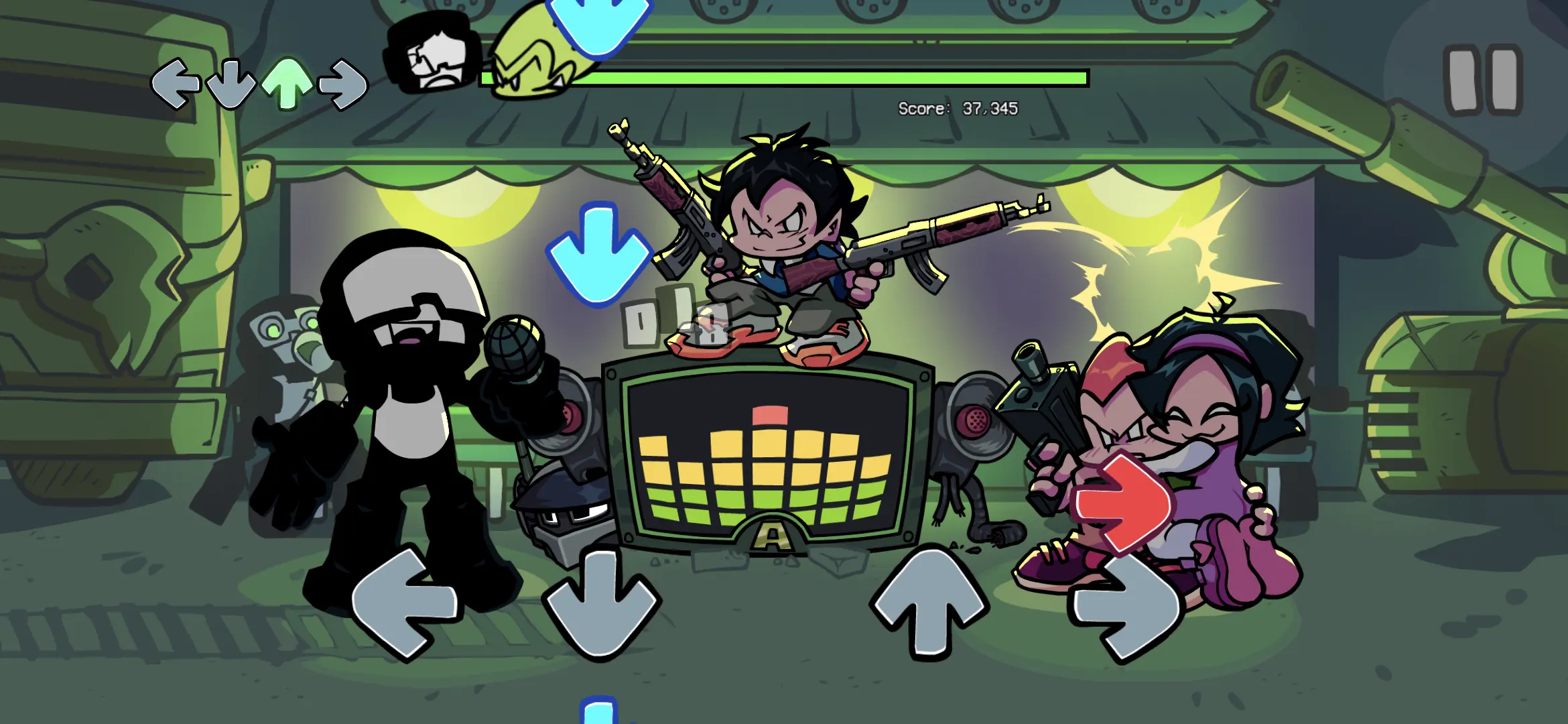
  • Simple, Skillful Controls: Watch the arrows, match the pattern, and keep your combo alive—clean inputs feel great, misses add instant pressure.
  • Big Original Playlist: Jam through a stacked set of catchy tracks that swing from chill warmups to full-on finger-twisters as the difficulty climbs.
  • Hand-Drawn 2D Flair: Bold, expressive art and punchy animations give each stage personality, with characters that emote as hard as they sing.
  • Distinct Rivals, Distinct Tricks: Every opponent brings their own rhythms and surprises, so you’re never playing the same kind of face-off twice.
  • Multiple Difficulty Options: Start slow to learn the patterns, then bump it up when you’re ready to chase tighter windows and higher scores.
  • Call-and-Response Battles: Trade riffs and runs in back-and-forth sections that test memory, timing, and nerves when the music speeds up.
  • Subtle Boost on BlueStacks: Prefer clicky, custom inputs? BlueStacks lets you map keys the way you like, keeping your streaks locked in.

Start playing Friday Night Funkin’ on BlueStacks and get a smoother, more comfortable PC or Mac setup.

Game Features

Enhancements

  • Macros
  • Multi Instance
  • Multi Instance Sync
  • Script
  • Enhancements
Macros

Macros

Automate the predictable in Friday Night Funkin' and transform your gameplay with Macros. Get access to inventive Macros in the BlueStacks Macro Community
Multi Instance

Multi Instance

Play Friday Night Funkin' on one window. And chat with your friend on the other. Press CTRL + Shift + 8 to open the Multi-Instance Manager. And start creating fresh instances or clone an existing one.
Multi Instance Sync

Multi Instance Sync

Play Friday Night Funkin' with the power of Multi-Instance Sync. Replicate what you are doing on the main instance on all other instances. Level up faster, play more.
Script

Script

Script your way to gaming glory in Friday Night Funkin' with BlueStacks Script. Write and run a set of commands to automate repeated tasks. Trigger the command by assigning it to any key.
Read More

How to Download and Play Friday Night Funkin' on PC or Mac

  • Download and install BlueStacks on your PC or Mac

  • Complete Google sign-in to access the Play Store, or do it later

  • Look for Friday Night Funkin' in the search bar at the top right corner

  • Click to install Friday Night Funkin' from the search results

  • Complete Google sign-in (if you skipped step 2) to install Friday Night Funkin'

  • Click the Friday Night Funkin' icon on the home screen to start playing

video
Watch Video

Minimum System Requirements

With BlueStacks 5, you can get started on a PC that fulfills the following requirements.

  • Operating System

    Microsoft Windows 7 or above, macOS 11 (Big Sur) or above

  • Processor

    Intel, AMD or Apple Silicon Processor

  • RAM

    at least 4GB

  • HDD

    10GB Free Disk Space

Note:

* You must be an Administrator on your PC. Up to date graphics drivers from Microsoft or the chipset vendor.

Friday Night Funkin' - FAQs

  • How to play Friday Night Funkin' on Windows PC & Mac?

    Play Friday Night Funkin' on your PC or Mac by following these simple steps.

    • Click on 'Play Friday Night Funkin' on PC’ to download BlueStacks
    • Install it and log-in to Google Play Store
    • Launch and play the game.
  • Why is BlueStacks the fastest and safest platform to play games on PC?

    BlueStacks respects your privacy and is always safe and secure to use. It does not carry any malware, spyware, or any sort of additional software that could harm your PC.

    It is engineered to optimize speed and performance for a seamless gaming experience.

  • What are Friday Night Funkin' PC requirements?

    Minimum requirement to run Friday Night Funkin' on your PC

    • OS: Microsoft Windows 7 or above MacOS 11 (Big Sur) or above
    • Processor: Intel, AMD or Apple Silicon Processor
    • RAM: Your PC must have at least 4GB of RAM. (Note that having 4GB or more disk space is not a substitute for RAM)
    • HDD: 10GB Free Disk Space.
    • You must be an Administrator on your PC.