
GQueues | Tasks & To-Do Lists

GQueues | Tasks & To-Do Lists

Productivity

| Boomerang (Baydin Inc.)

Play on PC with BlueStacks or from our cloud

  • Overview
  • How to Download

Page Modified On: January 02, 2026

Run GQueues | Tasks & To-Do Lists on PC or Mac

Upgrade your experience. Try GQueues | Tasks & To-Do Lists, the fantastic Productivity app from Boomerang (Baydin Inc.), from the comfort of your laptop, PC, or Mac, only on BlueStacks.

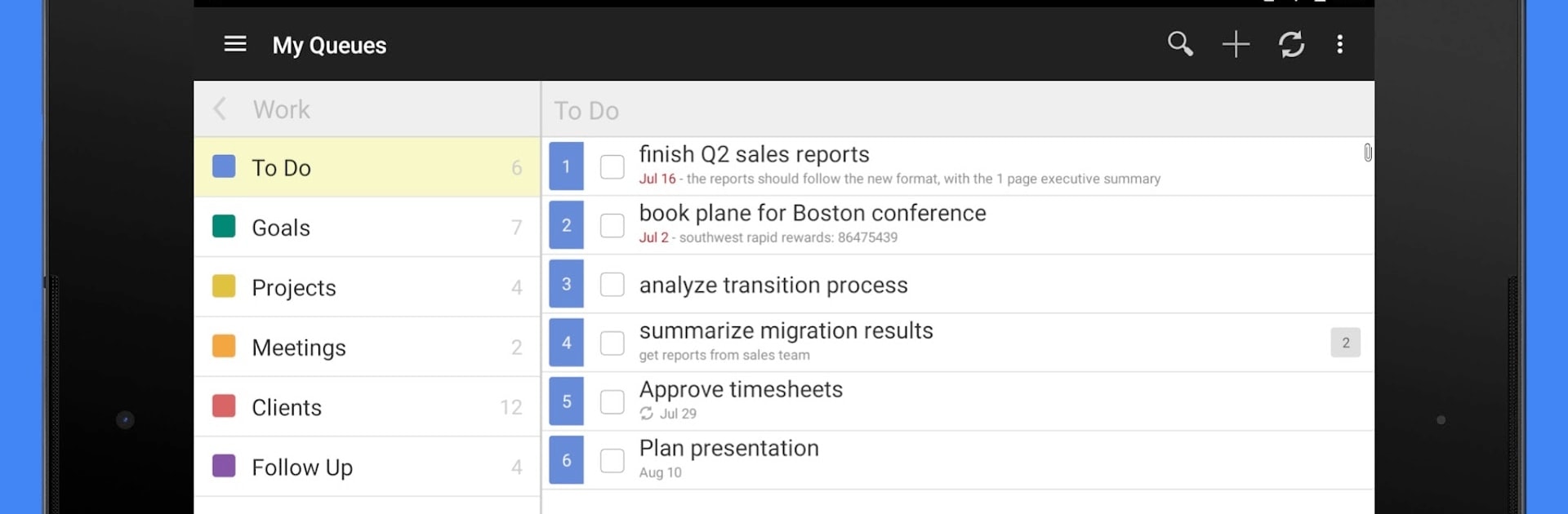
GQueues feels like a clean, no-nonsense task manager that plugs into a Google account without fuss. On a PC with BlueStacks, it benefits from the bigger screen and a real keyboard, so typing detailed tasks, notes, or comments feels easier, and reorganizing stuff is less fiddly. Everything lives in lists called queues, and tasks can have tags, subtasks, due dates, and repeat schedules. There are reminders that actually show up when they matter, plus Google Calendar sync so deadlines appear where a person already checks time. Assigning tasks to others and leaving comments keeps shared work from getting scattered, and Google Drive attachments are handy when files need to travel with the task.

The app handles both quick capture and heavy planning. Voice input is there for those moments when typing is not convenient, and search is fast when there are too many lists to scroll. It works offline and then quietly syncs back to the web once online again, with encrypted syncing tied to the user’s account. Android widgets and the DashClock extension exist for glanceable status if someone likes that style. It is a paid service, with a two week free trial to see if it fits. For anyone already in the Google world who wants reliable reminders and a tidy structure, it lands in a sweet spot between simple and powerful.

Eager to take your app experience to the next level? Start right away by downloading BlueStacks on your PC or Mac.


How to Download and Run GQueues | Tasks & To-Do Lists on PC or Mac

  • Download and install BlueStacks on your PC or Mac

  • Complete Google sign-in to access the Play Store, or do it later

  • Look for GQueues | Tasks & To-Do Lists in the search bar at the top right corner

  • Click to install GQueues | Tasks & To-Do Lists from the search results

  • Complete Google sign-in (if you skipped step 2) to install GQueues | Tasks & To-Do Lists

  • Click the GQueues | Tasks & To-Do Lists icon on the home screen to start playing

video
Watch Video

Minimum System Requirements

With BlueStacks 5, you can get started on a PC that fulfills the following requirements.

  • Operating System

    Microsoft Windows 7 or above, macOS 11 (Big Sur) or above

  • Processor

    Intel, AMD or Apple Silicon Processor

  • RAM

    at least 4GB

  • HDD

    10GB Free Disk Space

Note:

* You must be an Administrator on your PC. Up to date graphics drivers from Microsoft or the chipset vendor.

GQueues | Tasks & To-Do Lists - FAQs

  • How to Run GQueues | Tasks & To-Do Lists on Windows PC & Mac?

    Run GQueues | Tasks & To-Do Lists on your PC or Mac by following these simple steps.

    • Click on ‘Download GQueues | Tasks & To-Do Lists on PC’ to download BlueStacks
    • Install it and log-in to Google Play Store
    • Launch and run the app.
  • Why is BlueStacks the fastest and safest platform to play games on PC?

    BlueStacks respects your privacy and is always safe and secure to use. It does not carry any malware, spyware, or any sort of additional software that could harm your PC.

    It is engineered to optimize speed and performance for a seamless gaming experience.

  • What are GQueues | Tasks & To-Do Lists PC requirements?

    Minimum requirement to run GQueues | Tasks & To-Do Lists on your PC

    • OS: Microsoft Windows 7 and above:
    • Processor: Intel or AMD Processor:
    • RAM: Your PC must have at least 2GB of RAM. (Note that having 2GB or more disk space is not a substitute for RAM):
    • HDD: 5GB Free Disk Space.
    • You must be an Administrator on your PC.



