

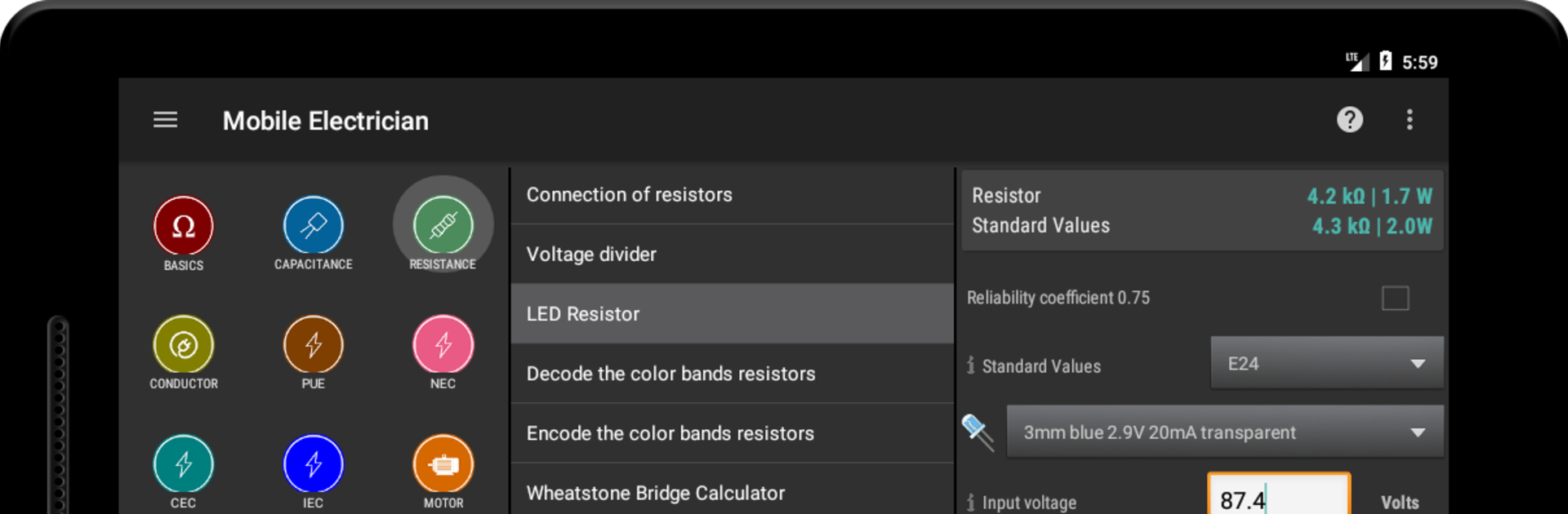


What’s better than using Mobile Electrician Pro by Anatoliy Tarasenko? Well, try it on a big screen, on your PC or Mac, with BlueStacks to see the difference.
About the App
If you’re the kind of person who wants reliable, fast answers for all things electrical—right from your pocket—Mobile Electrician Pro might just become your go-to sidekick. Designed with practicality in mind, this app packs a punch for anyone involved in electrical work, whether you’re an experienced electrician or just dipping your toes into DIY wiring. With a friendly, ad-free interface, it streamlines all those calculations and conversion headaches, so you can focus on getting things done efficiently.
App Features
-
Ohm’s Law & Circuit Calculators
No more scramble for pen and paper. Whether it’s DC or AC, quickly punch in your numbers to solve for current, voltage, resistance—whatever you need on the spot. -
Comprehensive Conversion Tools
Need to convert wire sizes, units of energy, temperature, distance, or just about anything else? The app’s got you covered with a ton of handy converters at your fingertips. -
Advanced Motor & Transformer Calculations
Tackle three-phase motor setups, calculate slip, torque, and efficiency, and even handle transformer ratings or kVA—all without flipping through textbooks. -
Resistor & Capacitor Helpers
Easily decode those pesky color bands or figure out the right resistor for your LED. Capacitors? You can model charging, energy, and even build voltage dividers in seconds. -
Wire Sizing & Ampacity
From the NEC and IEC to CEC standards, calculate allowable wire ampacities, maximum circuit lengths, and even get conduit fill details to keep your installs both code-compliant and safe. -
Short-Circuit & Protection Tools
Dig into minimum short-circuit levels, fuse sizing, circuit protection, and review unbalance in three-phase systems when troubleshooting gets tough. -
Load, Efficiency, and Cost Calculators
Plan for real-life scenarios like generator sizing, UPS battery runtime, or simply check the running cost of household appliances in a few taps. -
Handy Reference Codes & Data
Check wiring color codes, IP ratings, appliance classes, conduit/fill info, and even calculate the weight of cables—because sometimes you need details, fast. -
No Ads, Just Productivity
Enjoy a completely ad-free experience so you can get work done without interruptions or distractions.
If you ever want to use Mobile Electrician Pro right on your desktop, BlueStacks makes that extra easy and convenient, too.
BlueStacks gives you the much-needed freedom to experience your favorite apps on a bigger screen. Get it now.





