
Notes Widget Reminder

Notes Widget Reminder

Productivity

| Milan Sillik

Play on PC with BlueStacks or from our cloud

  • Overview
  • How to Download

Page Modified On: October 24, 2025

Run Notes Widget Reminder on PC or Mac

Upgrade your experience. Try Notes Widget Reminder, the fantastic Productivity app from Milan Sillik, from the comfort of your laptop, PC, or Mac, only on BlueStacks.

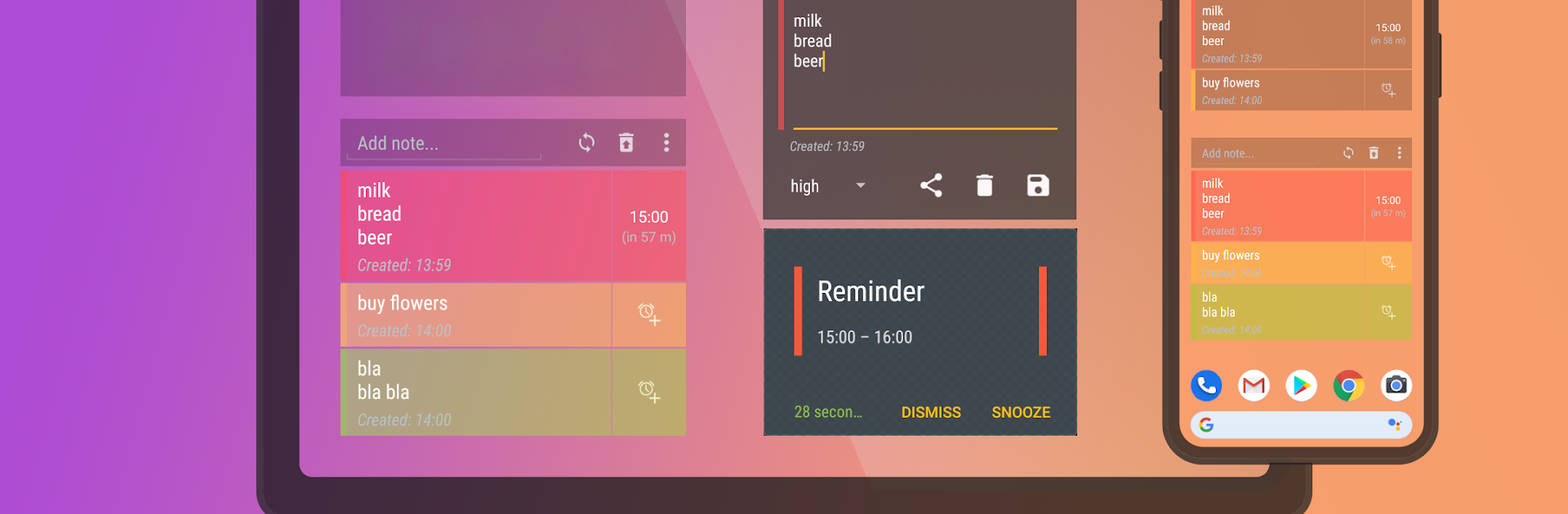
Notes Widget Reminder feels like a sticky note that actually gets your attention when it matters. It is very minimal, in a good way. No clutter, no long setup. You drop a widget on the home screen and just type right into it. One tap to make it a reminder, and it behaves like a real reminder with a full minute ring so it does not vanish as a tiny beep. It is the kind of tool that lets someone capture a thought, a grocery item, or a call-back without opening another screen or digging through menus. The whole point is speed and staying out of the way.

On PC with BlueStacks, it is surprisingly handy because typing long notes with a keyboard is faster and the bigger view makes lists easier to scan. Keep the window off to the side while working and it still does the job. It is not a full task manager with projects and complex sorting, and that is the appeal. It is lightweight, quick, and almost boring in the best sense. The reminders are loud enough to notice, which saves missed tasks. There is a basic help section if something acts weird, but most people will not need it. If someone wants fewer taps between thought and reminder, this nails that feeling without extra fluff.

BlueStacks brings your apps to life on a bigger screen—seamless and straightforward.

How to Download and Run Notes Widget Reminder on PC or Mac

  • Download and install BlueStacks on your PC or Mac

  • Complete Google sign-in to access the Play Store, or do it later

  • Look for Notes Widget Reminder in the search bar at the top right corner

  • Click to install Notes Widget Reminder from the search results

  • Complete Google sign-in (if you skipped step 2) to install Notes Widget Reminder

  • Click the Notes Widget Reminder icon on the home screen to start playing

video
Watch Video

Minimum System Requirements

With BlueStacks 5, you can get started on a PC that fulfills the following requirements.

  • Operating System

    Microsoft Windows 7 or above, macOS 11 (Big Sur) or above

  • Processor

    Intel, AMD or Apple Silicon Processor

  • RAM

    at least 4GB

  • HDD

    10GB Free Disk Space

Note:

* You must be an Administrator on your PC. Up to date graphics drivers from Microsoft or the chipset vendor.

Notes Widget Reminder - FAQs

  • How to Run Notes Widget Reminder on Windows PC & Mac?

    Run Notes Widget Reminder on your PC or Mac by following these simple steps.

    • Click on ‘Download Notes Widget Reminder on PC’ to download BlueStacks
    • Install it and log-in to Google Play Store
    • Launch and run the app.
  • Why is BlueStacks the fastest and safest platform to play games on PC?

    BlueStacks respects your privacy and is always safe and secure to use. It does not carry any malware, spyware, or any sort of additional software that could harm your PC.

    It is engineered to optimize speed and performance for a seamless gaming experience.

  • What are Notes Widget Reminder PC requirements?

    Minimum requirement to run Notes Widget Reminder on your PC

    • OS: Microsoft Windows 7 and above:
    • Processor: Intel or AMD Processor:
    • RAM: Your PC must have at least 2GB of RAM. (Note that having 2GB or more disk space is not a substitute for RAM):
    • HDD: 5GB Free Disk Space.
    • You must be an Administrator on your PC.




