
thortspace
thortspace

thortspace

Productivity

| Gooisoft Limited

Play on PC with BlueStacks or from our cloud

  • Overview
  • How to Download

Page Modified On: November 03, 2025

Run thortspace on PC or Mac

Get freedom from your phone’s obvious limitations. Use thortspace, made by Gooisoft Limited, a Productivity app on your PC or Mac with BlueStacks, and level up your experience.

About the App

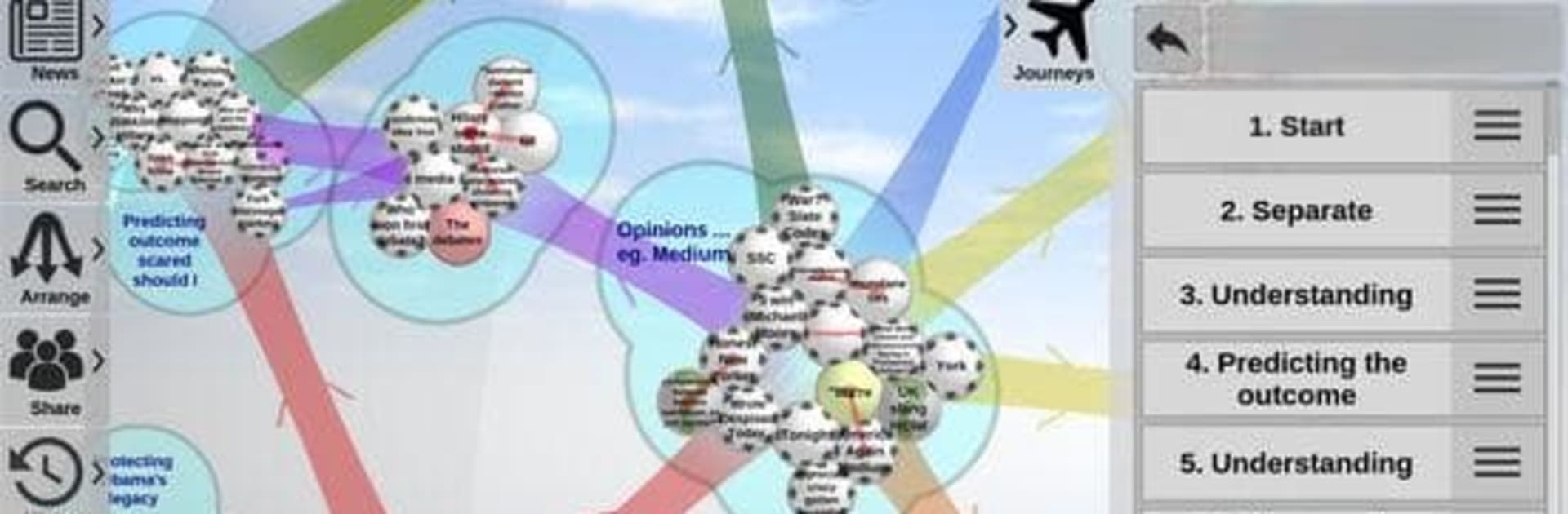
thortspace is a fresh take on mind mapping in the Productivity genre: a 3D space where your ideas live on spheres instead of flat pages. It’s built for brainstorming, research, teaching, and problem solving—solo or with a team—online or offline. Prefer a bigger canvas? You can also run it on your PC or Mac with BlueStacks for more room to think.

App Features

  • 3D spheres: Organize thoughts on the surfaces of one or more spheres for a spatial, intuitive view of your work.
  • “Thorts” and groups: Add idea nodes (called “thorts”), cluster them by proximity, and shape meaningful groups as your thinking grows.
  • Rich connections: Link thort to thort, group to group, or even connect across spheres to show how everything relates.
  • Multiple arrangements: Save different layouts for the same content and switch between them to see new angles.
  • Journeys mode: Create guided view sequences to present ideas step by step, right inside your map.
  • Real-time collaboration: Build together, comment, and update live—great for workshops or remote sessions.
  • Works online and offline: Keep thinking whether you’re connected or not; sync when you’re back online.
  • Cross-platform consistency: Your spaces, categories, and layouts stay consistent across devices.
  • Media-friendly thorts: Attach images and URL links to add context and make ideas easier to remember.
  • Color-coded categories: Tag thorts in multiple ways to slice, filter, and reframe complex topics.
  • Easy sharing & publishing: Share via email, social accounts, or private links—and publish to the web with a click.
  • Light social layer: Track activity with a simple feed to see contributions across shared spheres.
  • Thoughtful workflow: Experiment, play, and build thinking “chunks” that support both analysis and synthesis.

BlueStacks brings your apps to life on a bigger screen—seamless and straightforward.

How to Download and Run thortspace on PC or Mac

  • Download and install BlueStacks on your PC or Mac

  • Complete Google sign-in to access the Play Store, or do it later

  • Look for thortspace in the search bar at the top right corner

  • Click to install thortspace from the search results

  • Complete Google sign-in (if you skipped step 2) to install thortspace

  • Click the thortspace icon on the home screen to start playing

video
Watch Video

Minimum System Requirements

With BlueStacks 5, you can get started on a PC that fulfills the following requirements.

  • Operating System

    Microsoft Windows 7 or above, macOS 11 (Big Sur) or above

  • Processor

    Intel, AMD or Apple Silicon Processor

  • RAM

    at least 4GB

  • HDD

    10GB Free Disk Space

Note:

* You must be an Administrator on your PC. Up to date graphics drivers from Microsoft or the chipset vendor.

thortspace - FAQs

  • How to Run thortspace on Windows PC & Mac?

    Run thortspace on your PC or Mac by following these simple steps.

    • Click on ‘Download thortspace on PC’ to download BlueStacks
    • Install it and log-in to Google Play Store
    • Launch and run the app.
  • Why is BlueStacks the fastest and safest platform to play games on PC?

    BlueStacks respects your privacy and is always safe and secure to use. It does not carry any malware, spyware, or any sort of additional software that could harm your PC.

    It is engineered to optimize speed and performance for a seamless gaming experience.

  • What are thortspace PC requirements?

    Minimum requirement to run thortspace on your PC

    • OS: Microsoft Windows 7 and above:
    • Processor: Intel or AMD Processor:
    • RAM: Your PC must have at least 2GB of RAM. (Note that having 2GB or more disk space is not a substitute for RAM):
    • HDD: 5GB Free Disk Space.
    • You must be an Administrator on your PC.




