
Tomato - A&M
Tomato - A&M

Tomato - A&M

Productivity

| ZiMATRIX AI LLC

Play on PC with BlueStacks or from our cloud

  • Overview
  • How to Download

Page Modified On: December 22, 2025

Run Tomato - A&M on PC or Mac

Why limit yourself to your small screen on the phone? Run Tomato – A&M, an app by ZiMATRIX AI LLC, best experienced on your PC or Mac with BlueStacks, the world’s #1 Android emulator.

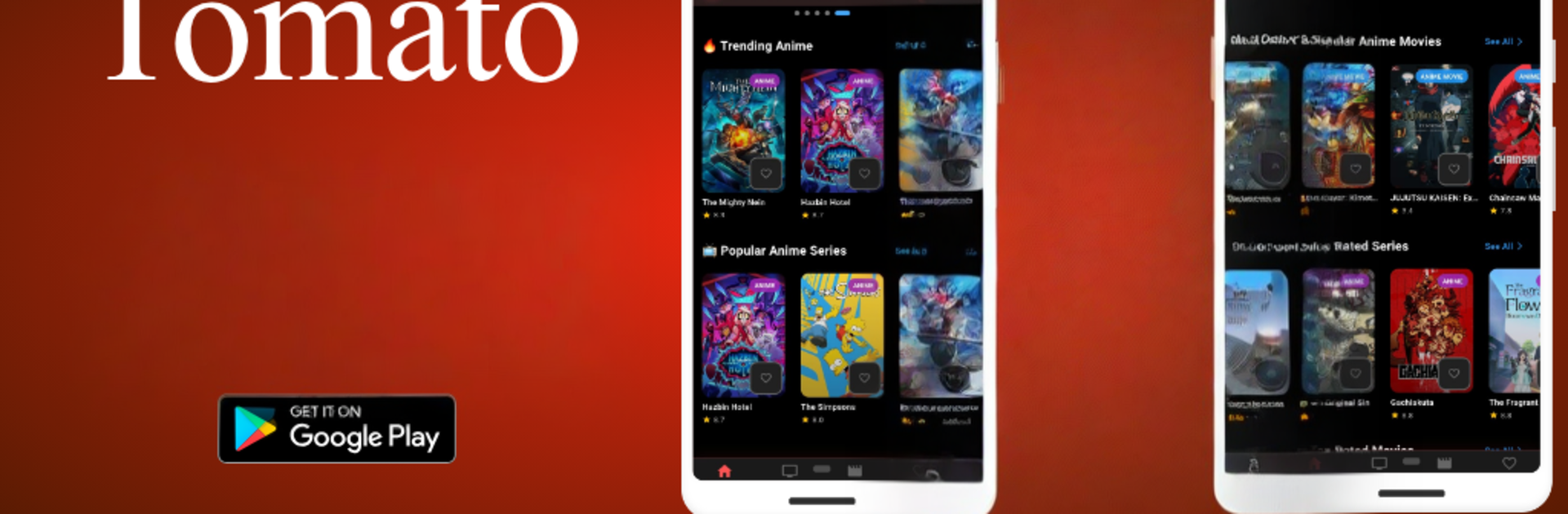
Tomato – A&M is basically an easy way to watch a lot of anime without jumping through hoops. It opens straight to the good stuff, no sign up screens or weird setup, and the layout is clean enough that anyone can find a show fast. There is a big catalog here, from newer episodes everyone talks about to older series that are still worth a weekend. Everything plays in sharp HD, and switching between shows is quick so it feels smooth rather than clunky. The genre filters and search actually help, which sounds obvious, but it matters when there are this many titles. A simple watchlist keeps favorites in one place so nothing gets lost.

New episodes show up fast, so someone following an ongoing series will not feel behind. The whole design leans toward getting into an episode with as few taps as possible. On a PC with BlueStacks it works nicely, with the bigger screen making subtitles and details easier to read, and typing in searches with a keyboard is just nicer. It feels like a focused app made for watching, not a bunch of extra fluff. Whether it is a quick episode during lunch or a longer sit down, the app does not get in the way, it just plays what is picked and looks good doing it.

Switch to BlueStacks and make the most of your apps on your PC or Mac.

How to Download and Run Tomato - A&M on PC or Mac

  • Download and install BlueStacks on your PC or Mac

  • Complete Google sign-in to access the Play Store, or do it later

  • Look for Tomato - A&M in the search bar at the top right corner

  • Click to install Tomato - A&M from the search results

  • Complete Google sign-in (if you skipped step 2) to install Tomato - A&M

  • Click the Tomato - A&M icon on the home screen to start playing

video
Watch Video

Minimum System Requirements

With BlueStacks 5, you can get started on a PC that fulfills the following requirements.

  • Operating System

    Microsoft Windows 7 or above, macOS 11 (Big Sur) or above

  • Processor

    Intel, AMD or Apple Silicon Processor

  • RAM

    at least 4GB

  • HDD

    10GB Free Disk Space

Note:

* You must be an Administrator on your PC. Up to date graphics drivers from Microsoft or the chipset vendor.

Tomato - A&M - FAQs

  • How to Run Tomato - A&M on Windows PC & Mac?

    Run Tomato - A&M on your PC or Mac by following these simple steps.

    • Click on ‘Download Tomato - A&M on PC’ to download BlueStacks
    • Install it and log-in to Google Play Store
    • Launch and run the app.
  • Why is BlueStacks the fastest and safest platform to play games on PC?

    BlueStacks respects your privacy and is always safe and secure to use. It does not carry any malware, spyware, or any sort of additional software that could harm your PC.

    It is engineered to optimize speed and performance for a seamless gaming experience.

  • What are Tomato - A&M PC requirements?

    Minimum requirement to run Tomato - A&M on your PC

    • OS: Microsoft Windows 7 and above:
    • Processor: Intel or AMD Processor:
    • RAM: Your PC must have at least 2GB of RAM. (Note that having 2GB or more disk space is not a substitute for RAM):
    • HDD: 5GB Free Disk Space.
    • You must be an Administrator on your PC.



