Algorithm City : Coding Game

Algorithm City : Coding Game

Puzzle

| Musteren

Play on PC with BlueStacks or from our cloud

  • Overview
  • Game Features
  • How to Play

Page Modified On: August 14, 2026

Play Algorithm City : Coding Game on PC or Mac

Explore a whole new adventure with Algorithm City : Coding Game, a Puzzle game created by Musteren. Experience great gameplay with BlueStacks, the most popular gaming platform to play Android games on your PC or Mac.

About the Game

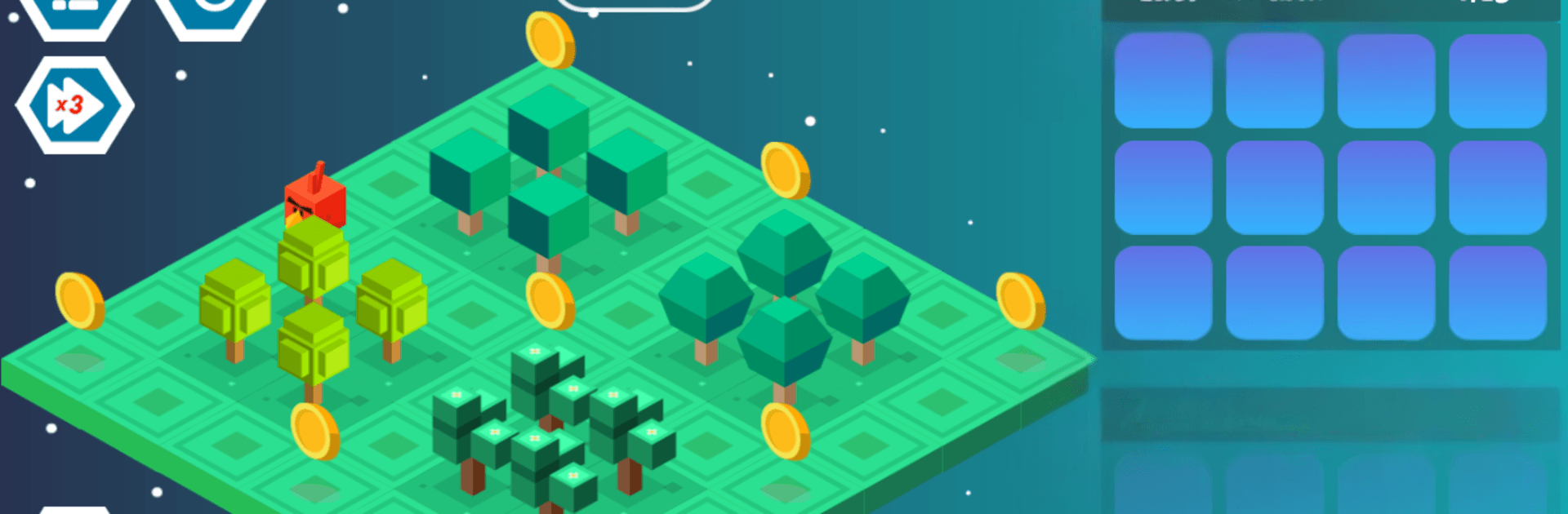
Algorithm City : Coding Game is a Puzzle experience that sneaks real programming ideas into a cute, tile-based adventure. You guide a character through bite-sized stages, collect gold, and solve logic challenges using simple commands, loops, and functions. Prefer playing on a bigger screen? It runs smoothly on PC with BlueStacks.

Game Features

  • Learn-by-doing coding basics: Arrange move and action commands in sequence, then press play to see your plan unfold. Stuck? Shuffle the steps and try again until it clicks.

  • Visual loops and functions: Wrap repeated actions into tidy functions, then call them with loops to shorten your plan. It’s the “aha!” moment where long instructions turn into a few smart blocks.

  • 4 chapters, 51 handcrafted levels: Start with a gentle 6-level introduction, move into 15 beginner-friendly stages, tackle 15 trickier ones that blend loops with functions, and finish with 15 tough tests focused on mastering functions.

  • Gold-collecting challenges: Every stage has routes to read and timing to consider. Plot the cleanest path, grab the gold, and watch your logic pay off.

  • Playful cast of critters: Swap between a penguin, fox, cow, ladybug, rabbit, chicken, and more. Pick a favorite and teach it new “skills” through your code.

  • Friendly for newcomers: Short levels, clear feedback, and steady difficulty make it great for first-time coders, curious kids, and anyone who likes logical problem-solving.

  • Optional PC play with BlueStacks: Prefer a keyboard and a wider view? Fire it up on your PC through BlueStacks for comfy sessions and easy control.

Start your journey now. Download the game on BlueStacks, invite your friends, and march on a new adventure.


Game Features

Enhancements

  • Macros
  • Multi Instance
  • Multi Instance Sync
  • Script
  • Enhancements
Macros

Macros

Automate the predictable in Algorithm City : Coding Game and transform your gameplay with Macros. Get access to inventive Macros in the BlueStacks Macro Community
Multi Instance

Multi Instance

Play Algorithm City : Coding Game on one window. And chat with your friend on the other. Press CTRL + Shift + 8 to open the Multi-Instance Manager. And start creating fresh instances or clone an existing one.
Multi Instance Sync

Multi Instance Sync

Play Algorithm City : Coding Game with the power of Multi-Instance Sync. Replicate what you are doing on the main instance on all other instances. Level up faster, play more.
Script

Script

Script your way to gaming glory in Algorithm City : Coding Game with BlueStacks Script. Write and run a set of commands to automate repeated tasks. Trigger the command by assigning it to any key.
Read More

How to Download and Play Algorithm City : Coding Game on PC or Mac

  • Download and install BlueStacks on your PC or Mac

  • Complete Google sign-in to access the Play Store, or do it later

  • Look for Algorithm City : Coding Game in the search bar at the top right corner

  • Click to install Algorithm City : Coding Game from the search results

  • Complete Google sign-in (if you skipped step 2) to install Algorithm City : Coding Game

  • Click the Algorithm City : Coding Game icon on the home screen to start playing

video
Watch Video

Minimum System Requirements

With BlueStacks 5, you can get started on a PC that fulfills the following requirements.

  • Operating System

    Microsoft Windows 7 or above, macOS 11 (Big Sur) or above

  • Processor

    Intel, AMD or Apple Silicon Processor

  • RAM

    at least 4GB

  • HDD

    10GB Free Disk Space

Note:

* You must be an Administrator on your PC. Up to date graphics drivers from Microsoft or the chipset vendor.

Algorithm City : Coding Game - FAQs

  • How to play Algorithm City : Coding Game on Windows PC & Mac?

    Play Algorithm City : Coding Game on your PC or Mac by following these simple steps.

    • Click on 'Play Algorithm City : Coding Game on PC’ to download BlueStacks
    • Install it and log-in to Google Play Store
    • Launch and play the game.
  • Why is BlueStacks the fastest and safest platform to play games on PC?

    BlueStacks respects your privacy and is always safe and secure to use. It does not carry any malware, spyware, or any sort of additional software that could harm your PC.

    It is engineered to optimize speed and performance for a seamless gaming experience.

  • What are Algorithm City : Coding Game PC requirements?

    Minimum requirement to run Algorithm City : Coding Game on your PC

    • OS: Microsoft Windows 7 or above MacOS 11 (Big Sur) or above
    • Processor: Intel, AMD or Apple Silicon Processor
    • RAM: Your PC must have at least 4GB of RAM. (Note that having 4GB or more disk space is not a substitute for RAM)
    • HDD: 10GB Free Disk Space.
    • You must be an Administrator on your PC.