Bloxorz: Brain Game
Bloxorz: Brain Game

Bloxorz: Brain Game

Puzzle

| Infocom Studios

Play on PC with BlueStacks or from our cloud

  • Overview
  • Game Features
  • How to Play

Page Modified On: July 06, 2026

Play Bloxorz: Brain Game on PC or Mac

Bloxorz: Brain Game brings the Puzzle genre to life, and throws up exciting challenges for gamers. Developed by Infocom Studios, this Android game is best experienced on BlueStacks, the World’s #1 app player for PC and Mac users.

About the Game

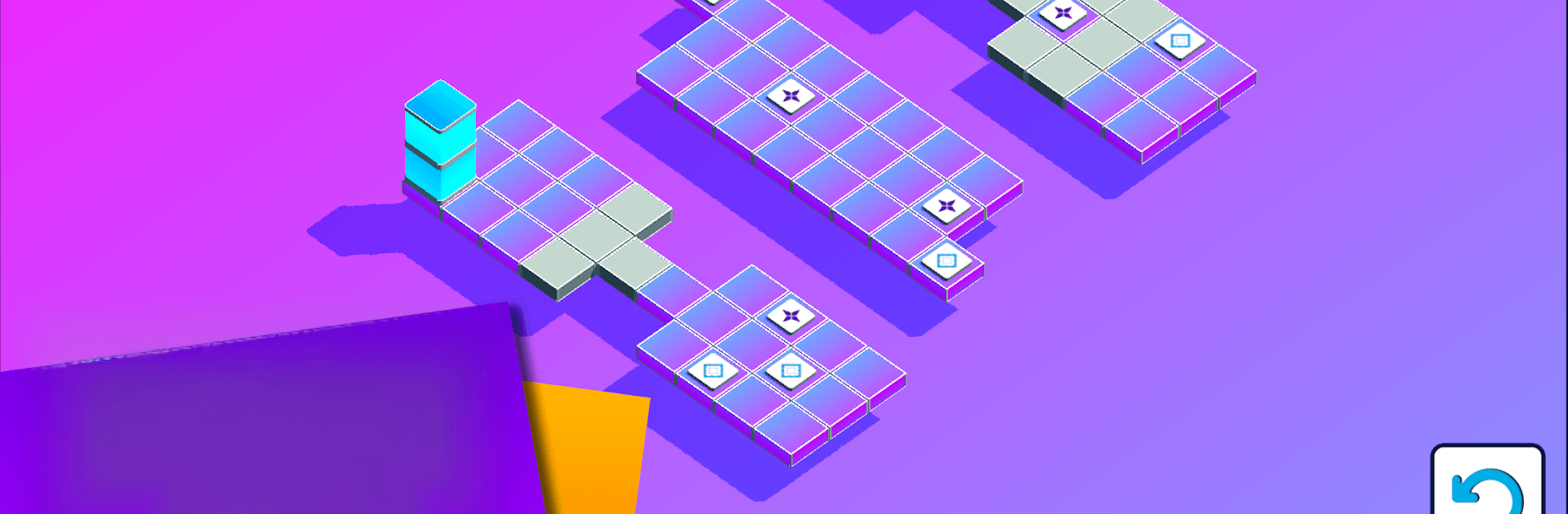
Bloxorz: Brain Game is a Puzzle that asks you to think a few steps ahead. You’re rolling a chunky rectangular block across floating tiles, trying to land it perfectly on the goal square without slipping off the edge. It starts simple, then quietly raises the stakes as you learn how the block’s different positions open (and close) paths in surprising ways. Prefer a bigger screen? It’s also comfortable to play on BlueStacks.

Game Features

  • Orientation-based movement: Rolling, tipping, and standing the block changes what the board looks like to you—position matters as much as direction.
  • Three-star challenge: Finish each stage in as few moves as possible to snag all three stars, rewarding clean, efficient thinking.
  • Clever switches: Soft and hard switches react differently when the block hits them, opening bridges or shifting tiles to reroute your path.
  • Steady difficulty curve: Early levels ease you in, while later puzzles layer on narrow ledges, tricky angles, and multi-step setups.
  • Helpful assists: Stuck? Use hints to nudge your strategy, or trigger a full solve that completes the level for you at the cost of the top rating.
  • Clear tutorial: A short, to-the-point intro explains how everything works so you can get right to solving.
  • Simple, responsive controls: Swipe anywhere on the screen to roll the block with smooth, no-fuss input.
  • Personalize the look: Pick from colorful themes and block skins, with more style options available through in-app purchases.
  • Lots to chew on: Hundreds of handcrafted puzzles keep your mind engaged and your route-planning sharp.

Start playing Bloxorz: Brain Game on BlueStacks and get a smoother, more comfortable PC or Mac setup.


Game Features

Enhancements

  • Macros
  • Multi Instance
  • Multi Instance Sync
  • Script
  • Enhancements
Macros

Macros

Automate the predictable in Bloxorz: Brain Game and transform your gameplay with Macros. Get access to inventive Macros in the BlueStacks Macro Community
Multi Instance

Multi Instance

Play Bloxorz: Brain Game on one window. And chat with your friend on the other. Press CTRL + Shift + 8 to open the Multi-Instance Manager. And start creating fresh instances or clone an existing one.
Multi Instance Sync

Multi Instance Sync

Play Bloxorz: Brain Game with the power of Multi-Instance Sync. Replicate what you are doing on the main instance on all other instances. Level up faster, play more.
Script

Script

Script your way to gaming glory in Bloxorz: Brain Game with BlueStacks Script. Write and run a set of commands to automate repeated tasks. Trigger the command by assigning it to any key.
Read More

How to Download and Play Bloxorz: Brain Game on PC or Mac

  • Download and install BlueStacks on your PC or Mac

  • Complete Google sign-in to access the Play Store, or do it later

  • Look for Bloxorz: Brain Game in the search bar at the top right corner

  • Click to install Bloxorz: Brain Game from the search results

  • Complete Google sign-in (if you skipped step 2) to install Bloxorz: Brain Game

  • Click the Bloxorz: Brain Game icon on the home screen to start playing

video
Watch Video

Minimum System Requirements

With BlueStacks 5, you can get started on a PC that fulfills the following requirements.

  • Operating System

    Microsoft Windows 7 or above, macOS 11 (Big Sur) or above

  • Processor

    Intel, AMD or Apple Silicon Processor

  • RAM

    at least 4GB

  • HDD

    10GB Free Disk Space

Note:

* You must be an Administrator on your PC. Up to date graphics drivers from Microsoft or the chipset vendor.

Bloxorz: Brain Game - FAQs

  • How to play Bloxorz: Brain Game on Windows PC & Mac?

    Play Bloxorz: Brain Game on your PC or Mac by following these simple steps.

    • Click on 'Play Bloxorz: Brain Game on PC’ to download BlueStacks
    • Install it and log-in to Google Play Store
    • Launch and play the game.
  • Why is BlueStacks the fastest and safest platform to play games on PC?

    BlueStacks respects your privacy and is always safe and secure to use. It does not carry any malware, spyware, or any sort of additional software that could harm your PC.

    It is engineered to optimize speed and performance for a seamless gaming experience.

  • What are Bloxorz: Brain Game PC requirements?

    Minimum requirement to run Bloxorz: Brain Game on your PC

    • OS: Microsoft Windows 7 or above MacOS 11 (Big Sur) or above
    • Processor: Intel, AMD or Apple Silicon Processor
    • RAM: Your PC must have at least 4GB of RAM. (Note that having 4GB or more disk space is not a substitute for RAM)
    • HDD: 10GB Free Disk Space.
    • You must be an Administrator on your PC.