Brainy Boxy - Brain Games

Brainy Boxy - Brain Games

Puzzle

| Brainteaser Puzzle Game Studio

Play on PC with BlueStacks or from our cloud

  • Overview
  • Game Features
  • How to Play

Page Modified On: August 15, 2026

Play Brainy Boxy - Brain Games on PC or Mac

Bring your A-game to Brainy Boxy – Brain Games, the Puzzle game sensation from Brainteaser Puzzle Game Studio. Give your gameplay the much-needed boost with precise game controls, high FPS graphics, and top-tier features on your PC or Mac with BlueStacks.

About the Game

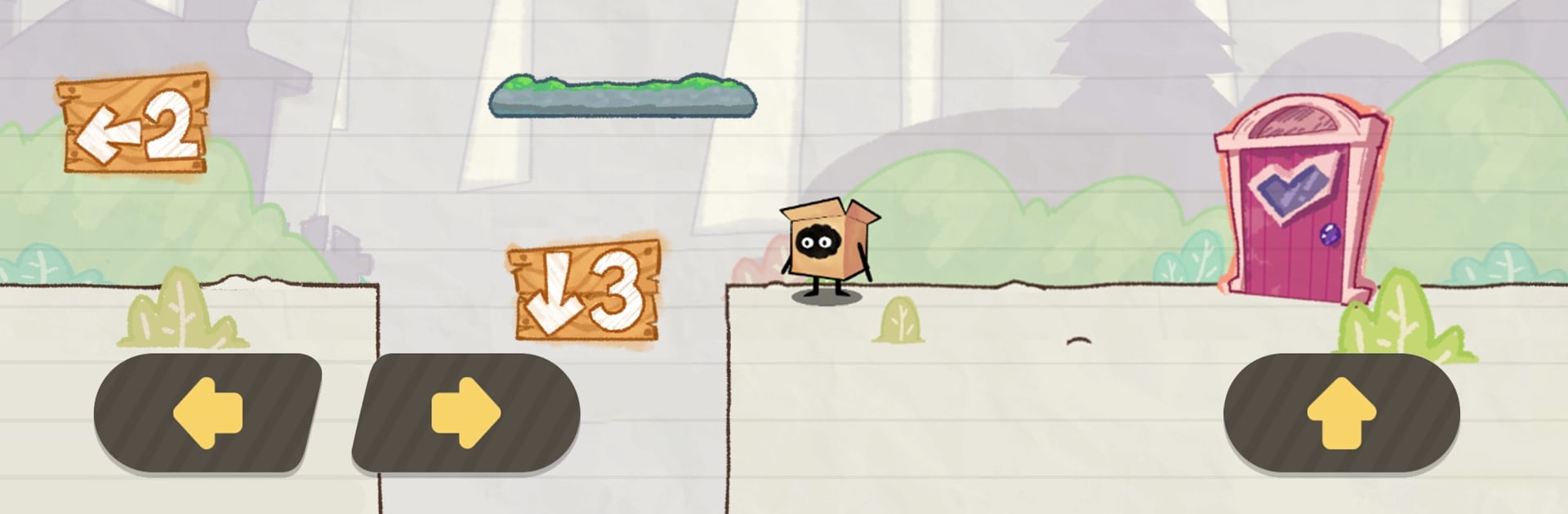
Brainy Boxy – Brain Games is a playful Puzzle adventure where a plucky little cube keeps bumping into doors that refuse to open the normal way. Every scene looks like a doodled sketch, and the “right” move is almost never the one you first think of. Poke around, try odd ideas, and enjoy the gotchas—everything feels extra crisp if you’re clicking through on BlueStacks.

Game Features

  • Rule-Bending Challenges: The obvious answer is usually bait. Twist your thinking and try the move that feels wrong.
  • Everything’s Interactive: If it’s on-screen, it might react. Drag, hold, stack, and experiment to uncover sneaky exits.
  • Hints With a Light Touch: Stuck? Get a gentle nudge that preserves the aha moment without spoiling the whole trick.
  • Sketchbook Personality: Hand-drawn scenes hide visual jokes, fake-outs, and tiny cues that reward careful eyes.
  • Playful Pranks: Expect cheeky surprises, comic fails, and humor that turns mistakes into new ideas.
  • Works Offline: No connection needed, making it easy to jump in during quick breaks or longer sessions.
  • Sound That Smiles: Bouncy music and witty effects add timing to your experiments and reveals.
  • Snackable Stages: Short levels fit snugly into a spare minute—unless a twist keeps you thinking longer.
  • Friendly for Many Ages: Clear logic, approachable challenges, and light humor that welcome both first-timers and seasoned brainiacs.

Start your journey now. Download the game on BlueStacks, invite your friends, and march on a new adventure.


Game Features

Enhancements

  • Macros
  • Multi Instance
  • Multi Instance Sync
  • Script
  • Enhancements
Macros

Macros

Automate the predictable in Brainy Boxy - Brain Games and transform your gameplay with Macros. Get access to inventive Macros in the BlueStacks Macro Community
Multi Instance

Multi Instance

Play Brainy Boxy - Brain Games on one window. And chat with your friend on the other. Press CTRL + Shift + 8 to open the Multi-Instance Manager. And start creating fresh instances or clone an existing one.
Multi Instance Sync

Multi Instance Sync

Play Brainy Boxy - Brain Games with the power of Multi-Instance Sync. Replicate what you are doing on the main instance on all other instances. Level up faster, play more.
Script

Script

Script your way to gaming glory in Brainy Boxy - Brain Games with BlueStacks Script. Write and run a set of commands to automate repeated tasks. Trigger the command by assigning it to any key.
Read More

How to Download and Play Brainy Boxy - Brain Games on PC or Mac

  • Download and install BlueStacks on your PC or Mac

  • Complete Google sign-in to access the Play Store, or do it later

  • Look for Brainy Boxy - Brain Games in the search bar at the top right corner

  • Click to install Brainy Boxy - Brain Games from the search results

  • Complete Google sign-in (if you skipped step 2) to install Brainy Boxy - Brain Games

  • Click the Brainy Boxy - Brain Games icon on the home screen to start playing

video
Watch Video

Minimum System Requirements

With BlueStacks 5, you can get started on a PC that fulfills the following requirements.

  • Operating System

    Microsoft Windows 7 or above, macOS 11 (Big Sur) or above

  • Processor

    Intel, AMD or Apple Silicon Processor

  • RAM

    at least 4GB

  • HDD

    10GB Free Disk Space

Note:

* You must be an Administrator on your PC. Up to date graphics drivers from Microsoft or the chipset vendor.

Brainy Boxy - Brain Games - FAQs

  • How to play Brainy Boxy - Brain Games on Windows PC & Mac?

    Play Brainy Boxy - Brain Games on your PC or Mac by following these simple steps.

    • Click on 'Play Brainy Boxy - Brain Games on PC’ to download BlueStacks
    • Install it and log-in to Google Play Store
    • Launch and play the game.
  • Why is BlueStacks the fastest and safest platform to play games on PC?

    BlueStacks respects your privacy and is always safe and secure to use. It does not carry any malware, spyware, or any sort of additional software that could harm your PC.

    It is engineered to optimize speed and performance for a seamless gaming experience.

  • What are Brainy Boxy - Brain Games PC requirements?

    Minimum requirement to run Brainy Boxy - Brain Games on your PC

    • OS: Microsoft Windows 7 or above MacOS 11 (Big Sur) or above
    • Processor: Intel, AMD or Apple Silicon Processor
    • RAM: Your PC must have at least 4GB of RAM. (Note that having 4GB or more disk space is not a substitute for RAM)
    • HDD: 10GB Free Disk Space.
    • You must be an Administrator on your PC.