Myth or Reality 1: Extra

Myth or Reality 1: Extra

Puzzle

| Do Games Limited

Play on PC with BlueStacks or from our cloud

  • Overview
  • Game Features
  • How to Play

Page Modified On: December 26, 2025

Play Myth or Reality 1: Extra on PC or Mac

Join millions to experience Myth or Reality 1: Extra, an exciting Puzzle game from Do Games Limited. With BlueStacks App Player, you are always a step ahead of your opponent, ready to outplay them with faster gameplay and better control with the mouse and keyboard on your PC or Mac.

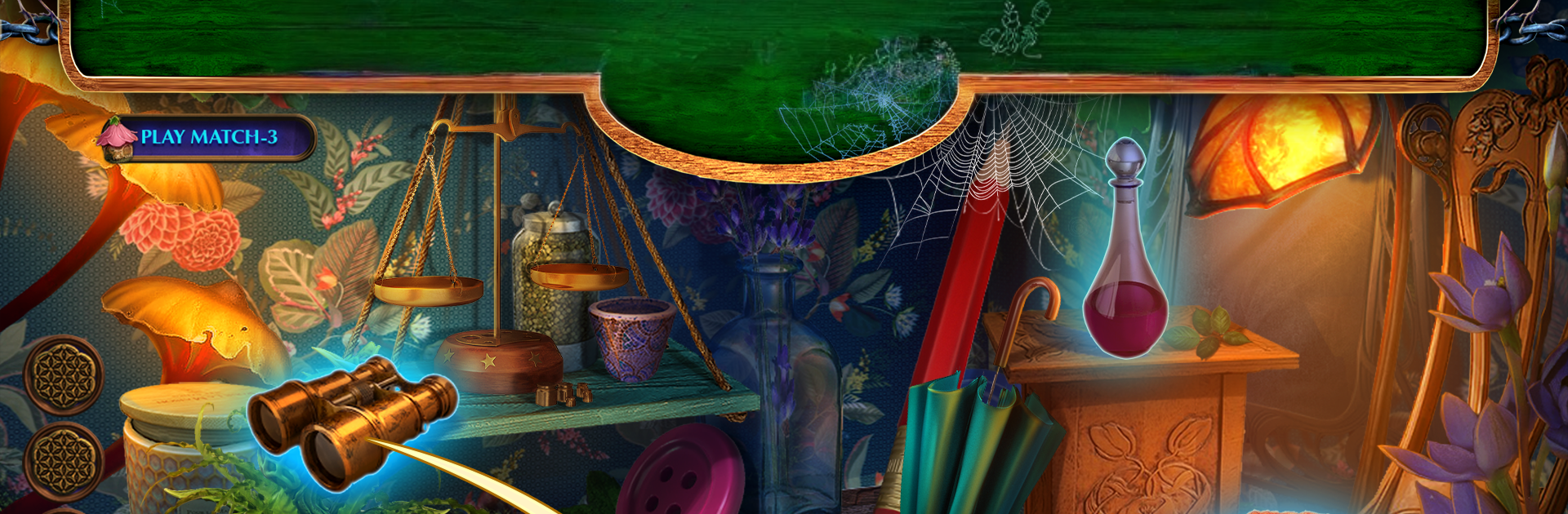
Myth or Reality 1: Extra feels like a bite-size bonus case set after Fairy Lands, with a neat twist on the usual hidden-object formula. It puts the player in Maryam’s shoes after she gets a strange letter from Queen Mab, pointing to friends gone missing and a rundown traveling circus that might be more than smoke and mirrors. The tone sits between fairytale and detective story: one moment it is sparkles and illusions, the next it is sorting out who is lying and who is actually using real magic. Scenes are packed with items to spot, then there are those little lock-and-key puzzles, pattern rings, and the classic “use the thing you found three screens ago to open the weird box” moments that hidden object fans expect.

What stands out is the circus theme. Each tent feels like its own trick, and the game keeps asking whether the act is stagecraft or enchantment. The choices system is light but present, mostly changing how people react or which clue turns up first. It is not action heavy, so the fun comes from piecing clues together and clearing those tidy mini-games without getting stuck. Hints are generous and the difficulty can be nudged if someone just wants to relax. The art is colorful without being loud, and the music leans into that slightly eerie carnival mood.

Since it is a bonus chapter, it is shorter than a full game, but it does feel focused and complete. On BlueStacks, the hidden-object scenes benefit from the bigger display and a mouse makes those tiny clickable hotspots less fussy. It runs smooth, and swapping between scenes feels quick. If someone enjoys cozy mystery puzzles with a fair bit of searching, a touch of magic, and a straightforward story about stopping adults from exploiting things they do not understand, this is that kind of evening.

Slay your opponents with your epic moves. Play it your way on BlueStacks and dominate the battlefield.


Game Features

Enhancements

  • Macros
  • Multi Instance
  • Multi Instance Sync
  • Script
  • Enhancements
Macros

Macros

Automate the predictable in Myth or Reality 1: Extra and transform your gameplay with Macros. Get access to inventive Macros in the BlueStacks Macro Community
Multi Instance

Multi Instance

Play Myth or Reality 1: Extra on one window. And chat with your friend on the other. Press CTRL + Shift + 8 to open the Multi-Instance Manager. And start creating fresh instances or clone an existing one.
Multi Instance Sync

Multi Instance Sync

Play Myth or Reality 1: Extra with the power of Multi-Instance Sync. Replicate what you are doing on the main instance on all other instances. Level up faster, play more.
Script

Script

Script your way to gaming glory in Myth or Reality 1: Extra with BlueStacks Script. Write and run a set of commands to automate repeated tasks. Trigger the command by assigning it to any key.
Read More

How to Download and Play Myth or Reality 1: Extra on PC or Mac

  • Download and install BlueStacks on your PC or Mac

  • Complete Google sign-in to access the Play Store, or do it later

  • Look for Myth or Reality 1: Extra in the search bar at the top right corner

  • Click to install Myth or Reality 1: Extra from the search results

  • Complete Google sign-in (if you skipped step 2) to install Myth or Reality 1: Extra

  • Click the Myth or Reality 1: Extra icon on the home screen to start playing

video
Watch Video

Minimum System Requirements

With BlueStacks 5, you can get started on a PC that fulfills the following requirements.

  • Operating System

    Microsoft Windows 7 or above, macOS 11 (Big Sur) or above

  • Processor

    Intel, AMD or Apple Silicon Processor

  • RAM

    at least 4GB

  • HDD

    10GB Free Disk Space

Note:

* You must be an Administrator on your PC. Up to date graphics drivers from Microsoft or the chipset vendor.

Myth or Reality 1: Extra - FAQs

  • How to play Myth or Reality 1: Extra on Windows PC & Mac?

    Play Myth or Reality 1: Extra on your PC or Mac by following these simple steps.

    • Click on 'Play Myth or Reality 1: Extra on PC’ to download BlueStacks
    • Install it and log-in to Google Play Store
    • Launch and play the game.
  • Why is BlueStacks the fastest and safest platform to play games on PC?

    BlueStacks respects your privacy and is always safe and secure to use. It does not carry any malware, spyware, or any sort of additional software that could harm your PC.

    It is engineered to optimize speed and performance for a seamless gaming experience.

  • What are Myth or Reality 1: Extra PC requirements?

    Minimum requirement to run Myth or Reality 1: Extra on your PC

    • OS: Microsoft Windows 7 or above MacOS 11 (Big Sur) or above
    • Processor: Intel, AMD or Apple Silicon Processor
    • RAM: Your PC must have at least 4GB of RAM. (Note that having 4GB or more disk space is not a substitute for RAM)
    • HDD: 10GB Free Disk Space.
    • You must be an Administrator on your PC.